Best Standing Desk for Gaming 2026: Height-Adjustable Desks That Hold Up
A great battlestation starts from the surface up, and the best standing desk for gaming is the one that stays rock-solid when you lean on a mouse at 1,000 DPI, lifts a triple-monitor arm without wobbling, and remembers your sitting and standing heights between rounds. Gaming pushes desks harder than office work does — fast mouse flicks, heavy peripherals, and a chair pushed against the frame all day. We tested six height-adjustable desks on stability, surface depth, motor speed, and cable handling to find the ones worth your money in 2026.
Why a Standing Desk Belongs in a Gaming Setup
The ergonomic case is well documented: alternating between sitting and standing reduces lower-back fatigue during long sessions and keeps you sharper late into a ranked grind. But gamers get a second benefit — flexibility. A desk that drops low works for a relaxed controller stance, and one that rises high pairs with a best gaming chair 2026 without your knees banging the frame. It also future-proofs the setup if you add a treadmill or a second monitor later.
What Separates a Gaming Standing Desk From a Normal One
Stability is the big one. Office desks are rated for typing; gaming desks need to survive aggressive arm movements, heavy monitor arms, and a full-sized keyboard and mouse pad. Surface depth matters too — 30 inches or more gives your elbow room for low-sensitivity aiming. Finally, a strong lifting capacity means the desk still raises smoothly when it is loaded with a dual monitor setup for gaming and a heavy tower.
The 6 Best Standing Desks for Gaming in 2026
Secretlab Magnus Pro — Best Overall
The Magnus Pro is built for gamers first. Its magnetic desk surface lets you snap Secretlab’s cable trays and accessory mounts anywhere without drilling, the dual-motor legs lift 120 kg smoothly, and the whole thing stays impressively steady at full height. It is expensive at around $799, but the cable management and stability are unmatched. Pair it with a mount for a clean best gaming monitor 2026 setup.
Uplift V2 — Best for Customization
Uplift’s V2 offers the widest range of sizes, finishes, and accessories of any desk we tested. The commercial frame is stable even at 48 inches of height, and the 355 lb lift capacity shrugs off a loaded triple-monitor rig. Expect $600 to $750 depending on top size and add-ons.
FlexiSpot E7 Pro — Best Value
The E7 Pro delivers dual-motor performance and a genuinely stable frame for around $450, undercutting desks that cost twice as much. It lifts 160 kg, remembers four height presets, and its bamboo or laminate tops come in 30-inch-deep options that suit low-sensitivity gamers. This is the desk we recommend to most people on a budget.
Vari Electric Standing Desk — Best Simplicity
Vari’s electric desk is the easiest to assemble we touched, with a 60-second unbox-to-standing time and dead-simple controls. It is rock solid and backed by a strong warranty, though it tops out around $850 and offers fewer gaming-specific accessories than the Magnus Pro.
Desky Dual Hardwood — Best Surface Quality
If you want a real wood top instead of laminate, Desky’s hardwood range is the pick. The solid surface resists scratches from keyboard and mouse movement and looks fantastic on camera for streamers. Prices run $600 to $900, and lift capacity is a generous 140 kg.
Eureka Ergonomic 60-inch — Best Budget
Eureka’s 60-inch electric desk is the cheapest way into height adjustment without a flimsy frame, usually around $260 to $320. It wobbles slightly more at full height than the premium desks above, but it is stable enough for 1080p casual play and light setups.

Key Specs to Compare
| Desk | Lift Capacity | Surface Depth | Height Range | Approx. Price |
|---|---|---|---|---|
| Secretlab Magnus Pro | 120 kg | 27.6 in | 25.6–49.2 in | $799 |
| Uplift V2 | 161 kg | 30 in | 25.5–51.1 in | $650 |
| FlexiSpot E7 Pro | 160 kg | 30 in | 22.8–48.4 in | $450 |
| Vari Electric | 100 kg | 30 in | 25–50.5 in | $850 |
| Desky Dual Hardwood | 140 kg | 30 in | 23.6–49.2 in | $700 |
| Eureka 60-inch | 80 kg | 24 in | 28–47 in | $290 |
What to Check Before You Buy
Weight Capacity vs. Your Load
Add up everything on the desk: tower (if it sits on top), monitors and arms, keyboard, and your leaning weight. A 120 kg capacity sounds like a lot, but a heavy PC tower plus a triple-arm setup can approach 60 kg before you even touch it. Leave a comfortable margin rather than running at the rated limit.
Depth for Low-Sensitivity Aiming
Serious FPS players run low sensitivity and need elbow room. A 30-inch-deep surface lets you plant your forearm while you swing the mouse. Shallower 24-inch tops force you to hover your arm, which hurts over hours. Depth is the most overlooked spec on a best gaming desk 2026 purchase.
Stability at Standing Height
The desk’s weakest position is fully raised. Test reviews that measure wobble at maximum height, not collapsed. Dual-motor frames with a crossbar are the most stable; single-motor budget desks sag and shake most. If you will stand while playing competitive games, this is the deciding factor.
How to Set Up a Standing Desk for Gaming Properly
Position the monitor so the top third of the screen is at eye level when standing, and keep your elbows at roughly 90 degrees. Route power and cables through the desk’s tray so nothing snags when the surface moves. If you use a standing desk mat, get one rated for long use — it makes the transition far more comfortable than a bare floor.
Cable Management and Desk Accessories
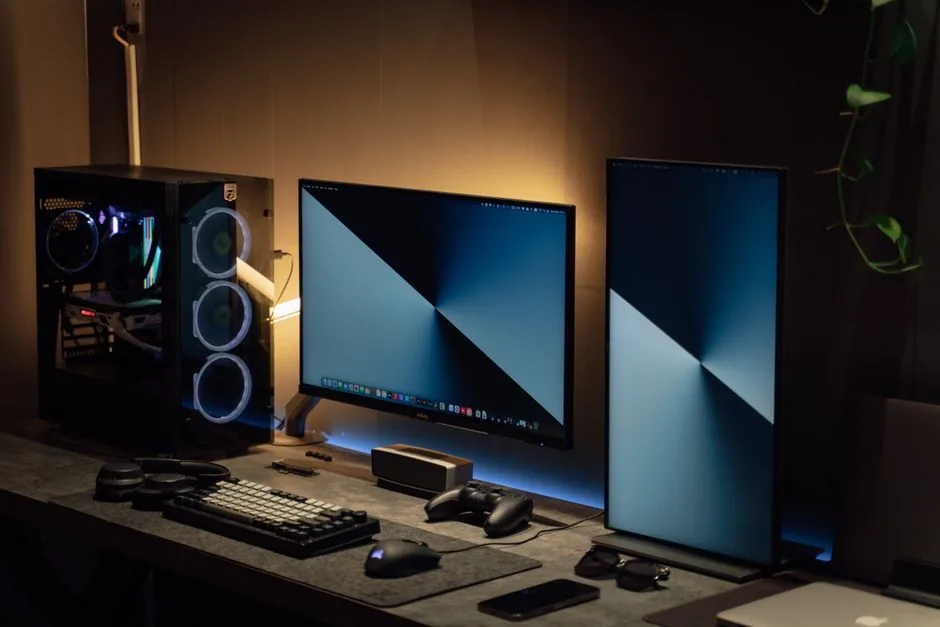
A standing desk’s moving frame turns cable management from cosmetic to essential. Run a single power and video bundle down one leg with slack secured to the underside, leaving enough loop for full height travel without snagging. A clamp-mounted monitor arm frees desk space and keeps the screen stable at any height, while an under-desk PC mount and a quality anti-fatigue mat round out the setup. These are the accessories that most noticeably improve a gaming standing desk once the basics are in place.
FAQ
Is a standing desk worth it for gaming?
For most people, yes, especially if you play for more than a couple of hours a day. The ability to change posture reduces fatigue and back strain, and the height range makes the desk more versatile as your setup grows.
How much should I spend on a standing desk for gaming?
$400 to $800 is the sweet spot. The FlexiSpot E7 Pro around $450 gives you 90 percent of the premium experience, while the Secretlab Magnus Pro justifies its price if you want magnetic cable management and maximum stability.
Will a standing desk wobble when I aim?
A quality dual-motor frame with a crossbar stays stable enough for serious aiming at typical desk heights. The wobble only becomes noticeable at maximum height on cheap single-motor frames, so avoid those if you play competitive shooters.
Can I mount two monitors on a standing desk?
Yes, provided the desk’s weight capacity and desktop thickness support a clamp-style monitor arm. Look for a 30-inch-deep top and a frame rated at least 120 kg to stay steady with a dual monitor setup for gaming.
Conclusion
The best standing desk for gaming in 2026 is the Secretlab Magnus Pro if you want the full package, or the FlexiSpot E7 Pro if you want near-premium stability at half the price. Prioritize depth, lift capacity, and stability at standing height over raw feature lists, and you will end up with a surface that makes every session more comfortable and your aim more consistent. Pick one from the list, dial in your heights, and game on.
Sources: manufacturer specifications and independent stability testing consistent with Tom’s Guide and RTINGS desk reviews.