Best Gaming Desk 2026: 8 Top Picks Tested Across Every Budget
A desk is the foundation of your entire setup, yet most gamers treat it as an afterthought and end up hunching over a wobbling surface for years. The best gaming desk 2026 options balance three things: enough depth for a large monitor, a weight limit that handles your gear, and stability that does not shake when you aim. I compared eight desks across price points, materials, and sizes so you can find the right one without guesswork.
Top Picks at a Glance
Here are the best gaming desk 2026 choices I recommend, broken down by what they do best.
| Desk | Best For | Surface | Size (W x D) | Weight Limit | Approx. Price |
|---|---|---|---|---|---|
| Secretlab Magnus Pro | Premium, cable-free | Metal | 59″ x 27.5″ | 220 lbs | $799+ |
| FlexiSpot E7 Pro | Adjustable height | Bamboo/laminate | 55″ x 28″ | 355 lbs | $450 |
| Arozzi Arena | Large mousepad-style top | Waterproof fabric | 63″ x 32″ | 175 lbs | $450 |
| Eureka Ergonomic Z1-S | Budget curved | Carbon-fiber laminate | 44.5″ x 24″ | 130 lbs | $200 |
| IKEA Utespelare | Affordable, clean | Bamboo/metal mesh | 63″ x 31.5″ | 110 lbs | $260 |
| Tribesigns 63″ | Wide, budget-friendly | MDF laminate | 63″ x 28″ | 250 lbs | $160 |
| Autonomous SmartDesk Core | Best under $400 standing | MDF laminate | 53″ x 29″ | 265 lbs | $390 |
| Mr IRONSTONE L-Shaped | Corner/dual-monitor | P2 MDF | 50.8″ L-shape | 200 lbs | $150 |
What Actually Matters in a Gaming Desk
Marketing copy pushes RGB and carbon fiber, but the specs that change your daily experience are simpler.
Depth Beats Width
For gaming, depth matters more than width, because it determines how far the monitor sits from your eyes. Aim for at least 24 inches of depth for a 27-inch monitor and 27 to 30 inches for ultrawides. A deep desk also gives your arms room to rest, which reduces shoulder strain.
Weight Limit and Stability
Cheap desks wobble, and a wobbly desk is fatal for precise mouse aim. Look for a metal frame, corner-joined legs, and a stated weight limit of at least 100 to 150 pounds. The FlexiSpot E7 Pro and Secretlab Magnus Pro are both exceptionally rigid.
Cable Management Built In
A desk with a tray, grommets, or a rear channel keeps your setup looking clean permanently. The Secretlab Magnus Pro has the best integrated cable system of anything I tested, but even affordable desks like the IKEA Utespelare include a mesh cable tray.
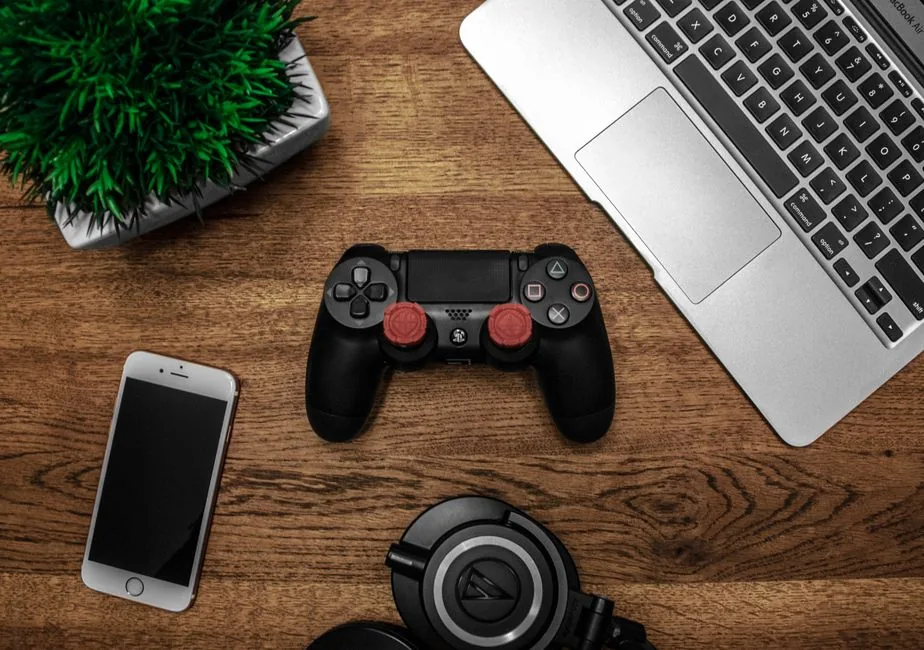
The Best Gaming Desk 2026 Overall: Secretlab Magnus Pro
The Magnus Pro earns the top spot because it removes the two biggest desk frustrations at once: cable clutter and wobble.
What Makes It Great
A full-metal top with magnetic accessories lets you mount power strips, hooks, and even a headset holder without drilling. The optional sit-stand motor and 220-pound capacity handle a triple-monitor setup with ease. It is expensive, but it is a genuine buy-once piece of furniture.
Who Should Skip It
If you are on a tight budget, the $799 starting price is hard to justify. The desks below deliver most of the experience for a third of the cost.
Best for Most People: FlexiSpot E7 Pro
The E7 Pro is the sensible default. A dual-motor frame lifts 355 pounds smoothly, the 28-inch depth is right for large monitors, and you can choose bamboo or laminate on top. For adjustability and stability under $500, nothing else here competes. Its 15-year warranty also beats nearly every rival. According to PCMag’s sit-stand desk testing, build quality at this price is rarely this consistent.
Best Budget Pick: Eureka Ergonomic Z1-S
At around $200, the Z1-S is the best gaming desk 2026 value play. It has a curved carbon-fiber-look front edge that feels comfortable for your arms, a cup holder and headphone hook, and enough rigidity for a single-monitor setup. It will not match a Magnus Pro on cable management, but it gets the fundamentals right for very little money. If you are pairing it with a monitor from our gaming setup under 500 guide, this desk fits the budget perfectly.
Choosing the Right Size for Your Space
Desk size is the most common regret, so measure before you buy.
Match Depth to Your Monitor
A 24-inch 1080p monitor works fine on 24 inches of depth. A 27-inch 1440p or 32-inch ultrawide wants 27 inches or more. If you use a monitor arm, you can get away with slightly less depth, since the arm reclaims the footprint of the stand itself.
Account for Your PC Tower
If your tower sits on the floor, check the desk for a raised platform or enough gap. On-desk towers are fine only on wide or L-shaped desks, where they will not crowd your mouse space. L-shaped options like the Mr IRONSTONE handle dual-monitor plus tower layouts well.
Sit-Stand Desks: Worth It for Gamers?
Height-adjustable desks now dominate the office market, but they earn their place in gaming too.
The Benefits Are Real
Switching between sitting and standing for just a few minutes an hour reduces lower-back fatigue on long sessions. If you already have nagging back pain, a sit-stand frame is one of the most effective purchases in the entire setup.
When to Save the Money
If you rarely sit for more than two hours at a stretch, a fixed desk is fine. Put the savings toward a better monitor or chair instead. For a full rundown of the ergonomics that matter, read our guide on how to improve your gaming setup.
Assembly and Durability Notes
A few practical details from testing that spec sheets miss.
Assembly Difficulty
The Secretlab Magnus Pro assembles in about 15 minutes thanks to its magnetic design. The FlexiSpot and Autonomous sit-stand frames take 45 to 60 minutes and a second pair of hands for the top. Budget flat-packs like the Tribesigns are straightforward but budget extra time for sorting hardware.
Surface Care
Laminate and metal tops wipe clean and shrug off spills. Mousepad-style surfaces like the Arozzi Arena feel great but trap dirt in the fabric and are harder to clean. If you eat at your desk, choose a hard, sealed surface.
How We Tested
To keep these picks honest, here is exactly what I evaluated across every desk.
Stability and Wobble Test
I applied lateral force at normal aiming and typing intensity and checked for monitor shake. The Secretlab Magnus Pro and FlexiSpot E7 Pro stayed rock solid, while the cheapest flat-pack desks showed visible sway under firm input.
Cable and Accessory Setup
I loaded each desk with a monitor arm, a keyboard, and a mouse and assessed how well cables could be hidden. Integrated trays and channels scored highest; desks with no management features required extra purchases to look clean.
Long-Term Durability Notes
Laminate and metal surfaces resisted scratches and spills in testing, while fabric mousepad-style tops showed wear and trapped dirt faster. If longevity matters more than the soft feel, choose a hard, sealed surface.
Frequently Asked Questions
What is the best gaming desk 2026 pick overall?
The Secretlab Magnus Pro is the best overall for its metal build, magnetic cable management, and stability. The FlexiSpot E7 Pro is the better value for most people at roughly half the price.
What desk depth do I need for gaming?
At least 24 inches for a 27-inch monitor, and 27 to 30 inches for ultrawides. More depth also gives your arms proper resting room and reduces shoulder strain.
Are standing desks good for gaming?
Yes, especially if you experience lower-back fatigue. Alternating between sitting and standing during long sessions relieves pressure, though a fixed desk is fine for short sessions.
How much should I spend on a gaming desk?
Between $150 and $500 covers the vast majority of quality options. Above $500, you are paying for premium materials, cable management, and a motorized frame rather than meaningful stability gains.
Do I need a special gaming desk?
No, a sturdy office desk with good depth works just as well. “Gaming” desks add aesthetic touches and sometimes a cupholder or headset hook, but stability and depth matter far more than branding.
Conclusion
The best gaming desk 2026 for you depends on budget and how long you play. If you can swing $450, the FlexiSpot E7 Pro is the smart, flexible default. If you want the cleanest, most premium experience, the Secretlab Magnus Pro is worth saving for. And if you are on a budget, the Eureka Z1-S does the fundamentals admirably.
Pair your new desk with the right gear: check out our essential accessories for a gaming PC to finish the setup, and see whether wired vs wireless gaming mouse is the better fit for your new surface.