PC Build for Video Editing and Gaming: The Complete 2026 Guide
A pc build for video editing and gaming is one of the most satisfying projects a creator can take on, but the two workloads pull a PC in different directions. Editing wants many fast CPU cores, a huge amount of RAM, and storage that can chew through high-bitrate footage, while gaming wants the strongest single-thread performance and the best graphics card your budget allows. Get the balance right and you have a single machine that handles 4K timelines during the day and high-refresh gameplay at night.
This guide walks through the exact component choices, a full parts list with real 2026 prices, and where to spend versus save. If you are starting from zero, our how to build a gaming pc step by step walkthrough covers the physical assembly, and the how much does it cost to build a gaming pc guide gives you a broader budget overview.
The Perfect PC Build for Video Editing and Gaming Parts List
Below is a balanced mid-high 2026 build that pairs a strong editing CPU with a capable gaming GPU. Prices are current street prices in USD and will shift slightly, but the proportions hold.
| Component | Recommended Part | Why It Works | Price (USD) |
|---|---|---|---|
| CPU | AMD Ryzen 7 9800X3D | Top gaming chip with enough cores for most editors | $479 |
| GPU | NVIDIA GeForce RTX 5070 Ti | Strong 1440p/4K gaming plus CUDA and NVENC acceleration | $749 |
| Motherboard | B650E ATX (MSI MAG Tomahawk) | PCIe 5.0, solid VRMs, plenty of M.2 slots | $219 |
| RAM | 64GB DDR5-6000 CL30 | Headroom for 4K timelines and multi-app workflows | $219 |
| Storage | 2TB PCIe 4.0 NVMe (Samsung 990 EVO Plus) | Fast project drive for footage and games | $139 |
| PSU | 850W 80+ Gold (Corsair RM850x) | Clean power for GPU and CPU under load | $129 |
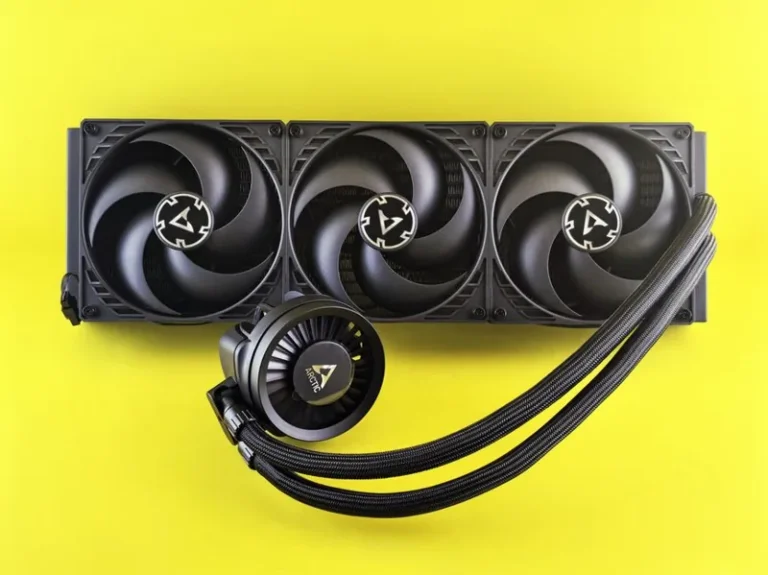
| Cooler | 360mm AIO liquid cooler | Keeps the X3D chip boost-happy under sustained renders | $149 |
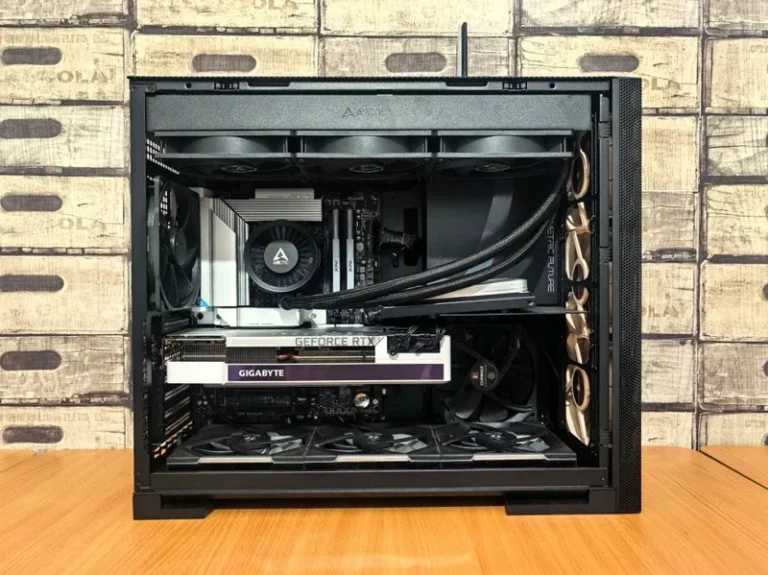
| Case | Lian Li Lancool 216 | Great airflow, easy cable management | $99 |
| Total | $2,182 |
CPU: Why the 9800X3D Is the Sweet Spot
Editing software like Premiere Pro and DaVinci Resolve rewards core count, while games reward the massive 3D V-Cache that AMD’s X3D chips carry. The Ryzen 7 9800X3D gives you eight fast cores and the best gaming frame rates of any mainstream chip in 2026, making it the natural center of a pc build for video editing and gaming.
If you push into heavy multicam 4K or long-form color grading full time, stepping up to the Ryzen 9 9950X3D adds eight more cores without sacrificing gaming performance — a real upgrade if your workflow leans more editing than gaming. Budget builders can drop to a Ryzen 7 7800X3D and still get excellent results, which our best cpu for gaming 2026 guide compares in detail.
GPU: NVIDIA vs AMD for a Dual-Purpose Machine
For a mixed editing and gaming rig, NVIDIA still has the edge. The RTX 5070 Ti delivers strong 1440p and capable 4K frame rates while its NVENC encoder accelerates exports and the CUDA cores speed up effects and AI tools. If you edit in DaVinci Resolve specifically, an AMD card like the RX 9070 XT is a surprisingly strong value with more raw VRAM per dollar, though it trails in ray tracing and some AI-assisted features.
For pure gaming performance at each price point, our best graphics card for gaming 2026 roundup covers the full lineup, and the best gpu for gaming price to performance guide is worth a read before you commit. Real-world frame-rate testing published by Tom’s Hardware is the best way to confirm a card actually hits your target resolution and refresh rate.
RAM and Storage: Where Creators Must Not Skimp
The single most common editing bottleneck is RAM. Premiere and Resolve will happily consume 32GB on a busy 4K timeline, which is why 64GB is the sweet spot for a pc build for video editing and gaming that is meant to last. Buy a 2x32GB DDR5-6000 CL30 kit rather than four sticks, since two sticks clock higher and leave room to expand later. Our how much ram for gaming pc guide explains why capacity is not the whole story.
Storage matters just as much. Put your OS and games on a fast PCIe 4.0 NVMe, and keep your active footage and scratch/cache on a second dedicated drive. This separation stops renders from stuttering and keeps your system responsive while files copy in the background. For the current best options, see our best nvme ssd for gaming recommendations.
Power Supply and Cooling: Plan for Sustained Load
Gaming spikes your power draw in bursts, but video encoding can pin the CPU and GPU at near-full load for hours at a time. That means an 850W 80+ Gold unit is the floor for the parts list above, and a good quality unit is non-negotiable — a cheap PSU is the most common cause of mysterious crashes. Our best power supply for gaming pc guide covers the units we trust.
Cooling is equally important on a machine that renders overnight. A 360mm AIO keeps the 9800X3D from throttling during long exports and is quieter than a tower cooler under sustained load. If you go air, make sure the case has strong front intake, because a hot CPU that downclocks is exactly what hurts both editing and gaming performance.
Balancing the Budget: Where to Spend and Save
A pc build for video editing and gaming is not one fixed recipe — it is a set of priorities. Here is how the budget usually shakes out:
- Spend on the CPU and GPU first. These two dominate both editing and gaming performance, so they should be roughly half your total budget.
- Do not skip RAM capacity. For editors, 64GB is the new 32GB. It is the cheapest insurance against timeline lag.
- Save on the case and cooler. An air cooler and a $70 case with good airflow perform within a few percent of premium options.
- Spend on the PSU, save on RGB. Reliability beats aesthetics every time on a work machine.
If your budget is tighter, a best budget gaming pc build under 1000 still edits 1080p comfortably and games well, though 4K editing will want more headroom.
Video Editing Software and Settings That Matter
Your hardware is only half the equation. Enable hardware acceleration in Premiere or Resolve so the GPU does the heavy lifting, set your project scratch disks to the fast NVMe drive, and render in a format that matches your delivery. These software tweaks routinely cut export times by more than any single component upgrade, and they cost nothing. Keeping your GPU drivers current matters too, especially with NVIDIA’s Studio drivers, which are tuned for creative apps rather than pure gaming.
FAQ
How much RAM do I need for video editing and gaming?
64GB is the sweet spot for a combined editing and gaming machine. It gives you headroom for 4K timelines while leaving plenty free for games and background apps. 32GB works for 1080p editing, but you will feel the limit on complex projects.
Is the Ryzen 7 9800X3D good for video editing?
Yes. Its eight cores handle most editing workloads well, and its 3D V-Cache makes it the fastest gaming CPU available. Full-time 4K editors should consider the 12-core Ryzen 9 9950X3D for extra rendering muscle.
Should I choose NVIDIA or AMD for a creator PC?
NVIDIA is the safer default thanks to NVENC encoding and CUDA acceleration, which speed up exports and AI effects in most software. AMD cards like the RX 9070 XT offer more VRAM per dollar and shine in DaVinci Resolve, at the cost of weaker ray tracing.
How much should a video editing and gaming PC cost?
A well-balanced build starts around $1,300 for smooth 1080p work and play, with the mid-high build in this guide landing near $2,200. You can push past $3,500 for a full 4K editing workstation with a top-tier GPU.
Can I use one PC for both editing and gaming?
Absolutely. With the right CPU, a capable GPU, 64GB of RAM, and fast storage, one machine handles both workloads exceptionally well. The key is balancing core count and single-thread speed rather than over-indexing on either.
Conclusion
A pc build for video editing and gaming in 2026 centers on three decisions: a high-core-count CPU like the Ryzen 7 9800X3D, a GPU with strong gaming and encoding chops like the RTX 5070 Ti, and at least 64GB of fast RAM. Spend most of your budget on those three, keep storage and power reliable, and you will have one machine that cuts 4K timelines and pushes high frame rates for years. For the monitor that shows off all that work, see our best gaming monitor 2026 guide.