Best Motherboard for Gaming AMD 2026: The Top AM5 Boards Tested
Choosing the best motherboard for gaming amd in 2026 comes down to matching the right AM5 chipset to your CPU and budget rather than simply buying the most expensive board on the shelf. AMD’s AM5 platform now spans three generations of Ryzen processors, and the motherboard market has matured enough that excellent boards start around $130, while flagship X870E models top out past $400. In this guide we break down the best boards for real gaming workloads, what features actually matter, and how to avoid paying for upgrade paths you will never use.
The good news for builders is that AM5 is the rare platform with genuine longevity, which makes the motherboard a more durable purchase than the CPU sitting in it. To pair your board with the right processor, start with our best CPU for gaming 2026 guide, then come back here once you know which Ryzen chip you are buying.
What to Look For in an AMD Gaming Motherboard
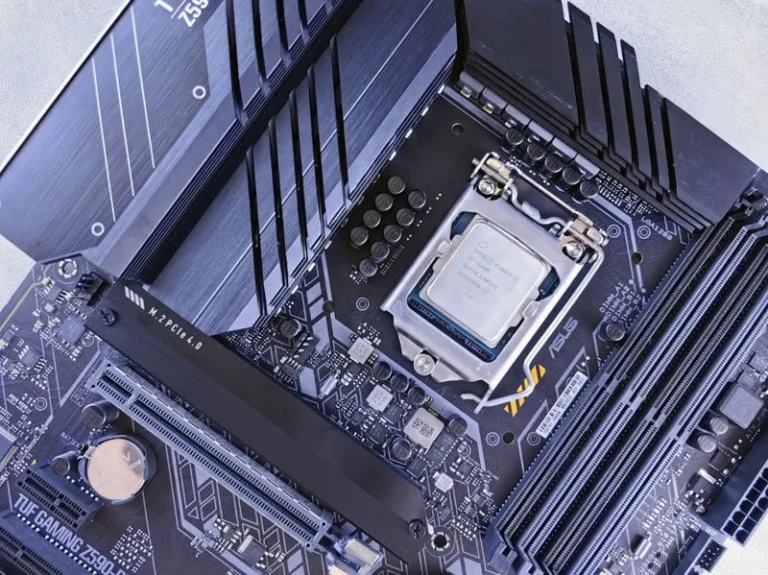
Four things decide how good a board is for gaming: VRM quality, memory support, rear I/O, and PCIe connectivity. The VRM matters because a board with weak power delivery will throttle a hot eight-core chip under sustained load, and it is the single most common place budget boards cut corners. In practice, any board with a 12-phase or better design and proper heatsinks will handle any AM5 gaming CPU without breaking a sweat.
Memory support has become the most consequential spec of this generation. DDR5 speeds up to 6000 MT/s are the sweet spot for Ryzen 7000 and 9000 series chips because they keep the memory controller and Infinity Fabric clocked in a one-to-one ratio. A board with auto-overclock support for EXPO profiles will get you there in a single BIOS click. For the full memory story, see our DDR4 vs DDR5 for gaming explainer.
Best Motherboard for Gaming AMD: The Top Boards Compared
These are the boards that deliver the right mix of power delivery, memory support, and connectivity at each price point, with typical street prices this year.
| Motherboard | Chipset | VRM | Key Strengths | 2026 Price (USD) |
|---|---|---|---|---|
| ASUS ROG Strix B650E-F | B650E | 12+2 80A | PCIe 5.0 GPU slot, strong I/O | $229 |
| MSI MAG B650 Tomahawk | B650 | 14+2 80A | Best all-around value, great VRM | $189 |
| Gigabyte B650 Aorus Elite AX | B650 | 12+2 60A | Wi-Fi 6E, solid feature set | $199 |
| ASRock B650M Pro RS | B650 | 8+2 60A | Budget pick, micro-ATX value | $139 |
| Gigabyte X870 Aorus Elite | X870 | 16+2 90A | USB4, PCIe 5.0 GPU and M.2 | $269 |
| ASUS ROG Strix X870E-E | X870E | 18+2 110A | Top overclocking, full connectivity | $419 |
For most gamers, the B650E and B850 boards hit the perfect balance, because they unlock PCIe 5.0 for the graphics card without the premium price of the X-series extras. Independent teardowns at Tom’s Hardware consistently show that boards in the $180 to $250 range now carry VRMs that would have been flagship-grade a few years ago.
Chipset Rundown: B650 vs B850 vs X870
Understanding the chipsets removes most of the confusion from the buying decision. B650 remains the value king and supports every current Ryzen CPU, including full PCIe 5.0 for storage on most boards. B850 is essentially B650 with guaranteed PCIe 5.0 on the primary GPU slot and a few modern I/O upgrades, making it the sweet spot for new builds.
X870 and X870E are the enthusiast tier, adding USB4, more PCIe 5.0 lanes, and beefier power delivery for sustained overclocking. Unless you run demanding productivity workloads or chase records with a Ryzen 9, an X870E board is usually money better spent on a faster GPU. For a deeper dive into the differences, see our B650 vs X670 motherboard comparison, which covers the same decision logic.

Memory and Overclocking on AM5
EXPO memory profiles are the fastest path to the rated speed of your RAM, and every board on our list supports them with a single toggle. Pair a board with DDR5-6000 CL30 kit for the best balance of latency and stability, and avoid chasing extremely high frequencies that frequently require loosening timings and cost more than the performance they return.
CPU overclocking on modern Ryzen chips has increasingly run headfirst into diminishing returns, which is why precision boost and undervolting with curve optimizer deliver most of the gains for less heat. A mid-range board with good VRM cooling is genuinely all most gamers need to extract the practical maximum from their chip.
Storage and PCIe 5.0 Considerations
Gen 5 NVMe drives run hot and draw real power, but the practical load-time difference versus a fast Gen 4 drive remains small in games. Most builders are better served by a quality Gen 4 drive unless they regularly move huge files. Check the number of M.2 slots and whether adding a second drive disables SATA ports or steals GPU lanes before you commit, because board manufacturers configure this differently even within the same chipset.
For help picking the right drive to plug into those slots, our best NVMe SSD for gaming roundup covers the current sweet spots in capacity and speed.
Rear I/O, Wi-Fi, and Future-Proofing
Rear I/O is where budget boards quietly trim fat, so glance at the port layout before buying. Count your USB ports, confirm BIOS flashback is present, and decide whether built-in Wi-Fi matters to you. A board with Wi-Fi 6E or 7 is convenient, but a wired Ethernet connection on a desktop remains objectively better for both latency and stability, which is why wired gaming still wins.
Future-proofing on AM5 is mostly real. Because the socket carries forward, a quality board bought today will accept a faster Ryzen CPU a couple of generations from now with nothing more than a BIOS update. That makes spending slightly more on a board with robust power delivery and a full PCIe 5.0 slot one of the better durability bets in the whole system. AMD’s own AM5 platform documentation spells out current socket support if you want the official word.
One last note on value: size the board to the CPU you are actually buying, not the one you might upgrade to someday. A B650 board with a sensible VRM handles every current Ryzen gaming chip without issue, and the extra $150 a flagship X870E demands is almost always better spent on a faster graphics card or a bigger NVMe drive. Buy the features you use today, and let the socket’s longevity handle the future.
FAQ
Is B650 still good for gaming in 2026?
Yes. B650 boards handle every current Ryzen gaming CPU without throttling and support fast DDR5 and Gen 5 storage, making them the best value for most builds.
Do I need an X870 motherboard for gaming?
No. X870 and X870E add USB4 and more PCIe 5.0 lanes, but they rarely improve gaming frame rates. The money is usually better spent on a faster GPU.
Which chipset is best for a Ryzen 7 build?
B650E or B850 is the ideal match. Both unlock PCIe 5.0 for the GPU and carry VRMs that comfortably power any Ryzen 7 chip, including the X3D parts.
Does the motherboard affect gaming performance?
Directly, very little, as long as the VRM does not throttle your CPU and memory runs at rated speed via EXPO. A good board mostly earns its price through stability, connectivity, and upgrade headroom.
Can I overclock my RAM on any AM5 board?
Yes, every AM5 board supports DDR5 overclocking and EXPO profiles. Just verify the specific speeds are on the board’s qualified vendor list for the most stable results.
Conclusion
The best motherboard for gaming amd in 2026 is not the most expensive board, but the one whose chipset, VRM, and memory support match your CPU and budget. A B650E or B850 board in the $180 to $250 range delivers everything a gamer actually uses, leaving more room for the GPU that genuinely moves frame rates. Pick your processor first, match the chipset, and confirm the I/O, then drop everything into our best gaming pc build 2026 guide to finish the rig.