B650 vs X670 Motherboard: Which AM5 Chipset Should You Buy?
The b650 vs x670 motherboard decision is the first fork in the road for anyone building an AMD Ryzen 7000 or 9000 system. Both chipsets use the same AM5 socket and support the same CPUs and DDR5 memory, so the real difference comes down to PCIe 5.0 availability, USB and storage connectivity, and how much you are willing to pay for features that most gamers never actually use.
This guide breaks down the b650 vs x670 motherboard differences in plain terms, then helps you decide which one is the right home for your Ryzen processor.
B650 vs X670 Motherboard: The Core Differences
The chipsets themselves are closely related. AMD designed each one with a fixed allocation of PCIe lanes and USB ports, and that allocation is where most of the gap lives.
| Feature | B650 | X670 |
|---|---|---|
| PCIe 5.0 GPU slot | Optional, board-dependent | Optional, more common |
| PCIe 5.0 M.2 SSD | Optional | Optional, more common |
| Total USB ports (typical) | ~8 (rear) | 10+ (rear) |
| CPU overclocking | Yes | Yes |
| Memory overclocking | Yes | Yes |
| Chipset up-link | PCIe 4.0 x4 | PCIe 4.0 x4 |
| Typical price range | $150–$280 | $220–$500 |
What B650 Actually Delivers
B650 is the value champion. A good B650 board offers CPU overclocking, memory overclocking, and enough USB and M.2 connectivity for the vast majority of builds. The main limitation is that PCIe 5.0 support is often limited to a single M.2 slot, or the GPU slot only runs at PCIe 4.0, depending on the specific board model.
What You Actually Get With X670
X670 boards add more USB ports, more SATA ports, and more PCIe 5.0 slots. For a gamer running one GPU and one or two NVMe drives, most of that extra connectivity simply sits unused. The value of X670 is really for content creators and people who need multiple high-speed devices at once.

PCIe 5.0 Is the Feature Everyone Overestimates
Many buyers choose X670 for PCIe 5.0, but the real performance difference is smaller than the marketing suggests. A PCIe 4.0 SSD is already fast enough that games load within a second or two of a PCIe 5.0 drive, and no current GPU saturates even PCIe 4.0.
For Gamers, B650 Is Usually the Smarter Buy
If your build is a single GPU plus one or two NVMe drives, B650 delivers everything you need. You get full CPU performance, all the overclocking controls, and you keep the money you would have spent on X670. That savings often pays for a better CPU or a faster SSD, which improves performance far more than the chipset ever would.
When X670 Makes Sense
Choose X670 if you plan to run multiple PCIe 5.0 drives, several add-in cards, or a large number of USB devices such as a capture card, external drives, and a streaming setup. Our streaming setup for gaming guide covers a scenario where the extra connectivity genuinely helps.
Performance: Does the Chipset Change FPS?
No. The chipset does not determine gaming frame rates, because both B650 and X670 use the same CPU socket and the same memory support. A Ryzen 7 9800X3D will hit essentially identical frame times on a quality B650 board and an expensive X670 board, as long as both let the CPU boost correctly.
Where the Chipset Does Matter
The differences show up in I/O, not FPS. X670 gives you more room to grow if you keep adding drives and expansion cards over the life of the system. B650 asks you to plan your storage a little more carefully at the start.
How to Pick a Specific B650 vs X670 Motherboard
Once you settle the b650 vs x670 motherboard question, pick a specific board by looking at the features that actually affect your day-to-day use.
Check the Rear USB Layout
Count the USB-A and USB-C ports you need for your keyboard, mouse, headset, and controllers. A board with ten rear ports looks nice until you realize four of them are USB 2.0.
Look at the M.2 Slot Cooling
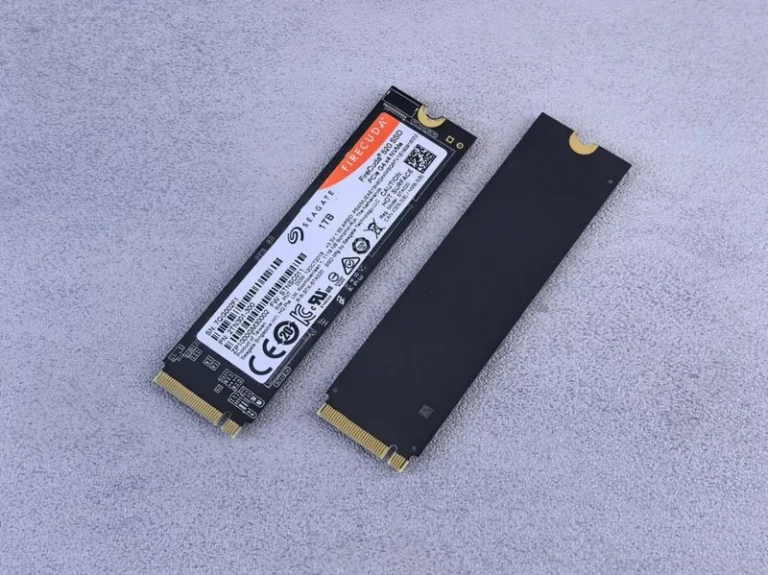
Genuinely fast PCIe 4.0 and 5.0 drives get hot. A board with proper heatsinks on every M.2 slot will keep your storage performing at full speed during long gaming sessions.
Match the VRM to Your CPU
If you are dropping in a 16-core Ryzen 9, buy a board with a beefy VRM and good cooling. For a six or eight-core chip, almost any quality B650 board will do. Related to the CPU choice, our best budget CPU for gaming guide will help you pick the processor before you commit to a board.
For detailed chipset specifications, see the AMD AM5 chipset overview and the motherboard reviews at Tom’s Hardware.
AM5 Upgrade Path and How the Chipset Fits Into It
One of the best reasons to buy into AM5 is the upgrade path. AMD has committed to supporting the socket across multiple generations of processors, which means a B650 or X670 board you buy today can likely drop in a much faster CPU years from now without changing the motherboard. For a budget-conscious builder, that makes the cheaper B650 board even more attractive, because the money you save now can go toward that future CPU upgrade instead.
Think about it this way: the difference between a mid-range B650 board and a typical X670 board is often $150 to $250. That is a big chunk of a faster processor or a bigger SSD, both of which improve your experience far more than a chipset ever will. Unless your build specifically needs the extra PCIe 5.0 slots and USB ports, spending the difference on the CPU is almost always the smarter move.
The b650 vs x670 motherboard choice also affects how many drives you can add over time. X670 boards typically offer more M.2 slots, which matters if you plan to keep adding fast storage as your game library grows. If you prefer to buy one large drive up front and keep the system simple, B650 is more than enough.
Finally, remember that both chipsets overclock exactly the same way, so the b650 vs x670 motherboard decision is really a connectivity choice, not a performance one. To complete the picture, check our best NVMe SSD for gaming guide to pick the right drive for whichever board you choose.
Related Guides
FAQ
Is B650 enough for gaming?
Yes. B650 supports the same CPUs, DDR5, and overclocking as X670, and delivers full gaming performance. For a single-GPU, one-or-two-drive build, B650 is almost always enough.
Does B650 support PCIe 5.0?
Some B650 boards do, but usually on only one M.2 slot. Check the specific board’s specification sheet, because PCIe 5.0 support is board-dependent on both chipsets.
Does X670 make games run faster?
No. The chipset does not change frame rates. Both chipsets let the same CPU and GPU perform identically, so the difference is connectivity, not speed.
Is X670 worth it for a streaming build?
It can be, if you need a capture card plus multiple USB devices and fast drives at the same time. For a basic streaming setup, B650 is still enough.
Can I overclock on B650?
Yes. Both B650 and X670 support CPU and memory overclocking, so you are not giving up any performance tuning by choosing the cheaper chipset.
Conclusion
For most builders, the b650 vs x670 motherboard question has a clear answer: buy B650 and spend the savings on a better CPU or GPU. X670 only earns its price when you genuinely need the extra PCIe 5.0 lanes, USB ports, and storage connectivity, which most single-GPU gamers simply do not.
Once you choose your chipset, pair it with the right processor using our best CPU for gaming 2026 guide, and make sure your storage plan fits with our best NVMe SSD for gaming guide.