What Are the Best Gaming PC Cases in 2026? Top Picks for Airflow and Value
If you are asking what are the best gaming pc cases in 2026, the honest answer is that a handful of mid-towers have separated from the pack and stay there month after month. The best cases now combine a mesh or ventilated front panel, enough clearance for the longest triple-fan graphics cards, and cable-management channels that make the actual build day fast. In this guide we compare the top options across airflow, build quality, and price so you can buy with confidence and stop staring at a hundred nearly identical store listings.
The category moves quickly, but the fundamentals do not. A case that chokes a hot GPU with a sealed front panel will shave off more performance than a cheaper CPU, which is why airflow matters more than RGB. Before you commit to a chassis, it helps to see the whole budget in one place, so check our how much does it cost to build a gaming pc guide to understand where your case money should go relative to the GPU and power supply.
What Makes a Gaming PC Case Great in 2026
The best cases earn their reputation through four qualities that never go out of style: real intake airflow, thoughtful cable routing, solid stock fans, and enough interior room for modern hardware. A mesh front with two or three included fans keeps a current-generation GPU cooler than a tempered-glass box with a single rear exhaust, and the temperature difference shows up directly in lower fan noise and steadier boost clocks.
Clearance has become the defining spec of the current generation. High-end graphics cards now routinely exceed 300 mm, and power supplies keep growing, so a case that cannot fit a long card plus its front fans is a nonstarter. Always confirm the maximum GPU length and CPU cooler height against your actual parts list before you buy, because a “mid-tower” from one brand can be larger than another brand’s full tower.
The Best Gaming PC Cases for 2026 Compared
These are the cases that consistently win both professional reviews and long-term owners alike, with typical street prices as of this year.
| Case | Format | Standout Quality | Max GPU Length | 2026 Price (USD) |
|---|---|---|---|---|
| Lian Li Lancool 216 | Mid-tower | Two huge 160 mm front fans, great stock airflow | 392 mm | $99 |
| Fractal Design North | Mid-tower | Wood front, refined looks, solid thermals | 355 mm | $149 |
| NZXT H7 Flow | Mid-tower | Clean interior, strong GPU cooling | 400 mm | $129 |
| Corsair 4000D Airflow | Mid-tower | Excellent value, easy to build in | 360 mm | $95 |
| Montech Air 903 Max | Mid-tower | Four preinstalled fans, unbeatable value | 390 mm | $74 |
| Phanteks NV5 | Mid-tower | Glass showcase look with real airflow | 440 mm | $119 |
The theme is obvious: you rarely need to spend more than $150 to get an exceptional case. Prices above that mark are usually buying a specific aesthetic or an unusual dual-chamber layout rather than measurably better temperatures, and reviewers at PCMag land on the same conclusion in their own roundups.
What Are the Best Gaming PC Cases for Airflow?
Community advice is consistent on one rule: buy for airflow before you buy for looks. A case with a ventilated front and a positive-pressure setup of two or three intakes against one exhaust will keep dust out more effectively than a negative-pressure glass box, and it will run quieter under load. Large, slow-spinning fans move the same air as small, fast ones while producing far less noise.
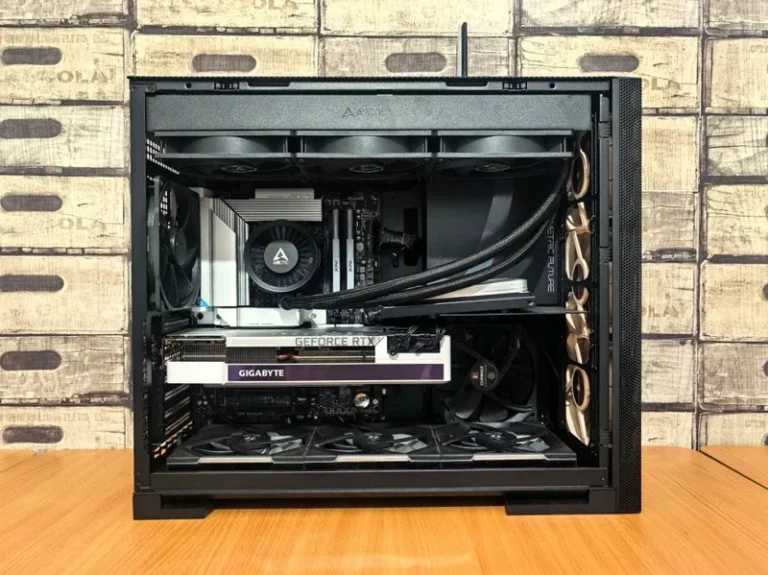
Modern mid-towers have also largely ended the air-versus-liquid debate by supporting both. A top-mounted 360 mm radiator and multiple front intakes fit alongside tall air coolers in almost every case on our list. That flexibility is why the same handful of chassis keep getting recommended for builds ranging from a budget air-cooled rig to a full custom loop. For a graphics card that deserves all of that airflow, see our best graphics card for gaming 2026 roundup, and Tom’s Hardware publishes thermal benchmarks for nearly every popular chassis.

Cable Management and the Build Experience
The reason a case earns long-term loyalty is rarely a spec-sheet number; it is how it feels to build in. Look for a roomy rear channel, a removable top or front bracket for radiator access, and generous cutouts around the motherboard. Velcro straps, a built-in cable bar, and a basement shroud all help hide wires, and the difference between a tidy cable run and a fight with a thick 24-pin connector is the difference between a forty-minute assembly and a two-hour one.
A well-designed interior also makes future upgrades painless. If you plan to add a second NVMe drive or a larger card later, the last thing you want is to tear half the build apart just to reach a header. Cases with a hinged side panel and easy drive mounting save real time down the road.
Size, Form Factor, and Cooling Headroom
Match the case to your parts rather than the reverse. If you are running a large air cooler such as the Noctua NH-D15, confirm CPU cooler clearance before anything else. If you have a long triple-fan graphics card, verify the maximum GPU length with front fans installed. And if a 360 mm radiator is in your future, make sure the top mount clears your motherboard’s heatsinks.
Small form factor is a genuinely different beast where every millimeter counts and cooling demands more planning. If a compact build appeals, our small form factor gaming pc guide walks through the layout and cooling tradeoffs in detail so you do not discover them mid-build.
Noise, Dust, and Long-Term Ownership
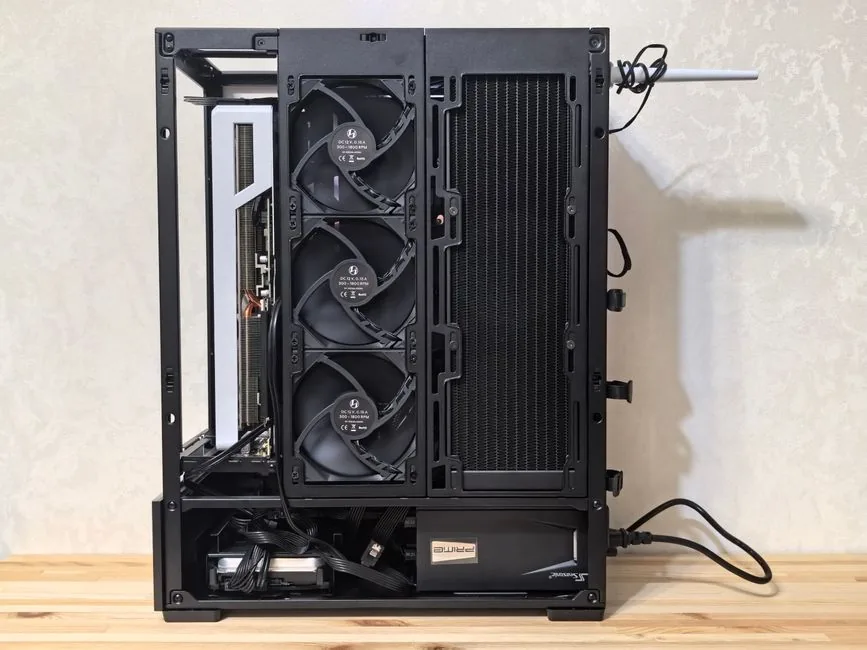
Even among airflow-first cases, noise and dust handling differ a lot, and they decide how pleasant the machine is day to day. Look for rubber grommets, oversized feet, and solid steel panels that damp vibration, plus front and top dust filters that are easy to remove and clean. A filter you can slide out without disassembling the case is one you will actually clean, and a clean case runs both cooler and quieter.
Noise reduction is the other half of the equation. Cases with dense metal panels and well-fitted filters let you run fans slower while keeping temperatures in check, which matters far more at idle than any peak-load benchmark figure. If silence is a priority in your room, filter for cases that reviewers specifically flag as quiet rather than chasing the largest possible fans.
FAQ
Do I need a full-tower gaming PC case?
Only if you run a giant custom loop or a large number of hard drives. For the vast majority of builds, a mid-tower is cheaper, easier to cool, and takes up far less space under a desk.
How much should I spend on a gaming PC case?
Around $75 to $150 covers excellent airflow, dust filters, and cable management in 2026. Spending more is almost always about a specific aesthetic rather than real performance gains.
Does case size actually affect temperatures?
Yes, but indirectly. A larger case with good intake generally runs cooler than a cramped one, yet airflow design matters more than raw volume, which is why a mesh mid-tower frequently beats a sealed full-tower.
Are tempered glass panels worth it?
Only if you want to show off the build and do not mind slightly warmer temperatures. A mesh or metal side panel often cools better, so pick glass for looks rather than for thermal reasons.
How many case fans do I really need?
Two front intakes plus one rear exhaust is a solid minimum for most systems. Cases that include all three from the factory offer the best value because you avoid buying fans separately.
Conclusion
The answer to what are the best gaming pc cases in 2026 is a short list of airflow-first mid-towers that keep winning for a simple reason: they are pleasant to build in and keep components cool. Pick a case that fits your GPU, cooler, and budget, learn from the community’s recurring complaints, and you will rarely regret the choice. When you are ready to put one to work, start with our best gaming pc build 2026 guide and drop your chosen case straight into it.