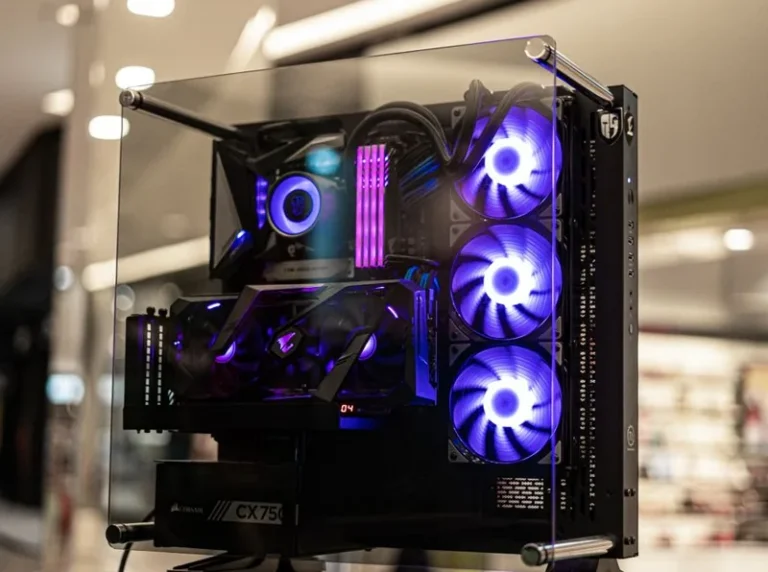

Gaming PC Build for 1440p: The Best Parts List for 2026
A gaming pc build for 1440p is the resolution sweet spot for most enthusiasts in 2026. It looks noticeably sharper than 1080p, runs far faster than 4K, and the hardware to drive it at high refresh rates is more affordable than ever. If you are building a new PC right now, 1440p at 144Hz or higher is where the best experience-per-dollar lives.
This guide gives you a concrete parts list, explains the GPU and CPU choices, and covers the budget tiers so you can pick the level that fits your wallet. It assumes a target of high settings at 1440p with frame rates at or above your monitor’s refresh rate.
The Parts List and Prices
Here is a balanced 1440p build that holds 100+ fps in demanding games and 200+ fps in esports titles. Prices are typical 2026 U.S. street prices.
| Component | Recommendation | Price | Notes |
|---|---|---|---|
| CPU | AMD Ryzen 5 9600X | $279 | 6 cores/12 threads, plenty at 1440p |
| GPU | NVIDIA RTX 5070 | $549 | Excellent 1440p performance with DLSS |
| Memory | 32GB DDR5-6000 CL30 | $95 | Standard for new builds |
| Storage | 1TB Gen4 NVMe | $85 | Fast load times, add a second later |
| Motherboard | B650 ATX | $150 | Solid, upgradeable AM5 platform |
| PSU | 750W 80+ Gold | $100 | Clean headroom for the GPU |
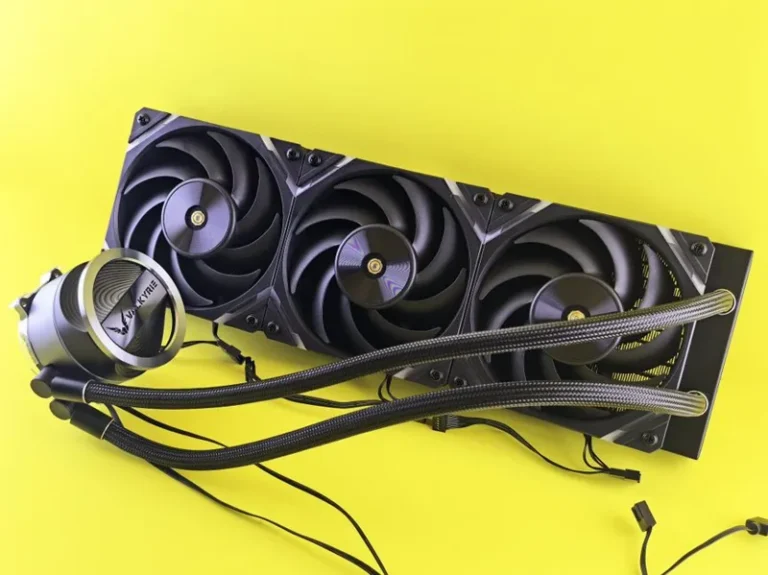
| Cooler | Thermalright Peerless Assassin 120 | $40 | Quiet, effective, cheap |
| Case | Airflow mid-tower | $75 | Good thermals without the frills |
| Total | ~$1,370 |
This configuration clears 1440p high-refresh comfortably and leaves the door open for a future GPU and CPU upgrade on the same AM5 motherboard.
Why 1440p Is the Resolution to Build For
Resolution choice drives every other decision in a build, and 1440p sits at the ideal balance point. It offers roughly 78 percent more pixels than 1080p for a clearly sharper image, yet it demands far less GPU power than 4K’s 8.3 million pixels.
The practical result is that a mid-range GPU handles 1440p at high refresh rates, which keeps the whole build affordable. You also get more useful performance headroom, so games stay smooth for longer without an upgrade. That combination of image quality, speed, and price is why 1440p is the default target for most new builds today.
The GPU: What You Actually Need
The graphics card is the most important part of a gaming pc build for 1440p, and the good news is that the options are strong across several price points.
- RTX 5060 Ti ($429): A capable entry point that handles 1440p at medium-to-high settings around 60 to 90 fps.
- RTX 5070 ($549): The sweet spot. High settings at 100+ fps in most games, with DLSS and good ray tracing.
- RX 9070 XT ($599): The raw performance pick, trading blows with the RTX 5080 in rasterized games while costing far less.
For most builders, the RTX 5070 or RX 9070 XT is the right call. Both keep 1440p high-refresh fully unlocked, and both carry 16GB of VRAM, which matters as 2026 titles get more memory-hungry.
The CPU: You Need Less Than You Think
At 1440p, the load shifts toward the GPU, so a mid-range CPU is genuinely enough. The Ryzen 5 9600X at $279 delivers excellent frame rates and runs cool and efficient, which keeps the whole build quiet and simple to cool.
If you play CPU-heavy simulation or strategy games, or you want maximum frame rates in esports, the Ryzen 7 9800X3D at $479 is the upgrade that actually moves the needle. Its 3D V-Cache produces big gains in games that love cache.
You do not need a 16-core flagship for 1440p gaming. Spend that money on a better GPU or a higher-refresh monitor instead, since those deliver far more visible improvement.
RAM, Storage, and Power Supply
A few components are settled decisions at this tier.
- Memory: 32GB of DDR5-6000 is the standard, and it costs around $95. It removes RAM as a bottleneck and gives you headroom for background apps and future games.
- Storage: A 1TB Gen4 NVMe is enough to start, though 2TB is worth the extra $65 if you keep a large library installed.
- Power supply: A 750W 80+ Gold unit covers this build with room to spare, and an 850W unit adds future-proofing for a GPU upgrade later.
These parts are easy to overthink. In reality, any reputable 750W to 850W Gold PSU, a quality Gen4 NVMe drive, and 32GB of DDR5-6000 will serve this build perfectly.
Budget Tiers for 1440p
Different budgets buy different levels of 1440p performance. Here is the lay of the land.
- ~$1,000: An RTX 5060 Ti or RX 9060 XT build that manages 1440p at medium settings and 60 to 90 fps. Solid, but you will adjust settings.
- ~$1,350: The sweet spot above, with an RTX 5070 and Ryzen 5 9600X for high settings at 100+ fps.
- ~$1,600+: An RX 9070 XT or RTX 5070 Ti build that pushes toward 240Hz and even dabbles in 4K.
The ~$1,350 tier is where most people should land. It delivers the full 1440p high-refresh experience without paying for performance you will not notice.
The Monitor Is Half the Experience
Your 1440p PC is only as good as the screen it feeds. A fast 1440p monitor unlocks everything this build can do.
For esports, a 1440p 240Hz IPS panel around $300 to $450 is the ideal match. For a mix of games and content, a 1440p 165Hz to 180Hz panel in the $250 to $350 range is the value pick. If your budget allows, a 1440p 240Hz OLED around $650 to $800 delivers stunning motion clarity and contrast.
Pair a $1,350 PC with at least a 165Hz panel, and you will feel the difference immediately. A 60Hz monitor, in contrast, wastes the hardware you just bought.
The Ideal Gaming PC Build for 1440p, Summarized
If you take only the essentials from this guide, they are three. First, pair a six or eight-core Ryzen CPU with an RTX 5070 or RX 9070 XT. Second, include 32GB of DDR5-6000 and a fast Gen4 NVMe drive. Third, spend real money on a 1440p high-refresh monitor, because the screen decides whether the PC feels fast.
This combination costs roughly $1,350 for the tower and $250 to $450 for the monitor, and it delivers the sharp, smooth experience that defines modern PC gaming. You keep every setting high at 1440p, run competitive games far above 165Hz, and keep a clear upgrade path to a future GPU.
The reason this build works so well is balance. No single component is over- or under-specified relative to the others, so every dollar you spend shows up as performance you can actually see and feel in games.
Frequently Asked Questions
What GPU do I need for a 1440p gaming PC?
An RTX 5070 or RX 9070 XT is the sweet spot for high settings at 100+ fps, while an RTX 5060 Ti handles 1440p at more moderate settings. Avoid cards with less than 12GB of VRAM if you want the build to age well.
Is a gaming pc build for 1440p good for esports?
Yes, and it is arguably the best resolution for competitive play. A 1440p 240Hz monitor paired with an RTX 5070 or RX 9070 XT runs titles like Valorant, CS2, and Fortnite at very high frame rates while keeping everything crisp.
Is 1440p worth it over 1080p?
For most people, yes. The sharper image is immediately noticeable, and the hardware cost has fallen enough that 1440p is now the default for new mid-range builds. If your budget is tight, 1080p still works, but 1440p is the better long-term target.
How much should a 1440p gaming PC cost?
Around $1,000 to $1,400 is the realistic range for a tower that performs well at 1440p, with $1,350 as the sweet spot. Add $250 to $450 for a fast 1440p monitor. For a full tier-by-tier cost breakdown, see our mid range gaming pc build 2026 guide.
Can I also game at 4K with this build?
Yes, at entry level. The RTX 5070 or RX 9070 XT handles 4K at 60 fps with upscaling on many titles, though demanding games need settings lowered. If 4K is your main goal, budget for the RTX 5080 tier described in how much does it cost to build a 4k gaming pc.
The Bottom Line
The best gaming pc build for 1440p in 2026 pairs a Ryzen 5 9600X with an RTX 5070 or RX 9070 XT, 32GB of DDR5, and a fast 1440p high-refresh monitor, landing around $1,350 for the tower. That combination delivers the ideal mix of sharpness, speed, and value for the way most people actually play.
Start with the parts list, price the GPU first, and do not forget to budget for a monitor that can keep up. If you also plan to stream your games, our best gaming pc build for streaming guide covers the extra upgrades, and you can compare current monitor options at RTINGS’ 1440p monitor reviews.