What to Do with Old Computer Parts: Reuse, Sell, or Recycle
When you finish an upgrade, the first question is always what to do with old computer parts that still work but no longer fit your build. Tossing them in the trash is both wasteful and bad for the environment, and it ignores the real cash sitting in that drawer. This guide covers twelve practical paths for your retired components, from selling and donating to creative second lives around the house.
Most hardware outlives the upgrade cycle by years, so a part you just replaced is often someone else’s perfect starting point. Before you decide anything, think about whether that graphics card or CPU still meets your needs for a second machine or a home server. For a sense of when components actually start falling behind, our when to upgrade your graphics card guide explains the typical life cycle of a gaming GPU.
What to Do with Old Computer Parts After an Upgrade
The obvious first step is to test everything so you know exactly what you are working with. A part that boots cleanly and passes a stress test is sellable or reusable, while a genuinely dead board belongs in the recycle stream, not on a marketplace. Once you have sorted working from dead, you can match each component to its best destination.
Sell the High-Value Components
GPUs, CPUs, and RAM hold the most resale value, so list those first. eBay, Facebook Marketplace, and hardware swap communities all work, and a clean part with photos of the actual item and a confirmed benchmark screenshot will sell faster and for more. Price realistically against completed listings rather than against what you originally paid, and Tom’s Hardware offers steady used-market price context if you want a sanity check before listing.
Keep a Test Bench or Backup Machine
A spare GPU and power supply are worth their weight the day your main card dies or you need to troubleshoot a no-boot situation. Keeping one functional CPU, a stick of RAM, and a known-good power supply turns a panic moment into a ten-minute fix.
Turn Old Parts into a Home Server or Media Box
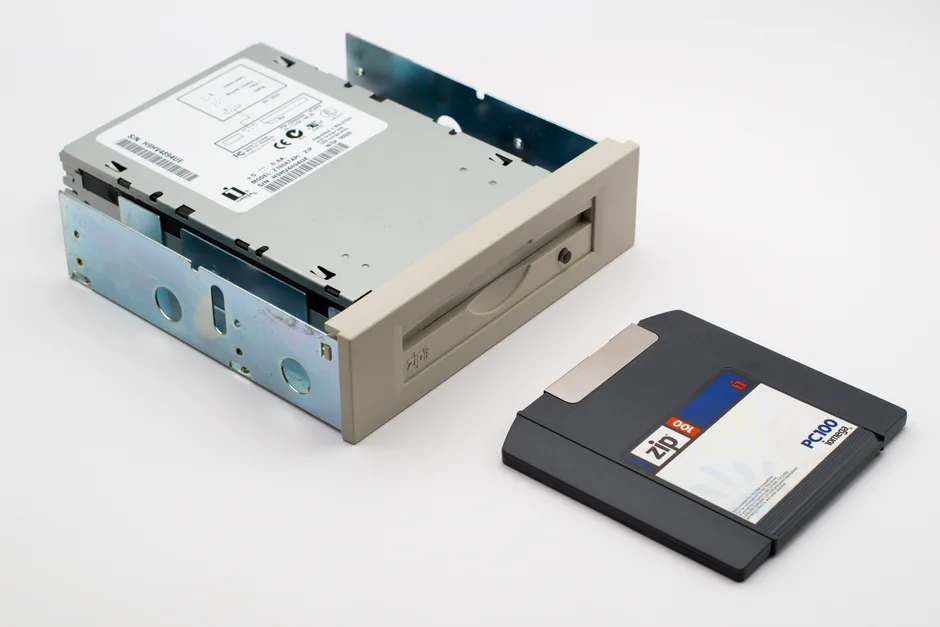
A retired motherboard, CPU, and RAM can become a rock-solid home server running backups, media streaming, or a small network-attached storage box. Older parts are perfect for this because the workloads are light and the power draw at idle is modest. Add a couple of drives and you have a genuinely useful second machine that cost you nothing but the drives.
Repurpose Storage as External Drives
Old hard drives and SATA SSDs make excellent external drives when dropped into a $15 USB enclosure. They are ideal for file history, game archives, and cold backups. Just check their SMART health first, because a failing drive is the one thing that should go straight to secure destruction rather than reuse. If you are weighing what storage deserves a spot in your main rig, our ssd vs hdd for gaming guide clears up the differences.
Donate Where It Helps
Schools, libraries, community centers, and non-profits regularly accept working computers and components. A mid-range GPU and pair of RAM sticks can modernize a classroom machine that is years behind. Call ahead to confirm what an organization actually needs, because many cash-strapped groups will accept nearly anything that boots, while others have strict requirements.
Give to a Maker or Repair Space
Repair cafés and maker spaces are always hunting for spare power supplies, fans, and cables for repairs and student projects. Even low-value parts like an old case or a stack of fans have real use there, and it keeps them out of the landfill.
Recycle Responsibly
When a part is truly dead, recycle it through a certified e-waste program rather than the household bin. Electronic waste contains recoverable metals and materials that legit recyclers extract safely, and many municipalities and big-box retailers run free drop-off events. Data-bearing devices should be wiped or physically destroyed first. PCMag maintains an updated list of reputable e-waste programs if you need a starting point.
The Part-by-Part Quick Guide
| Old Part | Best First Option | Second Option |
|---|---|---|
| GPU | Sell (best resale value) | Keep as spare / test bench |
| CPU + motherboard | Home server or NAS | Sell as a combo |
| RAM | Keep as spare or sell | Donate |
| SSD / HDD | External enclosure | Wipe and recycle if failing |
| Power supply | Keep as spare | Donate (if healthy) |
| Case + fans | Reuse for a new build | Maker space / recycle |
Selling Old Parts for Maximum Value
Before you list anything, spend ten minutes making the part look its best. Dust it off, take clear photos in good light from multiple angles, and include the model number and any benchmark or SMART health screenshots you have. Listings with real photos and verified numbers consistently sell faster and for 15 to 20 percent more than bare-bones ads, so the effort pays for itself almost immediately.
Timing matters too. GPUs and CPUs sell best right after a new generation launches and prices firm up on the older stock, while drives and memory move year-round at a steady clip. If you are not in a hurry, pricing a part slightly below the completed-listing average moves it within days rather than weeks, which is usually worth the small discount. When you ship, use anti-static bags and enough padding to survive a drop, and always insure anything worth more than a few hundred dollars. For local sales, meet in a public place, prefer a traceable payment method, and do not hand over cash without a quick power-on test when the buyer can bring hardware.
Creative Second Lives for Old Parts
Not every part has to leave the house. An old graphics card makes a fantastic second display accelerator for a workstation, a retired CPU and board can drive a home automation or NAS box, and a stack of old fans and a spare power supply can quietly upgrade a family member’s aging PC. Framing a dead card or CPU as wall art is also a surprisingly popular project among enthusiasts, and it costs nothing.
The best second life is usually the one that solves a problem you already have. Before defaulting to a marketplace listing, ask whether the part can extend the life of another machine in your home, because reuse that keeps a working computer out of the scrap pile is the most valuable outcome of all.
Wiping Data Before You Let Parts Go
Any drive that leaves your hands deserves a proper wipe first. Use your operating system’s full-disk wipe or the drive manufacturer’s secure erase tool, then verify the drive reports empty before you ship or donate it. For solid-state drives, a secure erase through the manufacturer’s utility is both faster and more thorough than repeatedly overwriting the drive, so do not waste hours on a method designed for spinning disks.
For anything that held tax documents, banking details, or client files, physical destruction is the only truly guaranteed method. A few firm taps through the platters or a dedicated shredder removes all doubt, and the peace of mind is worth far more than the small resale value of a drive you can no longer safely pass on.
FAQ
Should I sell or recycle my old GPU?
If it still works and passes a stress test, selling it will net real money, since GPUs hold value better than almost any other component. Recycle it only if it is dead or too old to be worth the listing effort.
How do I wipe a drive before selling or donating it?
Run a full drive wipe or secure erase through your operating system or the drive manufacturer’s tool, then verify it is empty. For anything highly sensitive, physical destruction is the only guaranteed method.
Can I build a second PC from old parts?
Usually yes, especially if you kept a working CPU, motherboard, RAM, and power supply together. Older machines make great entry PCs, media boxes, or home servers.
Are any old parts dangerous to throw away?
Yes, batteries and certain capacitors should never go in household trash, and data-bearing drives should be wiped or destroyed first. Everything else is safest routed through an e-waste recycler.
Conclusion
Deciding what to do with your retired hardware comes down to three simple paths: sell what has value, reuse what you can build around, and recycle what is truly dead. A little testing up front turns a drawer of retired components into cash, a backup machine, or a helpful donation, all while keeping e-waste out of landfills. For more hands-on upgrade guidance once you have cleared the old hardware out, see our best nvme ssd for gaming and how much ram for gaming pc guides.