RTX 5070 Gaming PC Build: Full 2026 Parts List, Cost & 1440p Benchmarks
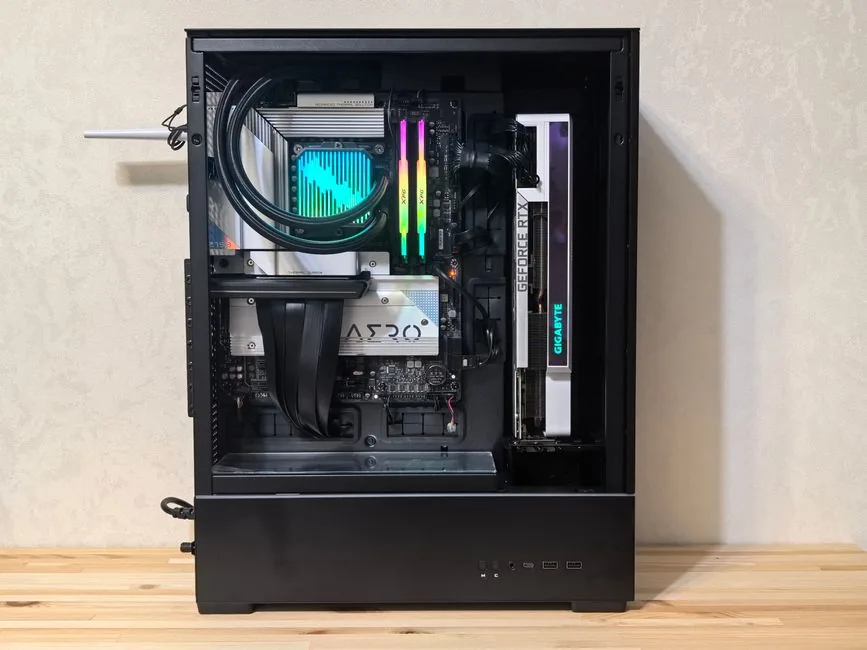
If you want a machine that shreds 1440p without spending 4K money, an RTX 5070 gaming PC build is the answer in 2026. The card launched at $549 and still delivers more frames per dollar than almost anything else on the shelf. Pair it with a Ryzen 7 processor, 32GB of DDR5, and a dependable power supply, and you get a PC that holds 100+ fps on high settings in nearly every modern title.
This guide lays out a complete parts list with real 2026 U.S. street prices, explains each component choice, and sets realistic performance expectations for 1440p gaming. It assumes you want high refresh rates at 1440p, not a compromise 1080p machine and not a 4K monster.
Why Build Around the RTX 5070 in 2026
The RTX 5070 sits in a uniquely good spot. It uses NVIDIA’s Blackwell architecture with 6,144 CUDA cores, 12GB of GDDR7 memory, and a 250-watt power budget. That hardware is a near-perfect match for 1440p, where it delivers high-refresh performance while staying cool, quiet, and easy to power.
DLSS 4 with multi-frame generation is the card’s quiet killer feature. In supported titles, frame generation can push a game from a smooth 90 fps toward a monitor-saturating 200+ fps, which extends the card’s useful life as games get heavier. That matters in 2026, when more releases ship with ray tracing enabled by default.
The value argument is straightforward. An RTX 5070 costs around $549, while the RTX 5080 above it runs $999 and the RTX 5060 Ti below it lands at $429. For 1440p specifically, the 5070 is where the performance curve bends in your favor. You can read independent testing on Tom’s Hardware’s RTX 5070 review and the official specs at NVIDIA’s RTX 5070 page.
The RTX 5070 Gaming PC Build: Full Parts List and Cost
Here is a complete, balanced build. Every component is a real 2026 retail part, and prices are typical U.S. street prices you can expect to pay at Amazon, Newegg, or Micro Center.
| Component | Recommendation | Price | Notes |
|---|---|---|---|
| CPU | AMD Ryzen 7 9800X3D | $449 | 8 cores/16 threads, 96MB L3 3D V-Cache |
| GPU | NVIDIA GeForce RTX 5070 12GB | $549 | 250W, DLSS 4 with multi-frame gen |
| Motherboard | B850 ATX (AM5) | $169 | PCIe 5.0, future-proof socket |
| Memory | 32GB (2x16GB) DDR5-6000 CL30 | $95 | Sweet spot for Zen 5 |
| Storage | 2TB Gen4 NVMe SSD | $115 | 7,000+ MB/s reads |
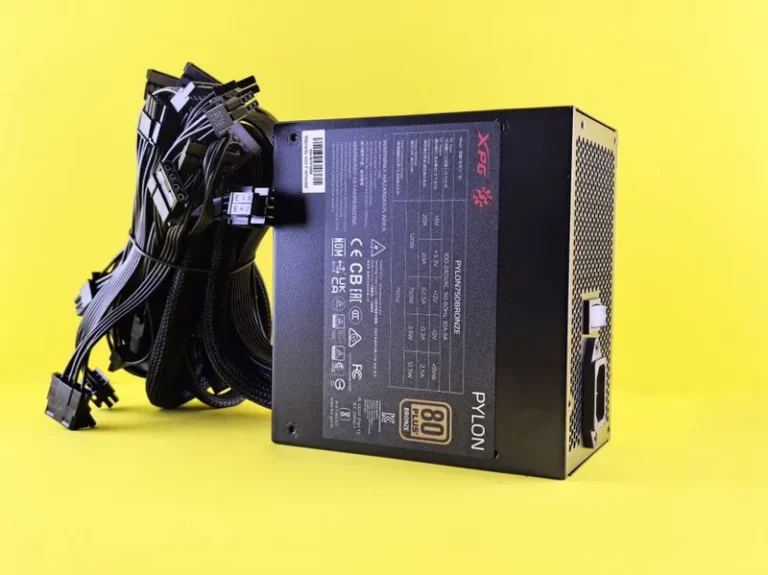
| Power supply | 850W 80+ Gold ATX 3.1 | $125 | Headroom for future GPU upgrades |
| CPU cooler | Thermalright Peerless Assassin 120 SE | $40 | Dual-tower air, overkill-cool |
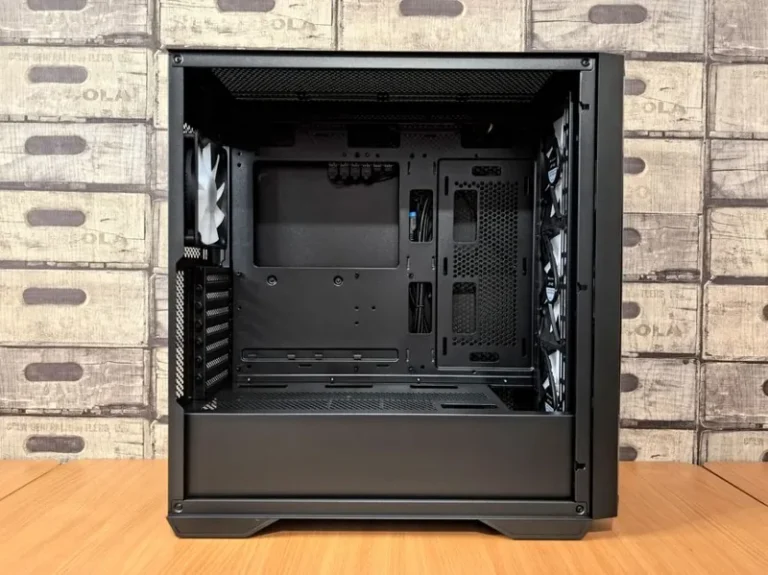
| Case | Airflow mid-tower ATX | $80 | Three included fans, mesh front |
| Total | ~$1,622 |
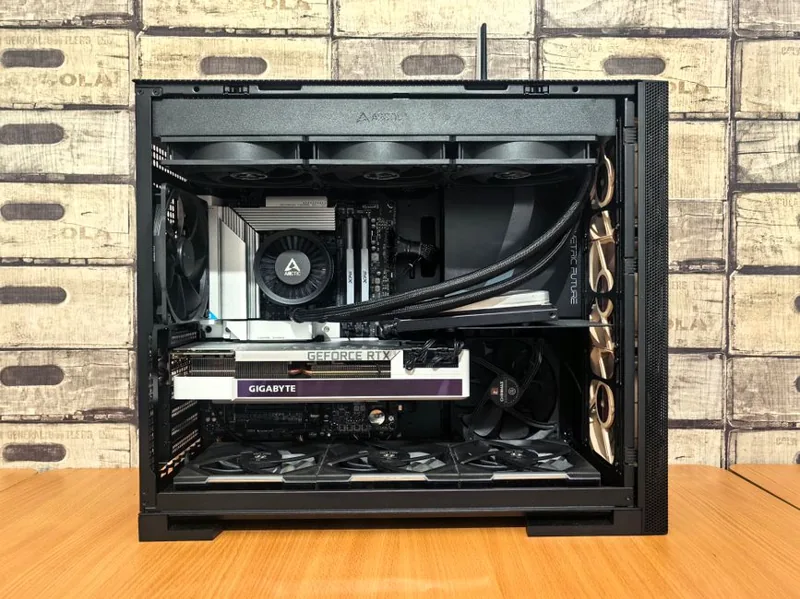
That lands just over $1,600 for a machine that comfortably clears 1440p high-refresh and leaves a clean upgrade path on the AM5 socket for years to come.
If you want to trim the budget, swap the 9800X3D for a Ryzen 7 9700X at about $319 and drop to a 1TB drive. That cuts roughly $160 and still gives you an excellent RTX 5070 gaming PC build for around $1,460, since the GPU does most of the heavy lifting at 1440p anyway.
GPU and CPU Choices Explained
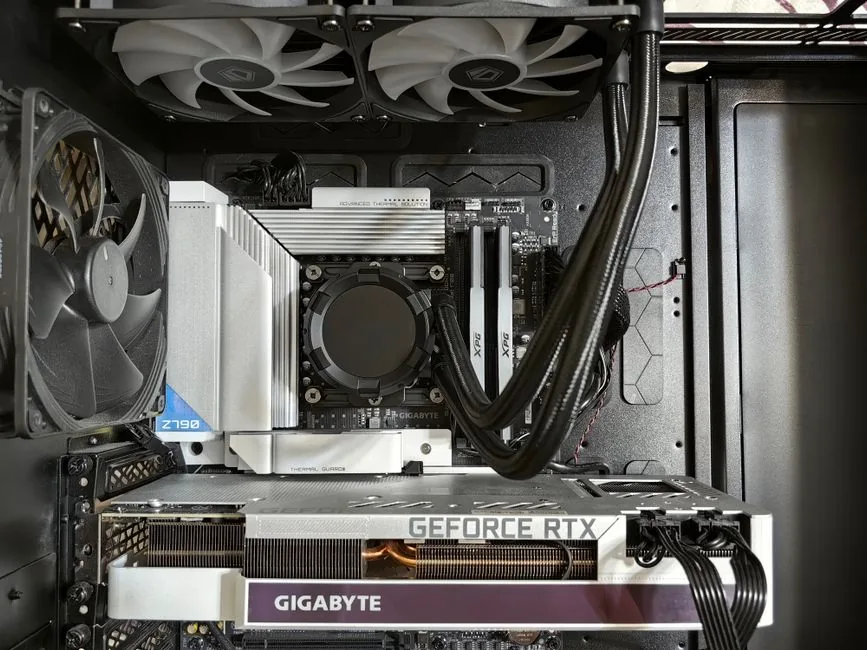
The graphics card is the heart of this build, so it deserves the largest share of the budget. The RTX 5070’s 12GB of GDDR7 is enough for 1440p today and the near future, and its 250-watt rating means it never strains the cooling or the power supply. For a deeper look at how it stacks up against the field, see our guide to the best graphics card for gaming 2026.
On the CPU side, you have two strong choices and neither is wrong.
- Ryzen 7 9700X ($319): Eight Zen 5 cores at 65 watts. Fast, efficient, and far more than enough for 1440p when the GPU is the bottleneck.
- Ryzen 7 9800X3D ($449): The same eight cores with 3D V-Cache stacked on top. In simulation, strategy, and MMO titles that love cache, it can add 15 to 30 percent more frame rate than the 9700X.
For a pure gaming build, the 9800X3D is the enthusiast pick, but the 9700X saves you $130 that most people will never notice at 1440p. If you also stream, edit video, or run heavy background apps, the extra cache and headroom of the 9800X3D start to earn their keep.
RAM, Storage, and Power Supply: The Supporting Cast
These three parts are where builders waste the most money, and they are also the easiest to get right.
Memory. 32GB of DDR5-6000 with CL30 timings is the settled standard for a Zen 5 build. It costs about $95, runs the Infinity Fabric at its ideal ratio, and removes RAM as a variable entirely. 16GB is too tight for 2026 multitasking, and 64GB is overkill unless you render or run virtual machines.
Storage. A 2TB Gen4 NVMe drive around $115 gives you fast load times and enough room for a real library. Gen5 drives exist and are faster on paper, but games barely notice the difference, so Gen4 is the value pick.
Power supply. This is the one place not to cheap out. NVIDIA recommends a 650-watt unit for the RTX 5070, but a quality 850W 80+ Gold ATX 3.1 supply around $125 gives you clean headroom for a future GPU and the native 12V-2×6 connector this card uses. A reputable 750W unit works too, but 850W is the smarter long-term buy.
1440p Performance: Realistic Frame Rates
What you actually get from this build depends on the game, but here is a realistic picture based on 2026 titles running at 1440p high-to-ultra settings with DLSS enabled where appropriate.
- Esports (Valorant, CS2, Fortnite): 240+ fps easily, often far higher.
- Competitive shooters (Call of Duty, Apex Legends): 160 to 220 fps.
- AAA open-world (Cyberpunk 2077, Alan Wake 2): 80 to 120 fps with DLSS Quality and frame generation pushing higher.
- Heavy ray tracing: Playable at 60+ fps with DLSS, which is where multi-frame generation does the real work.
The takeaway is simple. This RTX 5070 gaming PC build is genuinely overkill for esports and fully capable in demanding single-player games, which is exactly the balance most people want at 1440p. A 165Hz to 240Hz monitor is the right companion for it.
Build Order and Tips That Save You Headaches
The assembly itself is the easy part if you follow a sensible order. Mount the CPU, RAM, and NVMe drive onto the motherboard before it goes into the case, then seat the board, install the power supply, route the cables, and drop in the GPU last. The RTX 5070 is a two-slot card that fits most mid-towers, but double-check your case’s clearance before you buy.
Two things trip up first-time builders more than anything else. First, push the power supply’s 12V-2×6 connector fully into the RTX 5070 until it clicks, since a partially seated connector is the most common cause of a card that refuses to power on. Second, enable the memory’s EXPO profile in the BIOS, otherwise your expensive DDR5-6000 kit will default to a slower 4800 speed and leave real performance on the table.
Finally, update the GPU drivers and chipset drivers right after your first boot, then run a quick stress test like 3DMark or a looped game benchmark to confirm temperatures stay under control. For a complete walkthrough of the physical build process, our step-by-step gaming PC build guide covers every connection in detail.
Frequently Asked Questions
Is the RTX 5070 good for 1440p gaming?
Yes. It is arguably the best price-to-performance card for 1440p in 2026. Expect high settings at 100+ fps in most titles and far higher in competitive games, especially with DLSS 4 enabled.
Is 12GB of VRAM enough on the RTX 5070 in 2026?
For 1440p, yes. Twelve gigabytes of fast GDDR7 handles current and near-future titles at that resolution. Only if you move to 4K with heavy texture packs would you start wishing for more, and that is not what this build targets.
What power supply do I need for an RTX 5070 gaming PC build?
A quality 750W unit is the minimum, but an 850W 80+ Gold ATX 3.1 supply is the recommended pick. It provides the native 12V-2×6 connector and headroom for a future GPU upgrade without any risk of tripping under load.
Should I get a Ryzen 7 9700X or 9800X3D for this build?
For most people, the Ryzen 7 9700X at $319 is enough and saves you $130. Step up to the 9800X3D at $449 if you play cache-hungry simulation or strategy games, chase maximum esports frame rates, or also stream and edit on the machine.
How much does an RTX 5070 gaming PC build cost in 2026?
A complete tower with a Ryzen 7 CPU, 32GB of DDR5, 2TB of storage, and an 850W power supply lands around $1,460 to $1,622 depending on the CPU and drive. For a broader look at build budgets across every tier, read our breakdown of how much it costs to build a gaming PC.
The Bottom Line
The RTX 5070 gaming PC build remains one of the smartest ways to spend your money in 2026. Pair the $549 card with a Ryzen 7 9700X or 9800X3D, 32GB of DDR5-6000, a 2TB Gen4 NVMe, and an 850W Gold power supply, and you get a 1440p machine that runs esports titles at 240+ fps and demanding AAA games at a smooth 100+ fps, all for roughly $1,500 to $1,650.
Start with the parts list above, price the GPU and CPU first since they drive the total, and do not forget a 165Hz or faster 1440p monitor to actually see the frames this machine produces. If you are still deciding on the overall platform, our best gaming PC build 2026 guide compares this against other tiers, and it is worth checking the current card landscape before you commit. Build it once, build it balanced, and it will carry you well past 2026.