GPU vs CPU for Gaming: What Actually Matters Most in 2026
The gpu vs cpu for gaming question trips up almost every builder. Both chips matter, but they do very different jobs, and understanding that difference is the fastest way to stop wasting money on the wrong upgrade.
In this guide, I’ll explain what each component actually does in a game, compare them head-to-head, and show you how to tell which one is holding your frame rate back.
What the GPU and CPU Each Do in Games
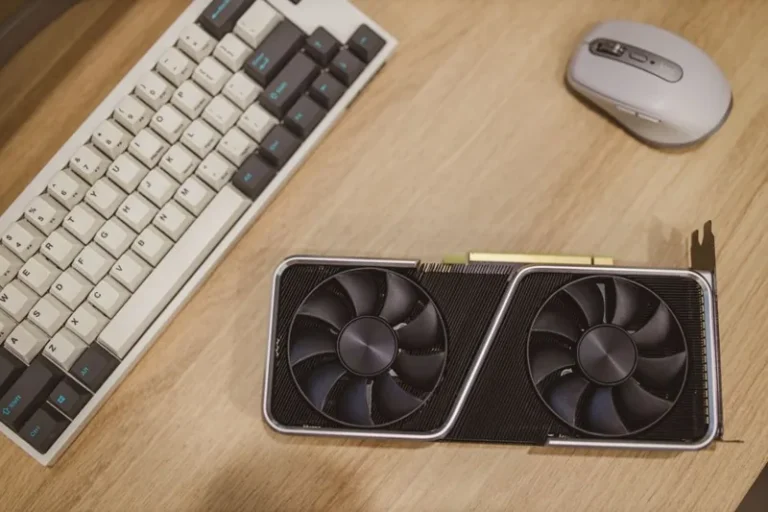
The GPU renders the image you see. It takes the game’s 3D scene and draws every frame, applying textures, lighting, shadows, and effects. Because of this, the GPU is the single most important component for gaming performance in most systems.
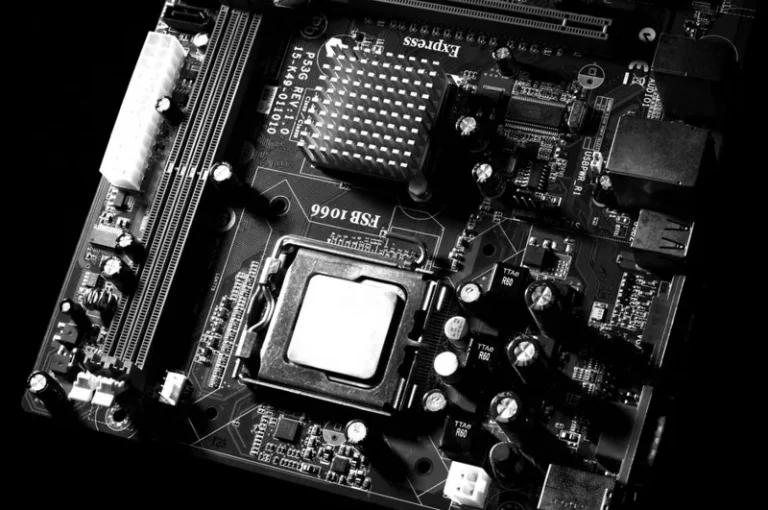
The CPU handles everything else that happens in a scene: game logic, physics calculations, AI behavior, and draw calls that tell the GPU what to render. A faster CPU can keep the GPU fed with work, which matters most at high frame rates.
In practice, they depend on each other. The CPU prepares the frame, and the GPU draws it. If either one is too slow, the other sits around waiting, and your frame rate suffers.
GPU vs CPU for Gaming: Head-to-Head Comparison
Here is how the two stack up across the factors that matter most to a gamer.
| Factor | GPU | CPU |
|---|---|---|
| Primary role | Renders and draws every frame | Game logic, physics, AI, draw calls |
| Biggest impact | Resolution, graphics settings, average FPS | High frame rates and smooth 1% lows |
| Typical budget share | 40% to 50% of a build | 15% to 25% of a build |
| Upgrade cadence | Every 2 to 3 years | Every 4 to 6 years |
| Bottleneck symptom | Low FPS at high settings | Stutters and inconsistent frame times |
| Affected by resolution | Yes, heavily | Barely (more load at low res) |
| Good for other tasks | Video editing, AI, rendering | Streaming, productivity, multitasking |
Which One Should You Spend More On?
For a gaming-focused build, the GPU deserves the largest share of your budget, usually 40% to 50%. A $1,500 system should pair a $600 GPU with a $200 CPU rather than the other way around. In almost every game, that split produces more frames per dollar.
However, there’s a limit. Pairing a $999 GPU with a $100 CPU creates a bottleneck that wastes the card’s potential. The goal is balance, tilted toward the GPU.
In contrast, if you stream, record, or run simulation-heavy games like flight sims or large strategy titles, the CPU matters more. Those workloads lean harder on the processor, and a mid-range GPU with a strong CPU often outperforms the reverse.
How to Spot a CPU Bottleneck vs a GPU Bottleneck
The easiest way to diagnose a bottleneck is to watch usage while you play. Open a monitoring overlay and look at both numbers.
A GPU bottleneck, which is the healthy default, shows the GPU running at 95% to 100% while the CPU sits comfortably lower. In this state, upgrading the CPU gains you almost nothing.
A CPU bottleneck shows the opposite: the CPU pinned near 100% while the GPU idles below 90%. You’ll notice stutters, hitches, and poor minimum frame rates even when average FPS looks fine.
Therefore, before you spend on either component, check which one is actually maxed out in the games you play. Our CPU upgrade cost guide explains what a fix costs in each case.
Resolution Changes the Answer
Resolution flips the gpu vs cpu for gaming balance dramatically. At 1080p, the CPU becomes more important because the GPU finishes frames quickly and constantly waits for the CPU to feed it. At 4K, the GPU becomes the clear limiter because rendering those pixels is enormously demanding.
Consider a practical example. A Ryzen 7 9800X3D paired with an RTX 5070 at 4K will show almost no FPS gain over a Ryzen 5 7600, because the GPU is the bottleneck. At 1080p with a 360Hz monitor, that same CPU upgrade can add 30% to 40% to your frame rate.
For this reason, match your CPU budget to your resolution and refresh rate. High-refresh 1080p and 1440p gaming reward a fast CPU, while 4K gaming rewards a fast GPU.
Refresh Rate and the 1% Low Problem
Average FPS tells only half the story. The other half is your 1% low, which is the slowest frames you hit during normal play. A weak CPU tanks your 1% lows even when average FPS looks good, producing the stuttery feel that ruins smooth gameplay.
Because of this, competitive players chasing 240Hz or 360Hz care about the CPU almost as much as the GPU. A stutter every few seconds is far more noticeable than the difference between 180 and 200 average FPS.
In addition, background tasks eat CPU headroom. Discord, a browser with 40 tabs, and a music app all compete with your game for processor time. A stronger CPU leaves more room for everything else.
What to Buy in 2026: Recommended Pairings
Here are balanced pairings that avoid waste in either direction.
- Budget 1080p — Ryzen 5 7600 or Core Ultra 5 with an Intel Arc B580 or RTX 5060.
- 1440p high refresh — Ryzen 7 9800X3D or Core Ultra 7 with an RTX 5070 or RX 9070 XT.
- 4K — Ryzen 7 9800X3D with an RTX 5080 or RX 9070 XT.
- Streaming and creation — Ryzen 9 9950X3D or Core Ultra 9 with an RTX 5080.
On the other hand, if your budget is tight, prioritize the GPU first and the CPU second, because the GPU moves average FPS the most in the majority of games.
Games That Love the CPU vs Games That Love the GPU
Not all games stress your hardware equally, and knowing which camp your favorites fall into changes where you should spend.
GPU-bound games are the majority: fast-paced shooters, open-world action games, and most AAA single-player titles. In these, raising resolution and settings shifts almost all the load to the GPU.
CPU-bound games are fewer but important: competitive shooters at low settings, large-scale strategy games, simulation titles, and games with dense crowds or heavy physics. In these, the CPU’s single-thread speed and cache determine your ceiling.
Therefore, a Warzone or Valorant player at 1080p low settings should favor a faster CPU, while a 4K Cyberpunk player should pour everything into the GPU. Tailor the split to your library, not to generic advice.
A Simple Upgrade Priority Flowchart
If you’re unsure what to change, work through this in order.
- Open a monitoring overlay and check usage in your most demanding game.
- If the GPU runs at 95% to 100%, upgrade the GPU first.
- If the CPU pins near 100% while the GPU sits below 90%, upgrade the CPU.
- If both hover near 100%, upgrade both, or lower your settings.
- If neither maxes out, your monitor’s refresh rate is likely the limit.
Following this order prevents the classic mistake of buying a new GPU to fix a CPU problem, or vice versa. In addition, checking real usage costs nothing and takes two minutes.
FAQ
Is the GPU or CPU more important for gaming?
The GPU is more important for most games, because it determines resolution, settings, and average frame rate. However, the CPU matters more at high refresh rates and in simulation-heavy titles.
Does a better CPU increase gaming FPS?
Yes, but only up to a point. A better CPU raises frame rates when the current one is the bottleneck, especially at 1080p or high refresh. If your GPU is already maxed out, a CPU upgrade adds almost nothing.
Can a weak CPU bottleneck a strong GPU?
Yes. A weak CPU pins at 100% usage and holds a strong GPU below its potential, causing stutters and poor 1% lows even when average FPS looks acceptable.
Should I upgrade my GPU or CPU first?
Upgrade whichever is the current bottleneck. In most gaming systems that is the GPU. Check usage with an overlay, then compare options in our best GPU for gaming price to performance guide.
What CPU is enough for 1440p gaming?
A Ryzen 7 9800X3D or Intel Core Ultra 7 is more than enough for 1440p gaming and will not bottleneck any current mid-range or high-end GPU.
Conclusion
In the gpu vs cpu for gaming debate, the honest answer is that the GPU wins for raw performance while the CPU wins for smoothness and longevity. A balanced system tilts budget toward the GPU but never starves the CPU.
If you’re planning an upgrade, start by finding your real bottleneck. Then check our best power supply for gaming PC guide so a new card doesn’t overload your PSU, and match the whole build to a display from our best gaming monitor 2026 list.
For deeper benchmark data on how specific chips scale in real games, TechPowerUp’s reviews and Gamers Nexus publish the detailed frame-time testing that makes bottleneck hunting easy. Check those numbers before you commit — your specific games matter more than any generic ranking.