Best Surge Protector for Gaming PC (2026 Top Picks)
A gaming PC easily holds $1,500 to $3,000 worth of hardware, yet plenty of builders plug all of it into a dollar-store power strip and call it a day. That is a gamble you should not take. Finding the best surge protector for gaming PC matters because a single voltage spike can fry a motherboard, GPU, or power supply in a fraction of a second, and neither the CPU’s warranty nor your PSU’s warranty will cover surge damage. In this guide I break down what actually protects your rig, which models are worth buying in 2026, and how to size the joule rating for your specific build — so you can stop relying on luck every thunderstorm.
Why Every Gaming PC Needs a Real Surge Protector
Voltage in a typical home is not the clean, steady 120 V you see on a spec sheet. Air conditioners kicking on, refrigerator compressors cycling, and even a neighbor’s welder can introduce small spikes onto the local circuit. Most of these are harmless, but a large transient — from a lightning strike, a downed line, or a utility switching event — can push thousands of volts through your outlet for a few milliseconds.
A standard power strip does nothing about this. It just splits one outlet into several. A surge protector, by contrast, contains metal-oxide varistors (MOVs) that clamp excess voltage and shunt it to ground. The “joule rating” tells you roughly how much total energy the protection can absorb before the MOVs wear out. For a gaming PC with a 750 W power supply and multiple peripherals, a unit rated at 1,000 joules or less is genuinely under-protected; aim for 2,000 joules or higher. For independent measurements of specific models’ clamping behavior, Tom’s Guide maintains current surge protector testing worth a look before you settle on a unit.
What to Look For in the Best Surge Protector for Gaming PC
Not all surge protectors are created equal, and gaming rigs are more demanding than a lamp or a phone charger. Here are the specs that matter most when you are comparing models.
Joule Rating
This is the headline number. More joules equals more total surge energy the unit can dissipate over its life. For a gaming PC, treat 1,500–2,000 joules as the floor and 3,000+ joules as the sweet spot for a high-end rig. Once the MOVs degrade, the unit should (ideally) stop passing power or light a “protected” LED that goes dark — a sign it is time to replace it.
Clamping Voltage
Clamping voltage (or voltage protection rating) is the level at which the MOV begins to divert the spike. Lower is better. A rating of 400 V is acceptable but not great; 330 V is good; anything down near 150 V is excellent. A unit with a high joule rating but a lazy clamp can still let enough voltage through to stress sensitive components.
Response Time
Basic MOV-based protectors respond in under a nanosecond, which is effectively instant for mains-voltage events. You will rarely find this as a deciding factor, but it is worth confirming the spec exists (usually listed as <1 ns). Extremely cheap strips sometimes skip this entirely.
Outlet Count and Spacing
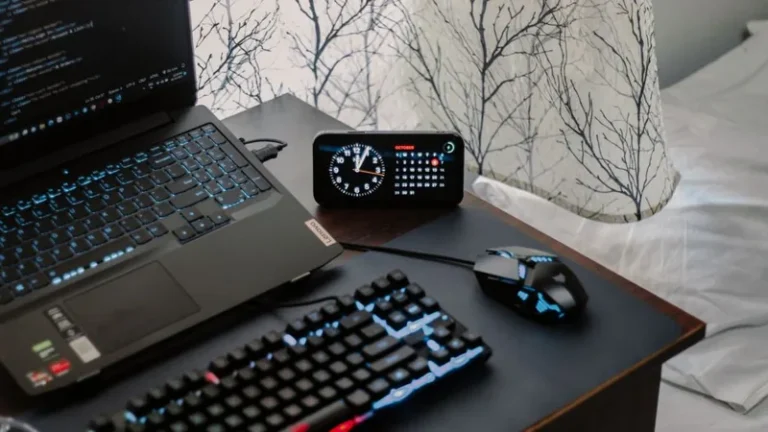
A gaming station often pulls a PC, two monitors, speakers, a router, and a phone charger. Look for 8 to 12 outlets, and pay attention to spacing. Transformer-block chargers and USB power bricks are wide; rotated or well-spaced outlets stop them from covering a neighbor.
USB-A and USB-C Ports
Many 2026 models include fast-charging USB-C (often 20–30 W, some up to 60 W PD). This is genuinely handy for charging a controller, headset, or phone without a separate brick. It should be a bonus, not the reason you buy.
Equipment Warranty
The strongest signal of confidence is the “connected equipment warranty” — a dollar amount the manufacturer will cover if properly-installed connected gear is damaged by a surge. Serious units carry $100,000 to $500,000 in connected-equipment coverage. Read the terms: they usually require the unit to be on a properly grounded outlet and the damage to trace back to a covered surge event.
The Best Surge Protectors for Gaming PCs (2026)
Below are the models that consistently rise to the top for gaming use in 2026. Prices are US street prices at time of writing and will drift a few dollars either way.
| Model | Joule Rating | Outlets | USB | Clamping | Approx. Price |
|---|---|---|---|---|---|
| Tripp Lite TLP1208TELTV | 2,880 J | 12 | — | 150 V | ~$45 |
| APC Performance P12U2 | 4,320 J | 12 | 2× USB | 330 V | ~$50 |
| Belkin 12-Outlet Pivot-Plug (BP112230-08) | 4,320 J | 12 | — | 330 V | ~$35 |
| Anker 341 12-Outlet Power Strip | — | 12 | 2× USB-C + 2× USB-A | — | ~$35 |
| CyberPower CSB6012 | 2,700 J | 6 | 2× USB | 150 V | ~$40 |
Tripp Lite and CyberPower have the tightest clamping voltages here (150 V), which is the best defense for sensitive gaming hardware. APC and Belkin pair high joule ratings with wide outlet spacing. Anker’s 341 is more of a premium power strip than a heavy surge protector — fine for a modest setup, but if your PC has a high-end GPU, lean toward a model with an explicit, high joule rating.
How to Size the Joule Rating for Your Build
A good rule of thumb: match the joule rating to the total value and power draw of connected equipment.
- Budget build (~$800 / 550 W PSU): 1,500–2,000 joules is adequate.
- Mid-range build (~$1,500 / 750 W PSU): 2,000–3,000 joules.
- Enthusiast build ($2,500+ / 1000 W PSU, RTX 5080/5090 class): 3,000–4,300 joules.
Remember that a surge protector’s MOVs degrade over repeated hits — it is a consumable, like brake pads, not a set-and-forget device. If you live in a lightning-prone area, budget to replace the unit every two to three years, or as soon as its “protected” indicator stops lighting.
Surge Protector vs UPS: Which Does Your Gaming PC Need?
A common source of confusion is the difference between a surge protector and an uninterruptible power supply (UPS). A surge protector diverts voltage spikes. A UPS does that and provides battery backup so your PC can ride through brief power loss or shut down cleanly.
For most gamers, the right answer is a dedicated surge protector first — it is cheap insurance for the hardware itself. Add a UPS if you live somewhere with frequent brownouts, if you use your machine for work or ranked competitive play where a mid-match shutdown costs you a loss, or if you stream and cannot afford an interrupted session. A quality UPS already includes strong surge protection, so you would not need both.
Installation and Setup Tips
Getting the setup wrong negates the protection. Follow these steps:
- Ground your outlet. Surge protection requires a grounded (three-prong) outlet. Use a cheap outlet tester to confirm the ground is actually wired — many older homes have three-prong outlets with no real ground.
- Do not daisy-chain. Never plug a surge protector into another surge protector or into an extension cord daisy chain. This can defeat the protection and is a fire risk.
- Mount or place it off-carpet. Keep the unit on a hard surface or wall, away from foot traffic and dust bunnies that can overheat around a tightly packed desk.
- Keep the “protected” LED visible. When that light goes out, the MOVs are spent. Replace the unit immediately.
- Do not overload the wall circuit. A gaming PC plus monitors plus peripherals on a single 15 A circuit can trip the breaker under heavy load. Spread load across circuits where possible.
For more on the rest of your rig, check out our guide on the best power supply for gaming PC and how to lay out the whole station in our dual monitor setup for gaming article.
Frequently Asked Questions (FAQ)
Do I really need a surge protector for a gaming PC?
Yes. A gaming PC contains a $300–$1,000 GPU and a motherboard carrying several hundred dollars more, and none of these parts are covered by warranty against surge damage. A $40 surge protector is the cheapest meaningful insurance you can buy for a rig of this value.
How many joules should a surge protector have for a gaming PC?
Aim for at least 2,000 joules for a mid-range build and 3,000+ joules for an enthusiast build. Treat 1,500 joules as the absolute minimum and replace the unit when its protection indicator goes dark.
Is clamping voltage or joules more important?
Joules measure total absorbed energy; clamping voltage measures how high the spike peaks before it is clipped. Both matter. Prioritize a high joule rating, then prefer the lowest clamping voltage available at your budget (150 V is excellent, 330 V is standard).
Can I plug my gaming PC into a power strip?
Only if it is a surge-protecting power strip with an explicit joule rating. A plain power strip offers zero protection from voltage spikes. Look for the words “surge protector” and a listed joule rating on the packaging or product page.
How often should I replace a surge protector?
Every two to three years in lightning-prone areas, or sooner if the “protected” LED stops lighting. MOVs degrade with every surge they absorb, so an old protector can silently stop protecting.
Conclusion
The best surge protector for gaming PC builds is rarely the most expensive one — it is the one with a high joule rating, a low clamping voltage, and outlets spaced well enough for your actual gear. Spend $35 to $50 on a proper unit, confirm your outlet is grounded, and replace it when the indicator fades. Your GPU will thank you the next time the lights flicker.
If you are still assembling the tower that this protector will guard, start with how much does it cost to build a gaming PC and our best gaming PC build 2026 roundup.