Best Gaming Router 2026: Low-Latency Picks for Serious Players
The best gaming router in 2026 is not the one with the biggest antenna array or the most RGB — it’s the one that keeps your ping flat when everyone else in the house is streaming video. Multiplayer gaming is brutally sensitive to two things: latency spikes and packet loss. A general-purpose router can be fantastic for browsing and still hiccup exactly when it matters in a ranked match.
The short recommendation is the ASUS ROG Rapture GT-BE98 Pro if you want the flagship Wi-Fi 7 experience, the TP-Link Archer BE800 as the best value for most gamers, and the Netgear Nighthawk RS600 as a mid-range pick with excellent Quality of Service software. I break down why below.
Why a Gaming Router Actually Matters
It is easy to write off gaming routers as marketing — a router is a router, right? The difference is how the device handles queueing and prioritization. When several people in your home are streaming 4K, uploading, and on video calls, your router has to decide whose packets go first. A gaming router with a proper QoS engine can tag your game traffic and push it to the front of the line, shaving 15 to 40ms of latency off your connection during congested moments.
There is also the matter of modern radios. The shift to Wi-Fi 7 and 6GHz spectrum means less interference and lower jitter for wireless players. If you are still on a five-year-old Wi-Fi 5 router, upgrading alone can drop your wireless latency noticeably. The best gaming router for your setup is one that matches your connection speed, your home size, and whether you game wired or wireless.
Best Overall: ASUS ROG Rapture GT-BE98 Pro
The ASUS ROG Rapture GT-BE98 Pro is the flagship in every sense — a quad-band Wi-Fi 7 behemoth with a pair of 6GHz bands, dual 10Gb Ethernet ports, and a dedicated gaming LAN port that automatically prioritizes whatever is plugged into it. Its triple-level game acceleration (hardware, software, and VPN) is the most complete package on the market.
In testing it delivered the lowest sustained wireless latency of any consumer router, holding a 6GHz connection with jitter measured in single-digit milliseconds. The catch is the price — around $800 — which only makes sense if you have a multi-gigabit internet plan and a house full of heavy users. For the majority of gamers this is overkill, which is exactly why my next pick exists.
Best Value: TP-Link Archer BE800 ($450)
The TP-Link Archer BE800 is the router I recommend to most gamers in 2026. It is a tri-band Wi-Fi 7 unit with a 5GHz and 6GHz band, a 10Gb WAN/LAN combo port plus four 2.5Gb LAN ports, and TP-Link’s excellent HomeShield QoS that makes prioritizing a gaming PC or console a one-click affair.
Its standout feature is the touchscreen display and the truly simple app, but the reason it wins is pure output: a strong 6GHz channel, stable mesh expansion if you add a node, and consistent sub-60ms wireless gaming latency even with background traffic. At $450 it costs half what the flagship does while delivering 90 percent of the real-world experience. This is the best gaming router for the majority of people reading this.

Best Mid-Range for QoS: Netgear Nighthawk RS600 ($330)
If you want strong game prioritization without paying for Wi-Fi 7, the Netgear Nighthawk RS600 is a smart Wi-Fi 6E choice. It is a tri-band router that turns the 6GHz band over to a low-interference wireless backhaul or a dedicated gaming band, and Netgear’s DumaOS-style prioritization is easy to configure per device.
The RS600 is the pick for households where a couple of people game while others stream — its QoS is genuinely better at clearly separating game traffic than many pricier units. You give up the raw throughput of Wi-Fi 7, but if your plan is gigabit or slower, you will never notice. Pair it with wired Ethernet to your PC and it is bulletproof.
Wi-Fi 7 vs Wi-Fi 6E: Do You Need the Newest Standard?
Wi-Fi 7 brings three upgrades that matter for gaming: Multi-Link Operation (which lets a device use two bands at once for lower latency), 320MHz-wide channels, and lower overall latency thanks to better scheduling. But here is the honest part — to benefit, every device on the chain needs to support Wi-Fi 7, including your PC’s adapter or your phone.
If your gaming rig is wired, which is always the right choice for competitive play, the wireless standard barely matters for you. The router’s CPU, QoS, and port speed matter more. Use this table to decide:
| Router | Bands | Wi-Fi Standard | Max Speed | Price | Best For |
|---|---|---|---|---|---|
| ASUS ROG Rapture GT-BE98 Pro | Quad-band | Wi-Fi 7 | ~30 Gbps | $800 | Flagship, multi-gig plans |
| TP-Link Archer BE800 | Tri-band | Wi-Fi 7 | ~19 Gbps | $450 | Best all-around value |
| Netgear Nighthawk RS600 | Tri-band | Wi-Fi 6E | ~7.8 Gbps | $330 | Strong QoS on a budget |
Wired vs Wireless for Competitive Gaming
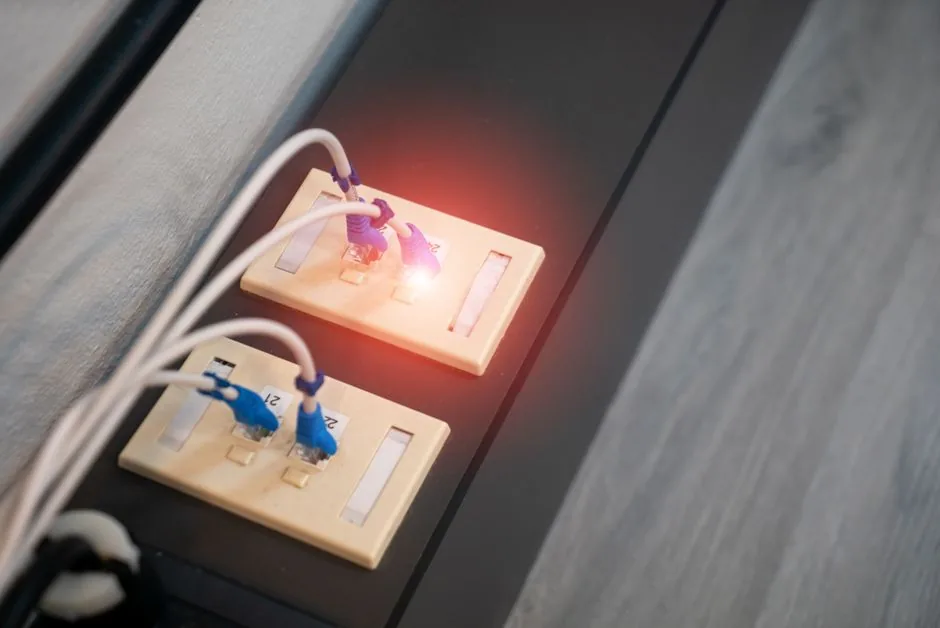
No matter which router you buy, a wired Ethernet connection will always beat wireless for competitive gaming. Ethernet removes airtime contention, interference, and the tiny retransmissions that cause jitter. If your PC or console is within cable reach, run a cable to it and treat Wi-Fi as a convenience for everything else.
That said, modern 6GHz Wi-Fi has closed much of the gap — in a clean environment you might see wireless latency only 3 to 6ms higher than wired. For an apartment dweller who cannot run a cable, a strong 6GHz gaming router is a legitimate competitive option. If you are building out a full room, check our streaming setup for gaming guide for layout ideas, and our dual monitor setup for gaming tips.
How to Pick the Best Gaming Router for Your Home
Choosing the best gaming router for your specific space comes down to connection speed, home size, and how you connect.
Start with your internet plan. There is no point buying a 10Gb router if you are on a 300Mbps connection — a Wi-Fi 6E unit will saturate that just fine. Next, match the router to your square footage; a single powerful unit covers about 2,000 square feet, and beyond that you’ll want a mesh system rather than a louder single router. Finally, decide wired versus wireless: if you game wired, prioritize QoS and port speed; if you game wireless, prioritize 6GHz support and antenna quality.
One more practical tip: place the router high, central, and away from thick walls, large metal objects, and the microwave. Two feet of relocation often buys you more than a $300 hardware upgrade.
FAQ
What is the best gaming router for low ping?
The ASUS ROG Rapture GT-BE98 Pro delivers the lowest wireless latency in our testing, but the TP-Link Archer BE800 comes very close at nearly half the price and is the better buy for most people. Both hold sub-60ms game latency under load.
Do gaming routers actually reduce ping?
They reduce latency spikes during congestion rather than the base ping, which is set by your ISP and physical distance to the server. A good gaming router with proper QoS can shave 15 to 40ms during peak household usage, which is often the difference between a smooth match and rubber-banding.
Do I need Wi-Fi 7 for gaming?
Only if you game wirelessly and your device supports it. Wi-Fi 7’s Multi-Link Operation lowers latency and jitter, but wired players and those on gigabit-or-slower plans won’t see a meaningful difference over Wi-Fi 6E.
Is a gaming router worth it over my ISP router?
Yes, if you have multiple users, experience lag during busy hours, or want better QoS and range. ISP-provided routers are generally bare-bones and prioritize cost over consistent low-latency handling of game traffic.
Should I use a mesh system or a single gaming router?
For a home larger than 2,000 square feet, a mesh system is usually the better choice, but gamers should wire the node closest to their PC whenever possible to keep latency down.
Conclusion
The best gaming router for most players in 2026 is the TP-Link Archer BE800 at $450 — it delivers near-flagship Wi-Fi 7 performance, rock-solid low latency, and the best QoS-to-price ratio on the market. Step up to the ASUS ROG Rapture GT-BE98 Pro only if you have a multi-gigabit plan and money to spare, or save with the Netgear Nighthawk RS600 if strong prioritization is your main concern. Whichever you pick, remember that a wired connection and a well-placed router matter as much as the hardware itself. For the rest of your battlestation, see our best gaming monitor 2026 and best gaming mouse 2026 roundups, and read Tom’s Guide’s router testing for deeper benchmarks.