Best DAC for Gaming in 2026: Top Picks and Buying Guide
The best DAC for gaming is the one that makes your headphones reveal what your motherboard’s built-in audio hides. Most onboard audio chips are fine for casual listening, but they introduce electrical noise, weak amplification, and a flattened soundstage that blurs exactly the cues competitive players rely on — footsteps, reloads, and distant gunfire. A dedicated DAC, short for digital-to-analog converter, takes a clean digital signal over USB and turns it into pristine analog audio, often with a proper headphone amplifier attached. This guide ranks the best DAC for gaming across budgets and explains what to look for, so you can hear the difference that actually wins games instead of chasing audiophile marketing. Whether you game competitively or cinematically, the right unit clears up the mix and makes every sound cue land exactly where it should, which is the whole point of the upgrade.
Why the Best DAC for Gaming Improves Your Audio
Your motherboard converts digital audio to analog inside a noisy chassis filled with power traces and a spinning GPU. The result is often hiss, a muddy low end, and a collapsed soundstage. A dedicated USB DAC moves that conversion outside the case and does it with a higher-quality chip, better shielding, and cleaner power delivery.
In practice, this translates to a wider, more accurate soundstage where you can place an enemy’s position more precisely. It also means more headroom for power-hungry headphones, since most DACs for gaming include an amplifier stage that drives 250-ohm cans a motherboard output cannot. Even an entry-level DAC delivers a noticeable upgrade if your current audio source is a stock onboard chip. The best DAC for gaming is not about making music sound prettier — it is about letting you hear positioning cues you were missing.
What to Look For in a Gaming DAC
There are a few features that matter more than the raw chip marketing. First is the headphone amplifier’s output power, measured in milliwatts, which determines whether the DAC can drive high-impedance headphones cleanly. Second is latency — a proper USB DAC adds no audible delay, which is critical for competitive play.
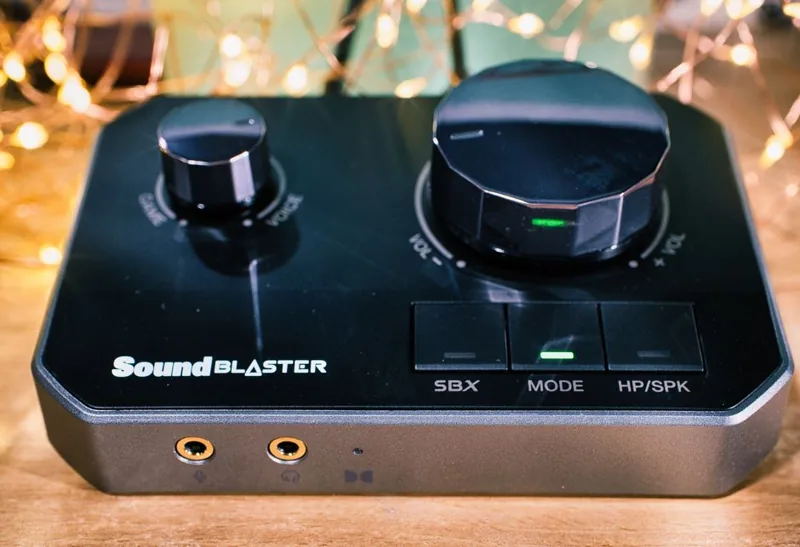
A hardware volume knob is a quality-of-life feature many players overlook until they have it. A microphone input is essential if you plan to use the DAC as a full audio interface, though many gaming DACs are playback-only. Finally, consider whether you want virtual surround processing. Some units bundle 7.1 virtualization, though most esports players skip it and prefer a clean stereo image for accurate positioning. Independent measurements at RTINGS are the best way to verify a unit’s actual output power and noise floor before you buy.
The Top Gaming DACs of 2026
Here are five picks that span budgets and use cases, with current pricing:
| DAC / Amp | Type | Best For | Price (USD) |
|---|---|---|---|
| Schiit Fulla 4 | USB amp/DAC | Best all-round value | $109 |
| Fiio K7 | Desktop amp/DAC | High-impedance headphones | $199 |
| EPOS GSX 1000 | USB sound card | Console-style 7.1 + mic | $199 |
| Creative Sound BlasterX G6 | Portable amp/DAC | Budget + Xbox/PS support | $149 |
| iFi Zen DAC V2 | Desktop amp/DAC | Warm, musical signature | $189 |
The Schiit Fulla 4 is the default recommendation and a strong candidate for the best DAC for gaming in the value bracket: it is compact, has a mic input, a big volume knob, and enough power for almost every gaming headset on the market. The Fiio K7 steps up the amplifier stage for 300-ohm audiophile headphones. The EPOS GSX 1000 is the pick for players who want virtual 7.1 and console compatibility, while the Creative G6 remains a budget favorite because it works across PC and consoles.

DAC vs Amp vs Sound Card: Clearing Up the Confusion
These terms get used interchangeably, but they are distinct. A DAC converts digital to analog. An amplifier boosts that analog signal to drive headphones. A sound card traditionally bundles both plus a DSP into a PCIe or USB package. Most “gaming DACs” on the market are actually DAC-amp combos, which is exactly what you want.
You generally do not need a separate amplifier if your DAC already includes a solid amp stage, as all the picks above do. The decision really comes down to whether you want the convenience of a USB dongle, the desk presence of a full unit, or the console compatibility of a sound card. If you pair the right DAC with a good headset, the improvement is immediate — our best gaming headset rankings pair naturally with every unit on this list, and Tom’s Guide covers the broader USB DAC landscape if you want more options.
How to Set Up Your DAC for Competitive Audio
Setup is nearly plug-and-play. Connect the DAC over USB, install its driver or let Windows grab the standard UAC2 driver, then set it as your default output device in Windows sound settings. The key step most players skip is setting the output to match your headphone’s sample rate, and disabling Windows audio enhancements, which can compress and muddy the signal.
For competitive games, turn off virtual surround and any bass-boost DSP. A flat, accurate soundstage is what lets you hear footstep direction, and heavy processing destroys that accuracy. Then adjust the amplifier gain so loud peaks are comfortable without distortion. Our streaming setup guide covers routing your DAC as a dedicated audio device alongside OBS for clean capture.
Connectivity and File Format Support
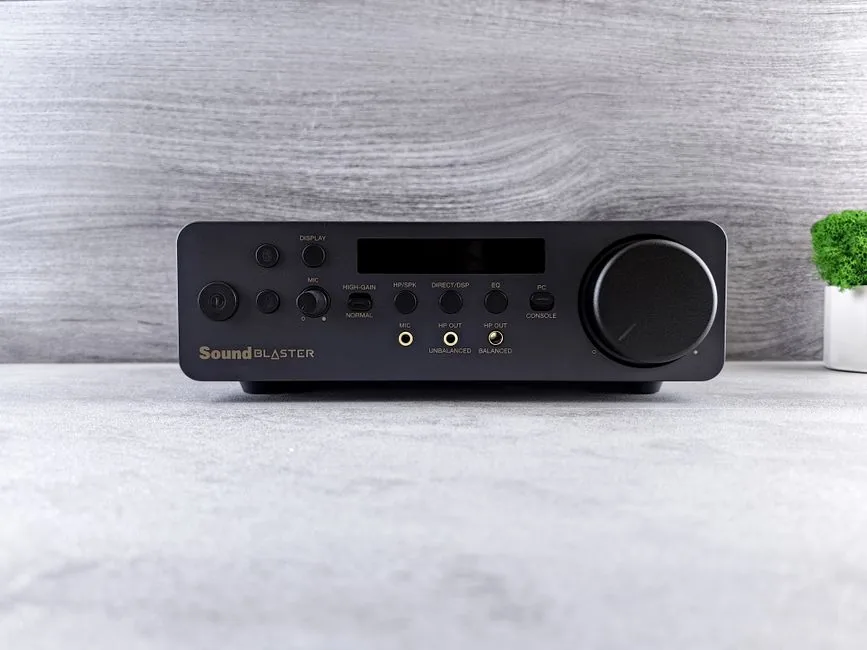
The best DAC for gaming should also be judged on how it connects and what it can decode. Most gaming DACs use USB and are effectively plug-and-play, but some add optical, coaxial, or RCA inputs for hooking up a console or a TV. If you want a single unit that handles both your PC and a PlayStation or Xbox, prioritize one with an optical input, since many consoles pass audio over optical more reliably than USB.
On the format side, any modern DAC handles up to 24-bit/192kHz and beyond, which is far beyond what games actually output. The more practical consideration is whether the DAC supports native DSD or MQA if you also use it for music, and whether its driver stack stays stable mid-game. For gaming specifically, none of the high-end format features matter much — clean amplification and a low noise floor do. The Schiit Fulla 4 and Fiio K7 both favor exactly those qualities over exotic format support, which is part of why they sit at the top of this list.
FAQ
Do I need a DAC if I have a gaming headset?
If your headset connects over USB, it already has a DAC built in, so an external unit adds little. If it uses a 3.5mm jack into your motherboard, the best DAC for gaming is usually a noticeable upgrade.
Will a DAC reduce my audio latency?
No, but it will not add any either. USB DACs operate with effectively zero audible latency, so they are safe for competitive play.
What is the best budget DAC for gaming?
The Creative Sound BlasterX G6 at around $149 is the best budget pick, and the Schiit Fulla 4 at $109 is the strongest all-round value for a desktop unit.
Can I use a DAC with my console?
Some units work with consoles. The Creative G6 supports Xbox and PlayStation, and the EPOS GSX 1000 handles PlayStation. Always check console compatibility before buying.
Does a DAC improve microphone quality?
Only if the DAC includes a mic input and a better ADC. Most gaming DACs that accept a mic will give you cleaner capture than a motherboard input.
Hear What You Have Been Missing
The best DAC for gaming does not have to be expensive to transform your audio. Whether you want cleaner footsteps for competitive play or richer sound for immersive single-player worlds, moving conversion off your motherboard and into a dedicated unit is one of the highest-impact upgrades you can make to your setup. Pair it with the right headset from our best gaming headset guide, and if you are on a tight budget, our best budget gaming headset list has options that still reward a good DAC.