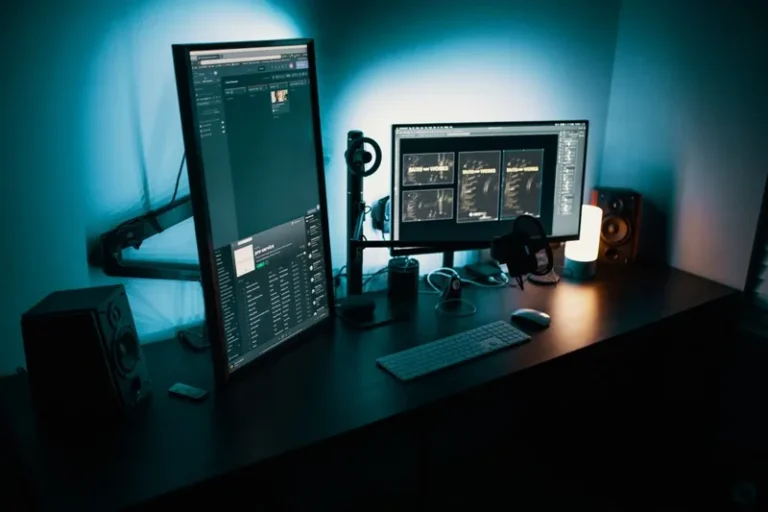
Best Gaming Monitor Arm 2026: Top Mounts for Every Setup
A monitor that sits too low, too high, or too close is quietly ruining both your aim and your posture. The best gaming monitor arm fixes all three at once by reclaiming the desk space your monitor stand occupies and letting you position the screen exactly where your eyes and hands want it. For competitive players and desk-bound creators alike, it is one of the highest-value upgrades you can make for under $100.
The gulf between a cheap arm and a quality one is huge — a bad arm droops, wobbles on every keystroke, and fights you on every adjustment, while a good one moves with one finger and stays rock solid. This guide ranks the top gas-spring and single-post arms of 2026 across stability, range of motion, and cable management, so you can buy once. To pair it with the right screen, our best gaming monitor 2026 guide covers the display side.
The Best Gaming Monitor Arms of 2026 Compared
| Monitor Arm | Type | Load Capacity | Max Screen | Gas Spring | Price (USD) | Best For |
|---|---|---|---|---|---|---|
| Ergotron LX | Single post | 25 lb | 34″ | Yes | $149 | Overall best |
| Amazon Basics Premium | Gas spring | 25 lb | 34″ | Yes | $109 | Best value |
| HUANUO Dual Arm | Dual gas spring | 17.6 lb per arm | 32″ each | Yes | $89 | Dual monitors |
| Ergotron HX | Heavy duty | 42 lb | 49″ (with HD pivot) | Yes | $329 | Ultrawide and 40″+ |
| VIVO Single Gas Spring | Budget gas spring | 19.5 lb | 32″ | Yes | $49 | Budget pick |
Why a Monitor Arm Beats the Included Stand
The best gaming monitor arm earns its place for two practical reasons. First, it returns a huge chunk of desk real estate — the decent-sized base of a stock stand vanishes, freeing room for your mouse and keyboard to sit centered and low. Second, it unlocks full height, tilt, swivel, and depth adjustment in seconds, whereas most stock stands only tilt a few degrees and force you to work around their fixed height.
Ergonomics are the hidden winner here. A screen centered at eye level reduces neck strain over long sessions, and being able to push the monitor back for casual play or pull it close for ranked matches changes how you actually use the display. It is the difference between a setup that looks clean and one that genuinely feels right.
Ergotron LX — The Overall Best
The Ergotron LX has been the reference point in monitor arms for years, and in 2026 it is still the best gaming monitor arm if you want a mount you will never think about again. Its polished aluminum single post and gas-spring-like Constant Force hinge move a 34-inch panel with a single finger, hold position without sagging, and look clean doing it. The internal cable channel keeps things tidy, and Ergotron’s build quality means it stays tight after thousands of adjustments.
It costs more than the budget options, but for a daily driver that gets moved constantly, the precision and durability are worth it. This is the arm to buy once and keep through multiple monitor upgrades.

Amazon Basics Premium — The Best Value
If you want the Ergotron experience without the Ergotron price, the Amazon Basics Premium single-arm is the classic recommendation. It is widely believed to share much of its design with the Ergotron LX, delivering the same smooth gas-spring motion and 21-inch post for noticeably less money. It handles screen sizes up to 34 inches and supports a VESA 75×75 or 100×100 mount.
The trade-offs are minor: the finish is a touch plainer, and the cable routing is less refined. For most gamers mounting a 27- or 32-inch monitor on a single arm, this is the smart default and the reason it lands as the best value pick in our roundup.
HUANUO Dual Arm — Best for a Dual-Monitor Setup
For a dual-display setup, a dedicated dual arm is cleaner than two individual arms and usually cheaper. The HUANUO dual gas-spring arm holds two screens up to 32 inches each and lets you position them independently, so you can align a main monitor with a secondary display stacked, side by side, or angled. It frees an enormous amount of desk space compared to two stock stands.
If you are planning a two-screen layout, our dual monitor setup for gaming guide walks through positioning, refresh-rate matching, and cable strategy. A good dual arm is the single biggest desk-space win in that whole workflow, and it makes the second monitor genuinely usable rather than an afterthought.
Ergotron HX — Best for Ultrawides and Heavy Panels
Large ultrawides and 40-inch-plus monitors are too heavy for standard arms, which sag or refuse to hold position. The Ergotron HX is built for panels that weigh up to 42 pounds, and with the optional heavy-duty pivot it handles the biggest 49-inch super-ultrawides without drooping. It is expensive and overkill for a typical 27-inch screen, but if you went big on the display, this is the arm that will actually hold it.
The rule of thumb is simple: check your monitor’s weight with its stand removed, then add a margin. A 49-inch super-ultrawide nearly always pushes past what a $60 arm can support, and a drooping screen aimed at the floor is worse than no arm at all.
What to Check Before You Buy
Three things determine whether an arm will work in your setup. First, confirm your monitor has a VESA mount — almost all modern gaming monitors do, but a few ultrawides and budget panels skip it. Second, check the arm’s weight range against your monitor’s weight, since both under- and over-loading cause problems. Third, verify your desk can clamp the arm: a thin hollow-core desk or one with a deep skirt can defeat the clamp, and in those cases a grommet mount through a cable hole is often the fix. Our best gaming desk 2026 guide covers solid desks that hold an arm without flexing. One more practical note worth repeating: the whole point of a monitor arm is stability, so we prioritized mounts that hold firm under fast, aggressive mouse movements rather than ones that simply look sleek on a spec sheet. Independent ergonomics testing from RTINGS consistently backs the Ergotron and Amazon Basics arms as the most stable and adjustable options in the single-arm category, which is why they top our list above.
FAQ
Do I need a monitor arm for gaming?
No, but the best gaming monitor arm is one of the best ergonomics and desk-space upgrades you can make. Competitive players benefit from correct eye-level positioning, and everyone gains back the space a stock stand wastes.
How much weight can a monitor arm hold?
It varies widely. Budget gas-spring arms handle roughly 15 to 20 pounds, mid-range arms hold 25 pounds, and heavy-duty arms like the Ergotron HX support up to 42 pounds for large ultrawides.
Can a monitor arm damage my desk?
Only if the clamp is over-tightened on a soft surface or the desk is too thin to support the leverage. Use a grommet mount for thin or hollow desks, and a solid wood or metal desk handles a clamp easily.
What size monitor fits a standard monitor arm?
Most standard single arms handle screens up to 32 or 34 inches. Larger panels, especially super-ultrawides over 40 inches, need a heavy-duty arm with the proper pivot.
Conclusion
The best gaming monitor arm for most people is the Amazon Basics Premium for its Ergotron-class smoothness at a friendlier price, with the real ergonomics flagship being the Ergotron LX and the HUANUO dual arm winning the two-monitor crowd. Check your monitor’s weight and VESA pattern, make sure your desk can hold a clamp, and you will turn a cluttered, awkward desk into a clean, comfortable setup. For the full environment, see our best gaming desk 2026 and best gaming chair 2026 guides.