Best Mechanical Keyboard for Gaming: Top 8 Picks for 2026
The best mechanical keyboard for gaming is rarely the one with the most RGB or the biggest price tag. It is the board that matches your switch preference, keeps input latency low, and fits your desk and budget. After comparing dozens of current models on actuation speed, polling rate, and build quality, we narrowed the field to eight picks that cover every budget from about $50 to $250.
The biggest shift in 2026 is the rise of Hall-effect and magnetic switches. These boards read how far a key is pressed rather than a simple on-off, which unlocks features like adjustable actuation points and rapid trigger. However, a classic hot-swappable mechanical board still makes more sense for many players, especially if you enjoy customizing switches and keycaps later.
In this guide you will find our top picks with real street prices, a plain-English breakdown of switch types, and the five specs that actually matter. If you are also upgrading the rest of your station, pair this with our gaming desk setup ideas and our picks for the best budget gaming headset.
What Makes a Keyboard Great for Gaming
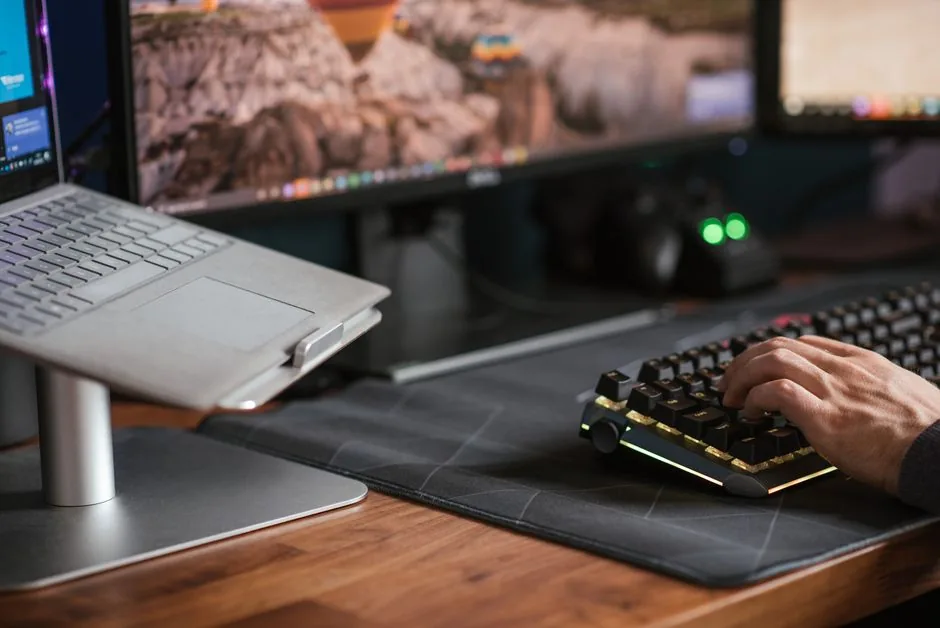
Three things separate a board you keep for five years from one you replace in six months: the switch, the latency, and the chassis. Everything else, from RGB to software macros, is secondary. These are the same criteria we used to crown the best mechanical keyboard for gaming on this page.
Switch feel is the single biggest decision. Linear switches press straight down with no bump, which most FPS and rhythm players prefer for fast, repeated taps. Tactile switches add a small bump at the actuation point, and clicky switches add an audible click on top of that. Your comfort matters more than any spec sheet, so try a switch tester before committing if you can.
Latency is the second factor. A gaming keyboard with a 1,000 Hz polling rate and low debounce delay can shave 10 to 20 milliseconds off each keypress compared to an office board. In a fast shooter that is a real, if small, edge. Many top boards now offer 4,000 Hz or even 8,000 Hz polling, though the practical benefit over 1,000 Hz is modest for most people.
Build quality rounds it out. An aluminum top plate, pre-lubed stabilizers, and a gasket-mounted plate cut down on rattle and give the board a solid, premium feel that survives years of use.
Our Top 8 Picks at a Glance
The table below summarizes the eight boards we recommend, with the switch type and a realistic 2026 US street price for each.
| Rank | Keyboard | Switch type | Size | Typical price | Best for |
|---|---|---|---|---|---|
| 1 | Wooting 60HE+ | Hall-effect (magnetic) | 60% | ~$175 | Competitive FPS |
| 2 | SteelSeries Apex Pro TKL | Hall-effect (OmniPoint) | TKL | ~$190 | All-round gaming |
| 3 | Razer Huntsman V3 Pro | Analog optical | Full | ~$220 | Esports + streaming |
| 4 | Keychron Q1 Pro | Hot-swap mechanical | 75% | ~$180 | Customizing enthusiasts |
| 5 | Logitech G PRO X TKL | Hot-swap mechanical | TKL | ~$130 | Tournament players |
| 6 | HyperX Alloy Origins Core | Linear mechanical | TKL | ~$90 | Best mid-range value |
| 7 | Ducky One 3 Mini | Hot-swap mechanical | 60% | ~$110 | Build quality + portability |
| 8 | Aula F75 | Hot-swap mechanical | 75% | ~$65 | Best budget pick |
The Wooting 60HE+ tops our list because its rapid-trigger and adjustable actuation deliver a genuine competitive advantage in games like Valorant and CS2. For a more balanced daily driver, the SteelSeries Apex Pro TKL offers the same magnetic-switch tech in a more traditional layout with media keys.
If you prefer a standard mechanical feel and want to swap switches later, the Keychron Q1 Pro and Logitech G PRO X TKL are the two to watch. The Aula F75, meanwhile, proves you can get a gasket-mounted, hot-swappable board for the price of a AAA game.
Switch Types Explained
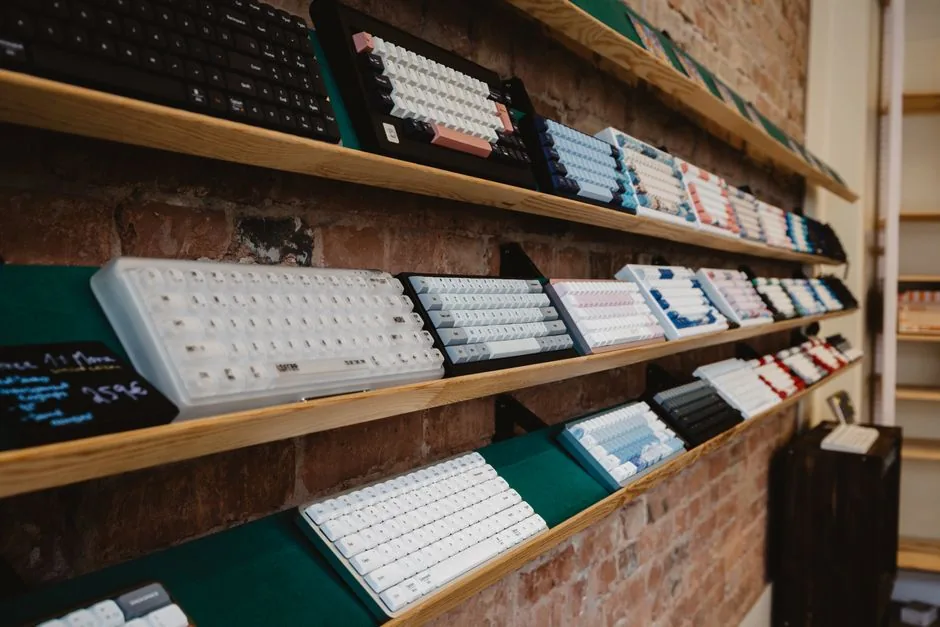
Choosing the right switch matters more than any other spec, so here is a quick tour of the four main options.
Linear Switches
Linear switches travel straight down with no tactile bump and are the default recommendation for gaming. They feel smooth and quiet-ish, and they return fast, which helps with rapid double-taps and strafing. Popular examples include Cherry MX Red, Gateron Red, and most Hall-effect switches.
Tactile Switches
Tactile switches add a gentle bump at the actuation point so you can feel exactly when the key registers. They are a favorite for typing and for games where you want confirmation on every press. Cherry MX Brown is the classic reference.
Clicky Switches
Clicky switches add an audible click to the tactile bump. They feel satisfying and precise, but the noise can annoy teammates on open microphones, so most gamers skip them for anything beyond casual play. Cherry MX Blue is the standard example.
Hall-Effect (Magnetic) Switches
Hall-effect switches use magnets instead of physical contacts, so the keyboard reads the exact position of each key. That enables adjustable actuation points, rapid trigger, and per-key sensitivity profiles. The catch is that they are not hot-swappable with standard switches and cost more, typically starting around $150.
How to Choose the Best Mechanical Keyboard for Gaming
When you are ready to buy, focus on these five specs instead of getting lost in marketing. They are what actually decide whether a board deserves the title of best mechanical keyboard for gaming.
Form factor. Full-size, TKL (tenkeyless), 75%, and 60% are the main options. Full-size keeps the numpad, while 60% and TKL free up desk space for mouse movement. Most competitive players go TKL or smaller, while 75% is a comfortable middle ground.
Hot-swappable sockets. A hot-swap board lets you pull switches and keycaps without soldering. It costs a little more up front but effectively future-proofs the board and makes it easy to try new switches.
Polling rate and latency. Look for at least 1,000 Hz polling. Anything higher is a bonus, but the measured in-game difference between 1,000 Hz and 8,000 Hz is tiny for most players, according to independent testing at RTINGS.
Software and customization. Good software lets you remap keys, record macros, and tune RGB without being a resource hog. Boards with onboard memory save your settings so you can carry them to a tournament PC.
Build and stabilizers. A solid plate, quality stabilizers, and pre-lubed switches keep the board quiet and wobble-free. These are the details that make a $150 board feel better than a $60 one.
Budget, Mid-Range, and Premium: What You Actually Get
The gap between a $60 board and a $180 board is smaller than it used to be, but it is still real.
A budget board like the Aula F75 gives you gasket mounting, hot-swap sockets, and a decent aluminum feel for around $65. You sacrifice switch quality, keycap legends, and software polish, but it is an excellent entry point. In addition, it is the easiest way to test the mechanical hobby without a big commitment.
A mid-range board around $90 to $130 adds pre-lubed switches, better stabilizers, and more consistent quality control. This is the sweet spot for most gamers, and where you find boards like the HyperX Alloy Origins Core and Logitech G PRO X TKL.
At the premium end, you are paying for magnetic switches, lower latency, and heavier materials. Boards like the Wooting 60HE+ and Razer Huntsman V3 Pro are built for players who treat responsiveness as a competitive weapon. Therefore, only spend here if you play competitive shooters seriously. Even then, the best mechanical keyboard for gaming for you is the one you can afford to use every day, not the one a tier list tells you to buy.
For a deeper look at how a keyboard fits into a full station, see our guide to the best gaming keyboard 2026 and our RGB setup for gaming PC walkthrough. You can also check Tom’s Guide for a second opinion on current models.
FAQ
Is a Hall-effect keyboard worth it for gaming?
For competitive FPS and rhythm games, yes. Rapid trigger and adjustable actuation genuinely reduce input delay and misfires. For casual play, a standard mechanical board offers 95% of the experience for less money.
What switch is best for gaming?
Most players prefer linear switches for fast, smooth presses. If you also type a lot, tactile switches are a great compromise. Hall-effect switches are the top choice for pure competitive play.
What size keyboard should I get?
A TKL or 75% board is the safest choice for gaming because it frees desk space for mouse movement while keeping the arrow and function keys. Go 60% if you want maximum desk room, and full-size only if you need a numpad.
How much should I spend on a gaming keyboard?
Around $90 to $130 is the sweet spot where build quality and switch feel peak for the money. You can get a solid board for $60, while $150 and up is worth it only if you want magnetic switches or serious custom features. That $90 to $130 band is where the best mechanical keyboard for gaming value sits for most players.
Find Your Match and Start Typing Faster
The best mechanical keyboard for gaming is the one that fits your hands, your games, and your budget, not the one with the highest specs on paper. Start with switch type, then choose a form factor, and let build quality decide the rest.
If you are not sure where to begin, the Aula F75 is a low-risk first board, while the Wooting 60HE+ is the clear choice for serious competitors. Once your keyboard is sorted, complete the station with our gaming desk setup ideas and a best budget gaming headset so the whole rig feels as good as it types.