
Best All-White Gaming PC Build in 2026: Parts, Prices and Tips
The best all white gaming pc build in 2026 is no longer the compromise it used to be. A few years ago, going all-white meant hunting down rare components and paying a premium for them. Today, white versions of nearly every part exist at close to the same price as black, from motherboards and GPUs to power supplies with white cables in the box. The result is a build that looks genuinely cohesive, not pieced together from whatever white parts happened to be in stock.
What makes a build the “best” all-white rig is not just a parts list, though. It is the small decisions that keep the theme consistent, matching shades of white, hiding the inevitable black bits, and keeping airflow and dust management in mind so the case stays bright. This guide covers all of that with real 2026 pricing so you can build a clean, monochrome machine without overspending.
Best All White Gaming PC Build: The 2026 Parts List
Here is a complete all-white build that balances performance and aesthetics at around $2,000, with every component available in white. Prices are typical 2026 street prices and will drift over time, so treat them as a budget rather than a quote.
| Component | White Model | 2026 Price | Notes |
|---|---|---|---|
| CPU | Ryzen 7 9800X3D | $449 | Top gaming chip |
| GPU | RTX 5070 Ti white variant | $819 | White-shrouded card |
| Motherboard | B650E Pro Ice / white | $229 | White PCB + heatsinks |
| RAM | 32 GB DDR5-6000 CL30 white | $109 | White heatspreaders |
| SSD | 2 TB NVMe Gen4 | $139 | Hidden, no color needed |
| Cooler | 360 mm AIO white | $149 | White radiator + fans |
| Case | White mid-tower airflow | $109 | Glass side panel |
| PSU | 850 W white + white cables | $139 | White unit and cables |
The total lands around $2,140, with the white GPU being the one spot that still commands a slight premium over its black counterpart. The rest of the parts run essentially price-parity with black versions, which is the main reason all-white builds now make financial sense.
Choosing a White GPU Without Overspending
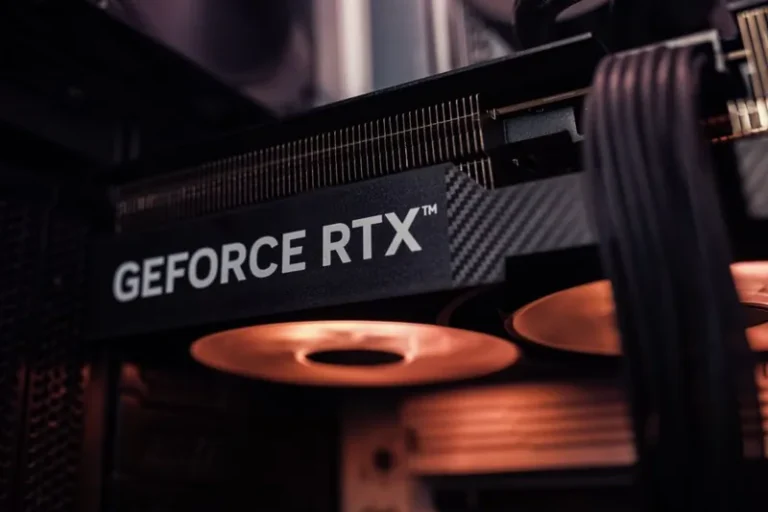
The graphics card is the hardest part of an all-white build and the easiest place to overspend. White GPU variants usually cost $30 to $80 more than black ones for the identical silicon, and the most sought-after white cards frequently sell out. Before you pay that premium, decide how committed you are to a fully white shroud.
The two main routes are buying a true white card or taking a black card and letting it read as a deliberate two-tone accent. Both look good, but if you want the pure all-white result, patience and price alerts are your friends. For the full field of cards worth building around, my best graphics card for gaming 2026 guide shows which models have white options this generation.
Matching Shades of White Across Brands
The most common mistake in an all-white build is mixing shades of white. Different manufacturers use slightly different whites, and a cooler, case, and motherboard from three brands can clash subtly enough to look off once the side panel goes on. The contrast is subtle, but once you notice it, it is hard to unsee.
Wherever possible, buy the case, cooler, and motherboard from a matched line, or at least check real photos of the parts together before you commit. White is not one uniform color, and consistency is the difference between a build that looks designed and one that looks assembled. Some builders intentionally mix warm and cool whites for a layered look, but that only works when it is clearly deliberate.

Hiding the Black Bits: Cables, Fans and Drives
Even in the “all-white” build, some parts are stubbornly black: cable connectors, fan hubs, SATA power, and the PCB edges that peek through. The skill is in making those black bits disappear rather than trying to eliminate them entirely, because you never fully will. White braided cable extensions for the 24-pin, EPS, and GPU power connectors go a long way, since the cable run is the most visible part of the wiring.
Route everything behind the motherboard tray and use the case’s channels aggressively. Tie down the front panel and fan cables so the black sleeving stays hidden. It is tedious, but clean wiring is what separates a genuinely white build from one that merely has white parts. If you want to go further with a two-tone approach instead, my white gaming PC build with black GPU guide covers that alternate aesthetic.
Airflow and Dust: Keeping It White
An all-white build has a special enemy: dust. On a white case, thin layers of dust show up faster and more obviously than on black, especially on the fan blades and the top of the GPU. The solution is both airflow and a little maintenance, and it starts at the build stage. Run slightly more intake than exhaust for positive pressure, which pushes air out through the gaps and reduces the dust that settles inside.
Also consider fan choice carefully, because the fans are the most dust-visible part. White fans with a smooth finish are easier to wipe clean than textured or aggressively steeled blades. Plan a quarterly quick clean, and your all-white build will keep looking crisp instead of turning grey within a year.
Cooling the Build Without Breaking the Theme
Cooling is the other place where white builds sometimes compromise, usually because builders hang onto an old black cooler. A white 360 mm AIO is the cleanest look and handles a high-end CPU easily, but a white air cooler is a perfectly good option for mid-range chips and costs far less. The key is just that it matches the rest of the interior.
If you go air cooling, pick a white tower with white fans so the large heatsink does not become a black void in the middle of the case. Whichever route you choose, make sure the CPU is properly cooled, because a thermally throttled flagship wastes the point of a premium build. For more on the cooling choices, see my best CPU cooler 2026 roundup.
Budget and High-End Variations
An all-white gaming PC does not have to cost $2,000. A $1,100 monochrome rig with a Ryzen 5 CPU, a white RX 9070 XT, and a white air cooler still nails the aesthetic, because the theme comes from consistency, not raw cost. The visual impact of a clean monochrome build scales all the way down the price ladder.
At the other end, pushing toward $2,800 with a white flagship GPU and more storage only changes the performance, not the look. Decide your budget first, then apply the same shade-matching and cable discipline at whatever level you land. The monochrome result is achievable at nearly any price point in 2026.

FAQ
Is an all-white gaming PC more expensive?
Slightly, mainly because white GPU variants carry a $30 to $80 premium. Most other white components now cost about the same as black, so the overall premium is modest in 2026.
Are white GPU variants worth the extra cost?
If you want a true all-white build, yes, but it is a purely aesthetic premium for identical performance. If the price gap bothers you, a black GPU as a two-tone accent costs nothing extra.
How do I keep a white gaming PC clean?
Run positive case pressure with more intake than exhaust, and clean the case and fans every few months. White surfaces show dust faster than black, so regular quick cleans matter more.
What is the biggest mistake in an all-white build?
Mixing different shades of white across brands. Matching the case, cooler, and motherboard shades, or buying from one line, is the key to a cohesive monochrome look.
Can I build an all-white PC on a budget?
Yes. A $1,100 white build with a mid-tier CPU and white GPU still achieves the full aesthetic, because the look comes from consistency rather than spending.
Conclusion
The best all white gaming pc build in 2026 is finally a realistic goal instead of a premium flex. With white components at near price-parity, the only real remaining premium is the GPU, and even that is optional if you accept a two-tone accent. Match your shades, hide the black cabling, and keep the airflow positive, and you will have a machine that looks as intentional as it performs.
The aesthetic is worth the small amount of extra care it asks for, and the payoff is a build that photographs beautifully and stands out from a sea of black boxes. For component recommendations and independent reviews, check PCPartPicker completed builds and case and RGB guides from Tom’s Hardware. Build it tidy, keep it consistent, and your all-white rig will reward you every time you glance at it.