What’s the Best Computer to Buy for Gaming in 2026?
If you are asking what’s the best computer to buy for gaming, the honest answer is that there is no single machine — the right pick depends on your budget, the games you play, and whether you want to build or buy. What does hold true across every case is that 2026 is a strong year to buy, with mid-range cards like the RTX 5070 and RX 9070 delivering performance that would have cost flagship money just two years ago. This guide walks through the three budget tiers, compares building against buying a prebuilt, and names the specific configurations we would actually recommend.
How to Answer “What’s the Best Computer to Buy for Gaming?”
The question collapses into three smaller ones: what is your budget, what resolution and refresh rate do you want, and how comfortable are you building a PC yourself. If you want 1080p at high refresh on a budget, a custom build is almost always the best value. If you want a 4K or 240Hz machine and value a warranty and support over squeezing every dollar, a prebuilt from a reputable brand closes the gap. Answer those three questions first and the “right” computer becomes obvious.
Custom vs. Prebuilt at a Glance
Building your own PC still wins on pure price-to-performance and upgrade flexibility, usually by 10–20%. A prebuilt wins on convenience, a single warranty, and the lack of a build-time learning curve, which genuinely matters if a dead machine you built yourself would leave you stranded. For most enthusiasts, custom is the answer; for most casual buyers, a quality prebuilt is the smarter, lower-risk call.
The Three Budget Tiers, Compared
The table below maps each budget to a recommended custom build and a comparable prebuilt, with real 2026 pricing.
| Budget | Custom Build (GPU/CPU) | Comparable Prebuilt | Best For |
|---|---|---|---|
| ~$800 | RTX 5060 + Ryzen 5 7600 | A ~$900 mid-tower | 1080p competitive |
| ~$1,400 | RTX 5070 + Ryzen 7 9800X3D | A ~$1,600 prebuilt | 1440p high refresh |
| ~$2,300 | RTX 5080 + Ryzen 7 9800X3D | A ~$2,600 flagship | 4K and streaming |
Prebuilts consistently command a markup for labor and warranty, but the gap narrows during sales. Our how much does it cost to build a gaming pc guide breaks down exactly where custom-build money goes.
Tier 1: The Best Computer Under $800
At the entry tier, the best computer to buy for gaming is the one that does not force you to skimp on the CPU. A Ryzen 5 7600 with an RTX 5060 and 16GB of DDR5-6000 holds 144 FPS at 1080p across the competitive titles and plays heavier games at 60 FPS on high settings. At this price a custom build is dramatically better value than a prebuilt, because the prebuilt markup eats into the components that matter most. Our best budget gaming pc build under 1000 guide has the full parts list and rationale.

Tier 2: The $1,400 Sweet Spot
For most people, the answer to the best-computer question is a $1,400 machine built around a Ryzen 7 9800X3D and an RTX 5070. This configuration runs essentially everything at 1440p high refresh and handles 4K with the help of upscaling, and it is the cheapest tier where you stop making meaningful compromises. A comparable prebuilt will run about $1,600 and is worth considering if the warranty and support are worth $200 to you. The GPU is the heartbeat of this tier, so consult our best graphics card for gaming 2026 comparison before committing.
Tier 3: The $2,300 Flagship
The flagship tier pairs an RTX 5080 with the same 9800X3D and 32GB of RAM for buttery 4K gaming and comfortable streaming. This is the machine to buy if you want to set every dial to ultra and forget it, though the value curve bends sharply above an RTX 5070 Ti. At this price, a quality prebuilt from an established boutique system integrator becomes genuinely competitive, because a single warranty covering a $2,300 investment starts to look attractive. Our best gaming pc build 2026 guide covers this tier in full.
Desktop vs. Gaming Laptop: Which Should You Buy?
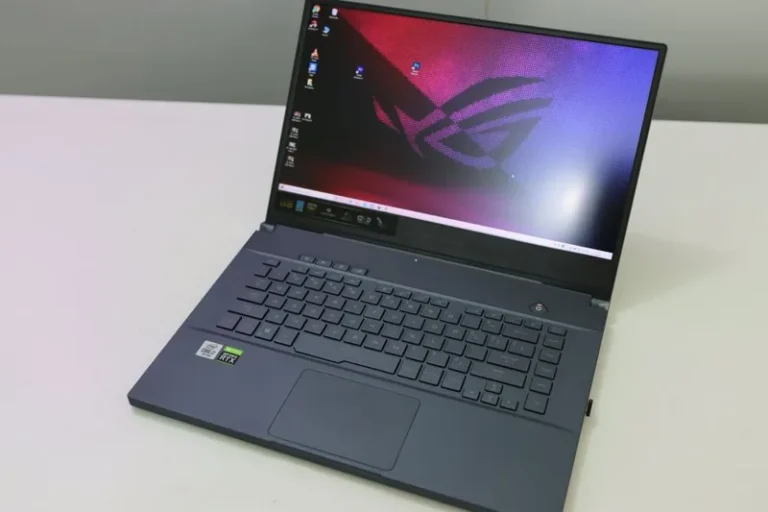
The same “best computer” question is often secretly a desktop-versus-laptop question. A gaming laptop buys you portability at a steep price: a $1,500 laptop performs more like a $900 desktop because mobile GPUs are power- and thermal-limited, and most laptops offer no meaningful upgrade path beyond RAM and storage. Buy a laptop only if you actually need to game in different places. If the machine will live at one desk, a desktop is faster for the money, quieter, and upgradeable for years — which makes it the correct default answer for the vast majority of buyers.
How to Choose Between Custom and Prebuilt
The decision really comes down to time and troubleshooting tolerance. Building your own means you choose every component and save money, but you own every problem. Buying a prebuilt means a markup and occasionally a proprietary motherboard or power supply, but you get a single warranty and a machine that works out of the box. A good middle path is a semi-custom builder that lets you pick components and have them assembled and tested, which splits the difference nicely.
What to Check Before You Buy Any Gaming Computer
Whatever you buy, verify three things: that the power supply and motherboard are quality branded parts rather than no-name units, that the RAM is running at its rated speed, and that the GPU is a current-generation card rather than a rebadged last-gen model sold at last year’s price. Prebuilts in particular are notorious for pairing a flashy CPU with a weak GPU and an undersized power supply, so read the full component list, not just the headline. A solid buyer’s guide like PCMag’s best gaming PCs roundup is a useful benchmark for what a fair prebuilt actually costs.
When to Buy and How to Future-Proof Your Purchase
The best time to buy is typically the weeks after a new GPU generation launches, when retailers discount outgoing cards and system integrators clear inventory. Whenever you buy, lean toward an AM5 motherboard and a roomy 750W or 850W power supply, because those two choices are what turn a future processor or graphics card upgrade into a one-part swap instead of a whole rebuild. Spending a little extra on the platform now buys you years of cheap upgrades later, which is the single biggest factor in how long your machine stays relevant. Pair that headroom with a monitor you intend to keep for years, and a mid-range build today will frequently outlive two graphics card generations before it needs a refresh.
FAQ
What’s the best budget gaming computer in 2026?
A custom Ryzen 5 7600 and RTX 5060 build at around $800 is the best value, delivering 144 FPS at 1080p while leaving a clear upgrade path. A prebuilt at this price almost always cuts corners on the GPU or power supply.
Is it cheaper to build or buy a gaming PC in 2026?
Building is still cheaper by roughly 10–20%, once you account for the prebuilt markup. Buying wins on convenience and a single warranty, which matters more at the higher price tiers.
What is the best prebuilt gaming PC brand?
Boutique system integrators that use off-the-shelf components and publish full part lists are the safest bets, because they avoid the proprietary parts and weak power supplies common in big-box prebuilts.
How long will a $1,400 gaming PC stay relevant?
A solid five to seven years for high settings at 1440p, with the GPU the most likely component you will want to upgrade in that window.
Final Verdict
The best computer to buy for gaming in 2026 is a $1,400 custom build around a Ryzen 7 9800X3D and RTX 5070 for most people, because it is the cheapest machine with no meaningful compromises. Budget buyers should build at $800 and skip the prebuilt markup, while flagship buyers can reasonably choose a quality prebuilt for the warranty and support. Whichever route you take, verify the power supply, motherboard, and GPU generation before you hand over your money. For the step-by-step build process, start with our best gaming pc build 2026 guide or the how much ram for gaming pc explainer to lock down the details.