Streaming Setup Cost: Budget to Pro in 2026
If you are planning to start streaming, the most common first question is simple: what does a streaming setup cost? The honest answer is that it depends entirely on where you are starting from, because the total can land anywhere from under $200 to well over $3,000.
The good news is that you do not need a pro-level studio to go live today. This guide breaks down the full streaming setup cost across three realistic tiers, explains which pieces matter most, and shows you exactly where to spend and where to save.
What Goes Into a Streaming Setup Cost?
A complete streaming setup has a handful of core pieces, and understanding them makes the price tags far easier to plan around.
- A PC or console to play on — this is usually the biggest single expense, though many streamers reuse hardware they already own.
- A microphone — audio quality matters more than video for keeping viewers.
- A camera — a dedicated webcam or a capture card with a console camera feed.
- Lighting — a key light and a fill light dramatically improve your on-camera look.
- Capture card — required only if you stream from a console or a second PC.
- Extras — a boom arm, green screen, stream deck, and acoustic treatment as you grow.
Streaming Setup Cost by Tier
Here is a realistic breakdown of the total streaming setup cost at three common budgets, assuming you are starting from scratch with a capable gaming PC already in hand.
| Component | Budget (~$200) | Mid-range (~$700) | Pro (~$2,500+) |
|---|---|---|---|
| Microphone | USB condenser, $40 | Dynamic USB or XLR, $120 | XLR mic + interface, $400 |
| Camera | 1080p webcam, $50 | 1080p/60 webcam, $120 | Mirrorless + capture, $1,200 |
| Lighting | Single ring light, $30 | Key + fill LED, $150 | Full softbox kit, $500 |
| Boom arm / stand | Included or $20 | $40 | $100 |
| Capture card | N/A (PC gameplay) | $150 (if console) | 4K card, $250 |
| Extras | — | Green screen, $100 | Mixer + stream deck, $450 |
If you still need to build the gaming PC itself, that is a separate and often dominant cost — our guide on how much it costs to build a gaming PC lays out current part prices so you can fold it into your total budget.
The Minimum Streaming Setup Cost to Go Live
You can start streaming for remarkably little. If you already own a gaming PC or console, the minimum streaming setup cost is roughly $100 to $200 — enough for a decent USB microphone, a basic 1080p webcam, and a starter light.
Prioritize Audio First
Viewers tolerate a mediocre image far more than poor sound. A crisp, clear microphone is the single highest-leverage purchase you can make. A $40 to $60 USB condenser microphone is a massive upgrade over a headset or built-in mic, and it is the one piece worth buying before anything else.
Then Improve the Picture
A 1080p webcam in the $50 to $120 range, combined with a cheap key light so your face is actually visible, covers the visual basics. In a well-lit room, a budget webcam looks surprisingly good.
Mid-Range Streaming Setup Cost: The Sweet Spot
For most serious streamers, the $500 to $1,000 mid-range is where the value is best. This is the streaming setup cost that gets you a professional-enough sound and image without the studio price tag.
Upgrade to a Dynamic Microphone
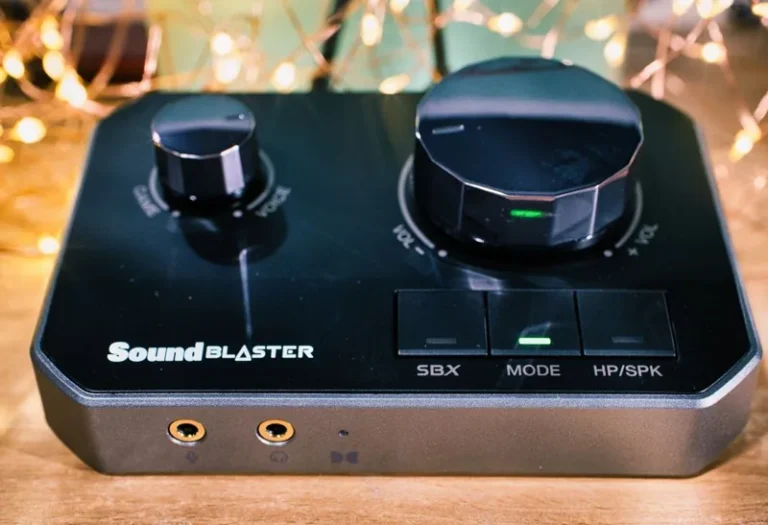
A dynamic USB or budget XLR microphone rejects room noise far better than a condenser, which matters if you share your space or have background hum. Pairing a $100 to $150 XLR mic with a $100 audio interface gives you a broadcast-quality voice.
Add Better Lighting and a Real Stand
Two-point lighting — a key light and a softer fill light — flatters your face and hides shadows. Add a proper boom arm so the mic sits exactly where it should, and a green screen if you want clean background removal.
Console Streamers: Add a Capture Card
If you stream from a PS5, Xbox, or Switch, you need a capture card to get that footage into your streaming PC. A 1080p60 USB capture card runs around $100 to $150, and it instantly unlocks console streaming. For desktop-only streamers, our streaming setup for gaming guide covers the software and OBS end in depth.
Pro-Level Streaming Setup Cost
Once streaming becomes a serious pursuit or a source of income, the streaming setup cost climbs quickly — but each upgrade is an investment in quality and consistency.
Mirrorless Camera and Lighting
A mirrorless camera like a Sony ZV-E10 or Canon EOS R50 paired with a capture card delivers noticeably sharper, more cinematic video than any webcam. Combined with a full softbox or panel lighting kit, the on-camera leap is dramatic.
XLR Audio Chain
A high-end XLR microphone, a dedicated audio mixer or interface, and a compressor help you dial in a consistent, radio-grade voice. Add acoustic panels behind the mic to tame echo.
Quality-of-Life Extras
A stream deck for scene switching, a second monitor for chat, and a dedicated dual monitor setup for gaming all make the workflow smoother and more reliable during long broadcasts.
For current gear recommendations and head-to-head tests across every budget, the reviewers at Tom’s Guide and PC Gamer are excellent places to validate a purchase before you spend.
Where to Save Money on Your Streaming Setup
- Reuse what you own. Your gaming PC, monitor, and even your phone camera can serve as the foundation before you spend a cent.
- Buy used audio gear. Microphones and interfaces are durable and depreciate well on the used market.
- Skip the capture card until you actually need one; PC-only streamers often never do.
- Start with free software. OBS Studio is free and industry standard, so there is no reason to pay for broadcasting software early on.
How Much Should You Spend to Start Streaming?
There is no rule that says your first streaming setup cost has to be expensive. Start with the cheapest workable version of each essential — a $50 USB microphone, a $60 webcam, and a $30 key light — and simply go live. Once you are streaming regularly, reinvest any earnings into the next meaningful upgrade, whether that is a dynamic microphone, a two-point lighting kit, or later a mirrorless camera. The streamers who succeed over the long term are the ones who start and improve incrementally, not the ones who buy an entire pro studio before their first broadcast.
Related Guides
FAQ
How much does a basic streaming setup cost?
A basic streaming setup cost is roughly $100 to $200 if you already own a gaming PC or console. That covers a USB microphone, a 1080p webcam, and a starter light.
What is the most important thing to buy for streaming?
A good microphone. Viewers will forgive a soft image but not poor audio, so a crisp microphone is the highest-impact upgrade you can make to any streaming setup cost.
Do I need a capture card to stream?
Only if you are streaming from a console or a second PC. If you stream and game on the same desktop PC using OBS, you usually do not need a capture card at all.
How much does a professional streaming setup cost?
A professional streaming setup cost typically runs $2,500 or more, factoring in a mirrorless camera, XLR audio chain, pro lighting, and quality-of-life extras like a stream deck and acoustic treatment.
Can I lower my streaming setup cost by using my phone as a camera?
Yes. A modern smartphone camera is often better than a budget webcam, and free apps can feed it into OBS as a webcam replacement, saving you $100 or more upfront.
Conclusion
A streaming setup cost is whatever you decide it should be. Start lean with a good microphone and a webcam for a couple hundred dollars, reinvest as you grow, and only spend on pro gear when you have the audience to justify it. Prioritize audio, light yourself well, and use free software — the rest is refinement.
When you are ready to build out the full gaming side of your stream, start with our how much it costs to build a gaming PC guide and our streaming setup for gaming walkthrough.