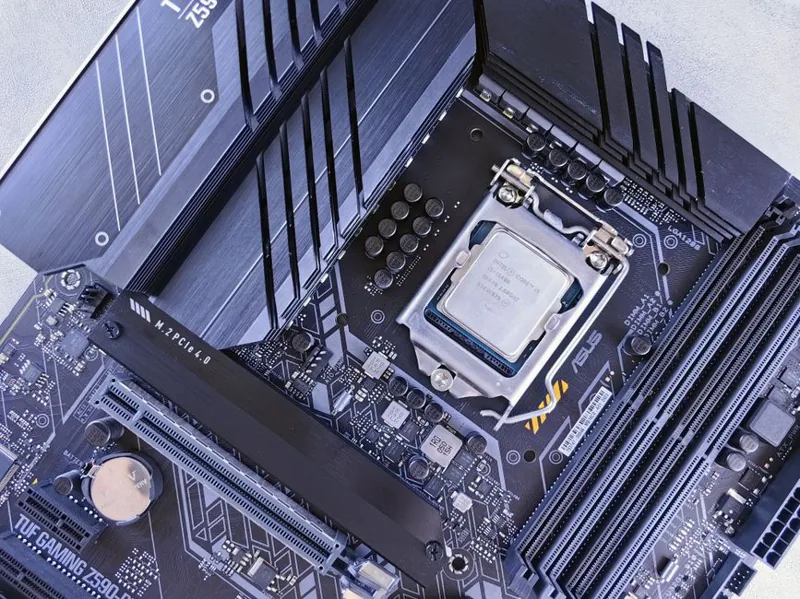
Good Motherboard for Gaming 2026: 7 Solid Boards Worth Your Money
You do not need a flagship board to get a good motherboard for gaming 2026. The mid-range has become so capable that boards in the $150 to $250 bracket now carry power delivery and memory support that would have cost twice as much a few generations ago. What separates a genuinely good board from a merely expensive one is a balanced mix of a cool-running VRM, reliable DDR5 training, and honest rear I/O, and this guide ranks seven picks that deliver exactly that without the enthusiast tax.
The market splits cleanly along two platforms in 2026: AMD’s AM5 socket for Ryzen chips and Intel’s LGA1851 for Core Ultra. Both are excellent for gaming, and the right choice follows your CPU rather than brand loyalty. If you have not settled on a processor yet, our best budget CPU for gaming guide will help you pick first so the motherboard decision nearly makes itself.
What “Good” Means for a Gaming Motherboard in 2026
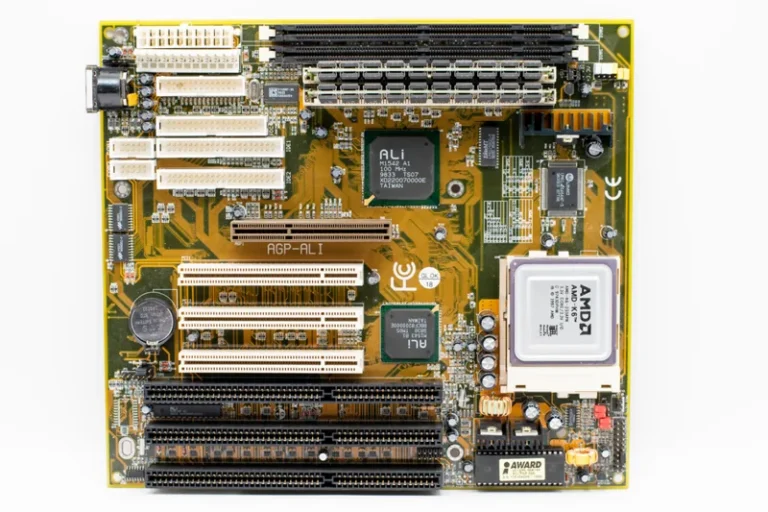
A good board nails the fundamentals without the headliner features most gamers never use. That starts with a VRM that keeps a hot eight-core chip from throttling during long sessions, which in practice means roughly 12 phases with real heatsinks on anything above entry level. Any board meeting that bar will sustain full boost clocks on both Ryzen and Core Ultra CPUs.
The second pillar is memory stability. DDR5 has matured enormously, and a good board now handles 6000 MT/s kits with a single EXPO or XMP toggle rather than a weekend of manual tuning. Beyond those two, the rest is about the ports you will actually plug into, which is why counting USB and confirming BIOS flashback matters more than a flashy RGB shroud. For the memory side in detail, our DDR4 vs DDR5 gaming guide covers the practical differences.
Good Motherboard for Gaming 2026: Seven Solid Picks Compared
These boards span both platforms and hit the value sweet spot, with typical street prices this year.
| Motherboard | Platform | Chipset | VRM | 2026 Price (USD) |
|---|---|---|---|---|
| MSI MAG B650 Tomahawk | AMD AM5 | B650 | 14+2 80A | $189 |
| ASRock B650M Pro RS | AMD AM5 | B650 | 8+2 60A | $139 |
| Gigabyte B650 Aorus Elite AX | AMD AM5 | B650 | 12+2 60A | $199 |
| MSI PRO B850-P WiFi | AMD AM5 | B850 | 12+2 80A | $209 |
| ASUS PRIME B860-Plus | Intel LGA1851 | B860 | 12+1 65A | $189 |
| MSI MAG B860 Tomahawk | Intel LGA1851 | B860 | 12+1 75A | $229 |
| Gigabyte B860 Aorus Elite | Intel LGA1851 | B860 | 12+1 70A | $219 |
The takeaway is that the gap between the cheapest good board and the most expensive one is mostly headroom you will not use. Reviews at PC Gamer repeatedly conclude that a $180 board paired with a faster GPU beats a $400 board paired with a slower one in every real gaming scenario, which is the single best argument for staying mid-range.
AMD vs Intel: Which Platform to Buy Now
Your CPU choice decides the platform, but the boards themselves are far more alike than different in 2026. AMD’s AM5 has the edge in longevity because the socket carries forward across generations, which means a board bought today will likely accept a future faster chip with a BIOS update. Intel’s LGA1851 is the current Core Ultra socket and is just as stable, but it carries less certainty about how many future CPUs will drop into it.
For a gaming-only build, both deliver identical frame rates given an equivalent CPU, so pick based on the processor you want and the upgrade path you value. Whichever way you lean, the mid-range board on either platform is a genuinely good buy this year.
Feature Checklist Before You Buy
Run down a short checklist and a good board will declare itself quickly. Confirm the chipset supports the CPU out of the box or at least offers BIOS flashback, because a board that requires an older processor to update first is a frustrating trap. Verify your M.2 drive count matches the slots available, and check whether populating a second drive disables SATA ports or splits the GPU lanes, since configured differently across boards.
Rear I/O is the last honest check. Count the USB ports you will use for your mouse, keyboard, headset, and capture device, and note whether built-in Wi-Fi is worth the small premium for your setup. Most desktop gamers are better off wired anyway, which is why Ethernet remains the default recommendation.
VRM Cooling and Everyday Reliability
A good board runs cool under daily load, and that comes down to heatsink mass and phase count working together. Massive look-at-me heatsinks without enough phases cool poorly, while a higher phase count spread across a well-finned sink keeps temperatures and voltage ripple low. This is exactly the kind of corner a thoughtless manufacturer cuts, so favoring boards that reviewers actually stress-tested under a high-TDP CPU is the reliable shortcut.
Reliability in day-to-day use is also about firmware maturity. Boards that have received several BIOS revisions tend to boot faster, train memory more reliably, and expose fewer quirks, so a model that has been on the market for a few months is often a safer buy than a brand-new launch board.
Power Delivery and GPU Pairing

Modern graphics cards are the true power hogs of the system, and while they draw through their own connectors, the motherboard’s PCIe slot and general build quality still matter. A slot with proper reinforcement reduces sag on a heavy triple-fan card, and a board with sensible slot spacing leaves breathing room for a thick GPU plus other add-in cards.
Pairing logic is simple: a mid-range board handles any single-GPU gaming setup without issue, so spend the savings on the card itself. If you are still choosing that card, our best graphics card for gaming 2026 roundup is the natural next stop, and a capable power supply for your gaming pc keeps the whole thing stable under load.
If you are weighing a board between platforms, remember the support ecosystem matters as much as the silicon. Boards with active communities and a steady cadence of BIOS updates tend to stay stable longer, and they expose fewer compatibility surprises when you drop in new RAM or a faster CPU later. Spending ten minutes checking a board’s firmware update history is cheap insurance that your value pick will not become a support headache a year down the line. In day-to-day terms, that stability shows up as faster boots, quieter fan ramping, and fewer random resets, the quiet wins that make a good board feel good.
FAQ
How much should I spend on a good gaming motherboard?
Between $140 and $250 buys a genuinely good board with a solid VRM and modern I/O for either platform. Below that you start sacrificing power delivery, and above it you mostly pay for extras you will not use.
Is an expensive motherboard worth it for gaming?
Rarely. Gaming performance is nearly identical between a $180 and a $400 board at the same CPU, so flagship boards only make sense for aggressive overclocking or heavy productivity workflows.
Do I need BIOS flashback on my motherboard?
It is highly recommended. Flashback lets you update the BIOS without a compatible CPU installed, which saves you from a frustrating boot failure if you pair a new chip with an older board.
How many M.2 slots does a good motherboard need?
Two is the practical minimum, and three offers comfortable headroom if you add storage later. Confirm whether using them disables SATA ports or splits GPU lanes before you buy.
Can a motherboard bottleneck my GPU?
Only in edge cases through PCIe lane splitting. On a normal mid-range board with the card in the top x16 slot, the motherboard will not bottleneck a modern graphics card in gaming.
Conclusion
A good motherboard for gaming 2026 is a balanced mid-range board that keeps your CPU at full boost, trains your DDR5 reliably, and gives you the ports you need without charging for the ones you do not. Pick your processor first, match the platform, and spend the $150 to $250 that buys genuine quality, then finish the machine with our best gaming pc build 2026 guide.