HTPC PC Build: The Complete Home Theater PC Parts Guide (2026)
A well-planned htpc pc build turns your living room TV into a full media center that can stream, play back local files, and even run couch-friendly games. The goal is specific: a quiet, compact machine that sits cleanly under the TV and does its job without the noise or bulk of a desktop tower. This guide walks through the ideal 2026 parts list, a realistic budget, and the setup choices that matter most.
The starting point for any home theater PC is deciding what the box actually needs to do. Pure streaming and playback is far less demanding than couch gaming or running a media server, and that single decision ripples through every component choice you will make. If you are also considering a general home office machine, our best budget gaming pc build under 1000 guide shows how the same budget can flex in another direction.
Planning Your HTPC PC Build
Begin with the workload. For 4K video playback through Plex, Jellyfin, or a streaming app, you do not need a discrete GPU at all, because modern integrated graphics decode most formats in hardware. Add light couch gaming and you will want an entry-level card, while full 4K gaming on the TV demands a genuine midrange GPU and a bigger case to cool it.
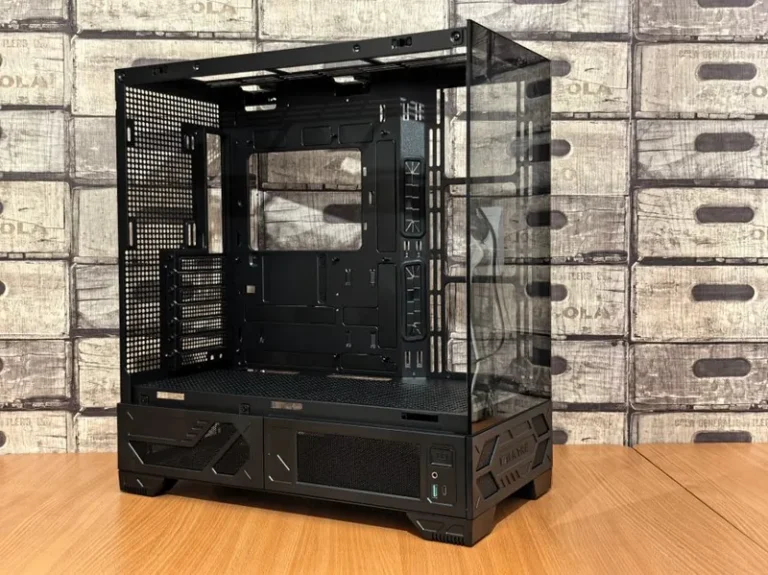
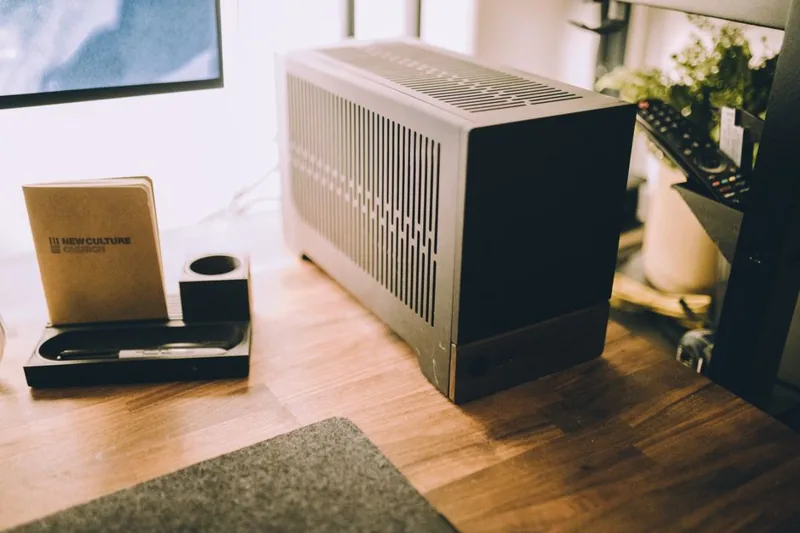
Size is the second decision. A small form factor chassis under the TV keeps the living room tidy, but it constrains your cooler height and graphics card length, so pick the case first and build around it. Think about where the box will live, how much clearance the shelf has, and whether you need room for several hard drives down the line.
HTPC Parts List and Cost (2026)
This balanced home theater PC targets flawless 4K streaming plus light 1080p gaming, and can be scaled up or down. Prices are US street prices as of September 2026.
| Component | Recommended Model | 2026 Price (USD) |
|---|---|---|
| CPU | AMD Ryzen 5 8600G (with Radeon iGPU) | $229 |
| Motherboard | B650M Mini-ITX (Wi-Fi 6E) | $169 |
| RAM | 16GB (2x8GB) DDR5-5600 | $65 |
| Storage | 1TB WD Black SN770 NVMe | $79 |
| Case | Fractal Design Node 202 or similar slim | $99 |
| PSU | SilverStone 450W SFX Gold | $89 |
| Optional GPU | Radeon RX 6600 (idle-silent) | $199 |
| Total (no GPU) | $730 |
Without a dedicated GPU, the integrated Radeon graphics in the Ryzen 8600G handle 4K streaming easily while sipping power, which keeps the machine cool and quiet. Add the optional RX 6600 only if you plan to game on the couch, since it stays silent at idle thanks to fan-stop behavior. For storage-heavy media libraries, consider a larger drive, and see our best nvme ssd for gaming guide for the fastest current options.
Choosing the Right Case and Cooling
Silence matters more in a living room than raw airflow, so favor cases with thick, damped panels and large slow-spinning fans over glass-and-RGB showpieces. A compact horizontal chassis hides under the TV cleanly, while a slim tower works next to an AV receiver. Either way, confirm the case physically supports your chosen cooler height before you buy.
For cooling, a low-profile air cooler or a small all-in-one liquid cooler keeps things quiet during playback. Tune your fan curves down, because a media machine spends most of its time at low load where fans can idle nearly silent. The single loudest component in many builds is a cheap power supply fan, so spending slightly more on a quality SFX or TFX unit pays off every evening.
Storage and Media Server Setup
Most builders pair a fast NVMe boot drive with one or two large hard drives for the media library, and that layout still holds in 2026. Put the operating system and any heavy apps on the NVMe, then let an 8TB or larger HDD hold your rips and downloads. If your library lives on another machine, skip the spinner and stream over the network instead.
Software is where the build really comes alive. Kodi and Jellyfin remain excellent, free front-ends for organizing local media, while Plex offers the most polished cross-device experience. Pair your chosen front-end with a cheap wireless keyboard or a media remote, and the box becomes as easy to drive as a streaming stick.
Connecting to Your TV and Audio
Use HDMI 2.1 to your television so you get 4K at 120Hz plus support for modern audio passthrough. For sound, either route audio over HDMI to your receiver and let it decode, or use HDMI ARC and eARC so the TV sends sound back to a soundbar. Getting audio configured correctly is the step most first-time builders struggle with, so budget a little time for it.
Display choice quietly matters just as much as the PC itself. Before you invest in a dedicated screen, RTINGS publishes the most detailed television measurements around, and cross-referencing their reviews with your TV’s HDMI capabilities will keep you from chasing formats your panel cannot display. For a desktop-sized alternative, our best gaming monitor 2026 guide has options that work just as well on a media stand.
Power, Noise, and Placement Tips
An always-on media machine draws power around the clock, so favor efficient parts and enable sleep and wake-on-LAN so it is not spinning at full power when nobody is watching. Most motherboards support waking from a key press or remote, which turns a home theater PC into an appliance you rarely think about.
Placement matters for both noise and thermals. Give the case a couple of inches of clearance on every side, avoid enclosing it in a closed cabinet, and route cables so they do not vibrate against the chassis. A tiny bit of planning here keeps the machine silent enough that you forget it is even there.
Streaming Services and DRM Considerations
A home theater PC can also consolidate your subscription apps in one place, but playback quality for services like Netflix and Disney+ depends on the app and its DRM support, and some services restrict 4K to specific clients and certified hardware. In practice, most builders run streaming apps natively on the smart TV and reserve the PC for local media, gaming, and services that lack a good TV app. A single high-quality HDMI cable plus your TV’s built-in apps is often the most reliable combination, letting the PC focus on what it does best while the television handles the walled-garden services and their ever-shifting DRM rules.
FAQ
Can an HTPC stream 4K without a graphics card?
Yes. Modern integrated graphics, like the Radeon iGPU in the Ryzen 8000 series, decode 4K video in hardware, so a dedicated GPU is unnecessary for pure streaming and playback.
How much does an htpc pc build cost?
A strong streaming-focused build costs roughly $700, and a version with a light gaming GPU lands around $900. You can go lower with a mini-PC base or a previous-generation CPU.
Is an HTPC louder than a streaming stick?
A well-built HTPC can be nearly silent at idle, but it will always draw more power and cost more than a dedicated streaming stick. The tradeoff is far more capability.
What is the best software for a home theater PC?
Kodi and Jellyfin are excellent free choices for local media, while Plex offers the most polished experience across phones, tablets, and TVs. Most builders settle on one of those three.
Do I need a dedicated remote?
Not necessarily. A wireless keyboard, a gaming controller, or even your phone running the streaming app all work, but a media remote makes the box feel more like an appliance.
Conclusion
A thoughtful htpc pc build is still the most flexible way to put a full media experience under your TV in 2026. Start with a capable integrated-graphics CPU, choose a quiet compact case, and get your HDMI and audio routing right, and you will have a machine that streams beautifully and grows with your library. For a low-power option that also doubles as a general machine, revisit our best budget gaming pc build under 1000 guide and adapt it to the couch.