The Best Gaming PC for Flight Simulator in 2026 (MSFS Build Guide)
A gaming PC for flight simulator workloads follows a completely different rulebook than a machine built for shooters. Microsoft Flight Simulator and its peers are not lightweight esports titles; they stream enormous amounts of terrain and scenery data in real time while simulating physical flight models, and they punish systems that are strong in one area but weak in another. If you build with the wrong priorities, you will watch a fast GPU sit idle while a struggling CPU and choked memory tank your frame rate.
The good news is that once you understand what these simulators actually demand, a well-balanced build will deliver a smooth, stable experience without requiring a flagship-tier budget. Whether you fly casually or run a full home cockpit, the same core principles of a gaming pc for flight simulator use still apply. This guide explains the unusual demands, then lays out a parts list tuned for 2026.
Why Flight Simulator Is Different
Most games reward raw GPU throughput above all else. Flight simulators are the exception, and understanding why is the key to spending money correctly.
It Is Brutally CPU-Bound
Flight simulators run a living world with live traffic, weather, and complex physics, and much of that simulation happens on a single main thread. That means single-core CPU performance and cache size matter more than core count, which is exactly why AMD’s X3D processors dominate this niche.
Scenery Streaming Loves Fast Storage and RAM
The simulator streams terrain in and out as you fly, so slow storage causes stutter and pop-in. A fast NVMe SSD and plenty of RAM keep scenery streaming smooth, especially when you add third-party airport and aircraft add-ons.
Add-Ons Multiply the Demands
The base simulator is only the starting point. Community aircraft, photogrammetry, and weather mods can push memory usage well past 32 GB and raise VRAM requirements sharply, so you should build with headroom for the add-ons you will inevitably install.
What a Gaming PC for Flight Simulator Actually Needs
Here are the performance targets that matter, so you can reverse-engineer the right parts instead of guessing.
Aim for a Strong CPU With 3D V-Cache
The Ryzen 7 9800X3D is the single best value for flight simming in 2026, because its extra L3 cache pays off directly in higher and more stable frame rates. A Ryzen 9 9950X3D adds more cores for background tasks but costs substantially more for a small gain in the sim itself.
Commit to 32 GB of RAM at Minimum
Thirty-two gigabytes is the practical floor for a serious flight sim rig, and 64 GB is reasonable if you run heavy add-ons, stream, or use third-party traffic tools. Memory speed matters too, so choose DDR5-6000 with low latency rather than a cheaper slower kit.
Match the GPU to Your Resolution and Headset
At 1440p, an RTX 5070 or RX 9070 XT is excellent. At 4K or for virtual-reality flying, step up to an RTX 5080. Pilots flying in 2D at 1080p can get by with an RTX 5060, but 1440p is where the modern sim truly comes alive.
The 2026 Flight Simulator Parts List
This build balances the CPU, memory, and GPU to handle the base simulator and a healthy stack of add-ons without breaking the bank.
| Component | Recommended Part | Estimated Price (USD) |
|---|---|---|
| CPU | AMD Ryzen 7 9800X3D | $449 |
| GPU | NVIDIA RTX 5070 12 GB | $549 |
| Motherboard | B650E ATX (AM5) | $189 |
| RAM | 32 GB (2×16) DDR5-6000 CL30 | $109 |
| Storage | 2 TB PCIe 4.0 NVMe SSD | $119 |
| Power Supply | 750 W 80+ Gold | $99 |
| Case | Mesh mid-tower ATX | $89 |
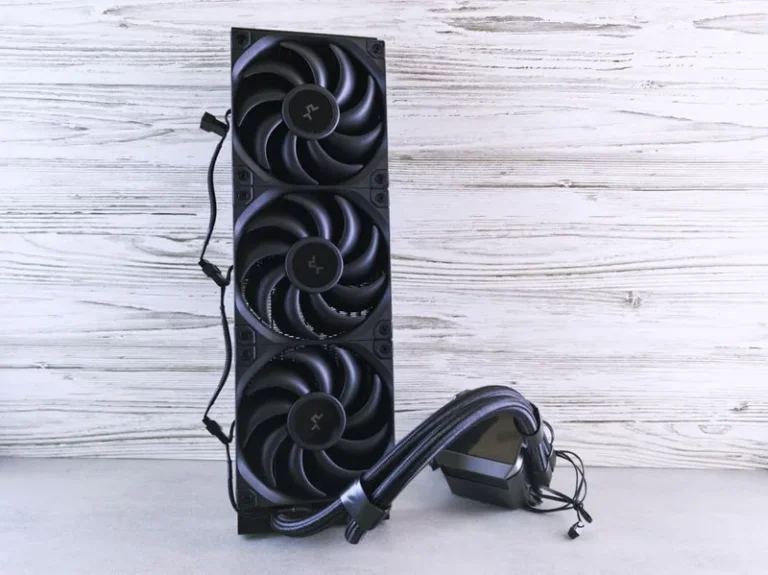
| CPU Cooler | 240 mm AIO liquid cooler | $99 |
| Total | $1,702 |
This config holds 60 fps and above at 1440p in Microsoft Flight Simulator with high settings, and it leaves clear room to add more RAM or a better GPU later. Tom’s Hardware keeps an up-to-date CPU hierarchy if you want to compare alternatives like the Intel Core Ultra 7 265K.

CPU: The Single Most Important Component
In flight simming, the CPU upgrade path should come before the GPU upgrade. A mid-range card paired with a 9800X3D will routinely outperform a flagship card paired with a weaker processor in this specific title, because the CPU is the bottleneck far more often than the graphics card.
This is also why reviewers bench flight simulators separately from other games. The conclusions they reach for an FPS like Call of Duty do not transfer, so filter your research to sources that specifically test Microsoft Flight Simulator, DCS World, or X-Plane.
Memory and Storage for Smooth Scenery Streaming
Stutter in flight sim is usually a memory or storage problem, not a GPU problem. Keep these two rules in mind.
Buy 32 GB Now, Leave Room for 64 GB
Starting with a single 32 GB kit on a two-DIMM-per-channel board leaves two empty slots, so you can add another 32 GB later without discarding what you bought. This is the cheapest insurance against add-on bloat.
Use a Fast 2 TB NVMe SSD
The simulator and its rolling scenery cache are large, and a 2 TB PCIe 4.0 drive gives you room without speed penalties. Keep at least 200 GB free, as a nearly full SSD slows down noticeably under streaming workloads.
VR Flight Simming Is a Different Beast
Virtual reality transforms flight simulators into something genuinely magical, but a gaming pc for flight simulator use in VR roughly doubles the demands on both CPU and GPU. For a comfortable VR experience, budget for an RTX 5080 and 64 GB of RAM, and expect to spend closer to $2,500 on the full build.
VR also magnifies any frame-time inconsistency, so a stable, slightly lower frame rate often feels better than a higher average with stutters. If you plan to fly in VR from the start, let that decision shape the build before you buy anything rather than upgrading into it later.

Settings and Add-Ons That Control Performance
You can often recover more performance by tuning the simulator than by buying new hardware. These are the levers that matter.
Cap Your Frame Rate and Lower Clouds
Frame-rate capping smooths out the micro-stutter that makes flight feel jittery, while reducing cloud and reflection quality buys back meaningful frames with little visual cost. Live traffic and AI aircraft are also heavy, so trim them before touching your core settings.
Keep Drivers and the Rolling Cache Healthy
Update your GPU drivers, enable a large rolling cache, and avoid running background downloads while flying. Flight sims stream data constantly, so network and disk hiccups translate directly into visible stutter. NVIDIA and AMD both publish driver notes worth checking after every update.
FAQ
What CPU is best for a gaming PC for flight simulator?
The AMD Ryzen 7 9800X3D is the standout choice in 2026 thanks to its 3D V-Cache, which delivers the highest and most stable frame rates in Microsoft Flight Simulator and DCS World.
How much RAM do I need for flight simulator?
Thirty-two gigabytes is the minimum for a comfortable experience, and 64 GB is recommended if you run heavy add-ons, weather tools, or fly in VR.
Do I need a high-end GPU for Microsoft Flight Simulator?
At 1440p, an RTX 5070 or RX 9070 XT is plenty. Reserve the RTX 5080 and above for 4K or virtual-reality flying, where the GPU load increases sharply.
Is flight simulator more CPU or GPU intensive?
It is unusually CPU-bound, especially on a single main thread, so a strong CPU is the most important part of the build. The GPU still matters at higher resolutions and in VR, but it should not be prioritized over the CPU.
Is an SSD required for flight simulator?
Yes. A fast NVMe SSD is effectively required, because the simulator streams scenery continuously and a mechanical hard drive causes serious stutter and pop-in.
Conclusion
A gaming PC for flight simulator use is built around a powerful CPU with 3D V-Cache, 32 GB or more of fast RAM, and a GPU matched to your resolution or headset. The $1,700 parts list above handles 1440p flying with room to spare, and the upgrade path to more memory or a better GPU keeps it relevant for years. For broader build context, see our best gaming PC build of 2026, our explainer on how much RAM you need for gaming, and our pick for the best CPU for gaming of 2026.