Gaming PC Build for Fortnite: High FPS Parts List for 2026
A gaming pc build for fortnite is not the same as a PC built for Cyberpunk 2077 or Microsoft Flight Simulator. Fortnite runs on Unreal Engine and rewards frame rate over raw visual fidelity, which means your money is best spent on a fast CPU, tight low-latency memory, and a mid-range GPU rather than a flagship graphics card. Most competitive players drop their settings to Performance Mode anyway, so the goal of this build is simple: hold 240 FPS at 1080p (and 144+ FPS at 1440p) without overspending. This guide covers the exact parts list we recommend in 2026, what each component costs, and why it earns its place.
Why Fortnite Is a CPU Game First
Fortnite’s competitive scene revolves around Performance Mode, which strips the visual detail down to the essentials so the engine can push as many frames as the CPU will allow. In practice, that means the processor is almost always the bottleneck, not the graphics card. A mid-tier CPU paired with a mid-tier GPU will routinely beat a flagship GPU paired with a weak CPU in this game. That single fact changes where your budget should go, and it is why the builds below lead with a strong processor. Independent testing at Tom’s Hardware repeatedly shows Fortnite scaling far more with CPU and memory speed than with GPU tier once you leave ultra settings behind.
Best CPU for a Gaming PC Build for Fortnite
Because the game is so CPU-sensitive, the processor matters more than anything else in a gaming pc build for fortnite. The Ryzen 7 7800X3D remains the best value in 2026 because its 3D V-Cache dramatically raises minimum FPS in the chaotic end-game moments where frame drops hurt the most. If you want the absolute best, the Ryzen 7 9800X3D (around $449) pushes 1080p averages well past 500 FPS in Performance Mode. On a tighter budget, a Ryzen 5 7600 at roughly $190 still clears 300 FPS easily, and the AM5 socket leaves a clear upgrade path. Intel’s Core i5-14600KF is a fine alternative, but AMD’s X3D chips simply win this fight for the money. For the full CPU field, see our best CPU for gaming 2026 guide.
Graphics Card: You Don’t Need a Flagship
Because Fortnite’s Performance Mode is so light, a mid-range GPU is more than enough. The RTX 5060 Ti 16GB (about $429) and the Radeon RX 9070 (around $549) both deliver far more frames than the game can use at 1080p, and they stay relevant if you branch into heavier titles. If you also play demanding single-player games, step up to the RTX 5070 at $599. Avoid buying a $1,000+ card purely for Fortnite — it will be bottlenecked by the CPU at competitive settings anyway, so the money is wasted. For more context on picking a GPU across the whole market, see our guide to the best graphics card for gaming 2026.

Memory and Storage That Keep Frame Times Low
For a smooth gaming pc build for fortnite, pair your CPU with 32GB of DDR5-6000 CL30 memory (about $95). Fortnite does not need 64GB, but 32GB leaves comfortable headroom for streaming, Discord, and a browser open on a second screen. Low-latency kits matter here because the game is sensitive to memory timings, not just capacity. For storage, a 1TB PCIe 4.0 NVMe SSD such as the WD Black SN850X ($89) keeps load times under ten seconds and prevents the hitching you feel with a SATA drive. Check our best NVMe SSD for gaming roundup if you want alternatives.
Motherboard, Power Supply, and Case
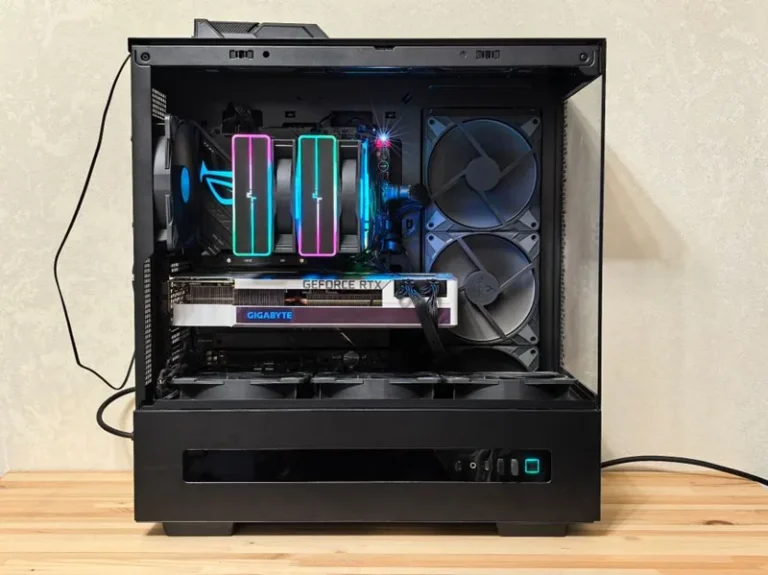
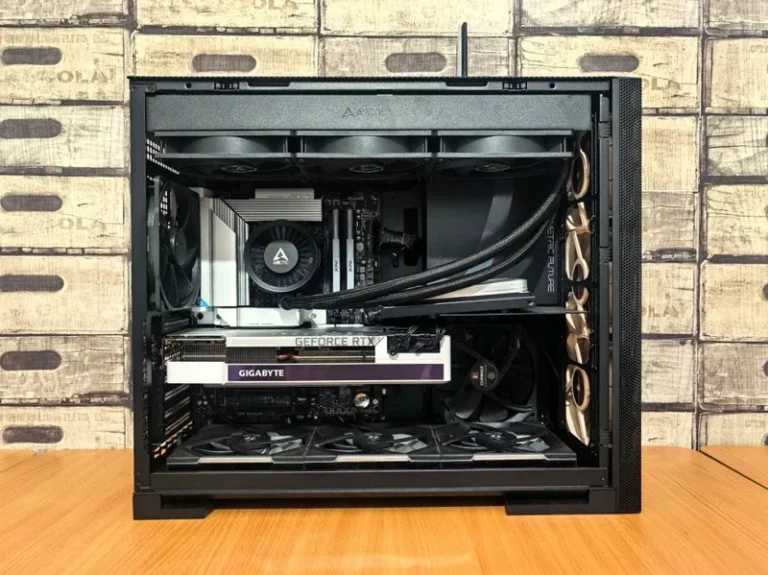
A B650 board like the MSI B650 Tomahawk WiFi ($199) is the sweet spot — it has the VRMs to drive an X3D chip and leaves room for future upgrades. For power, a 750W 80+ Gold unit such as the Corsair RM750e ($109) is enough for any build in this guide and leaves headroom for a GPU upgrade later. On the case side, a high-airflow mesh chassis like the Lian Li Lancool 216 ($99) keeps everything cool and is easy to build in. None of these parts are glamorous, but choosing quality here prevents throttling and mystery shutdowns down the road.
The Full Parts List and Cost
Here is the complete mid-range gaming pc build for fortnite, priced in USD for 2026. Prices shift weekly, so treat these as a realistic snapshot rather than a guarantee.
| Component | Recommended Pick | Est. Price (USD) |
|---|---|---|
| CPU | AMD Ryzen 7 7800X3D | $369 |
| CPU Cooler | Thermalright Peerless Assassin 120 | $42 |
| Motherboard | MSI B650 Tomahawk WiFi | $199 |
| GPU | RTX 5060 Ti 16GB | $429 |
| Memory | 32GB DDR5-6000 CL30 | $95 |
| Storage | WD Black SN850X 1TB | $89 |
| PSU | Corsair RM750e (750W 80+ Gold) | $109 |
| Case | Lian Li Lancool 216 | $99 |
| Total | $1,431 |
A budget version swaps the 7800X3D for a Ryzen 5 7600, the 5060 Ti for an RX 9060 XT, and a cheaper case, landing around $950 total. For a full cost breakdown across multiple tiers, read our guide on how much does it cost to build a gaming pc.
Settings and Tuning for Maximum FPS
Competitive players run Performance Mode with most settings on low and keep view distance at epic so you can still spot enemies at range. Enable NVIDIA Reflex (or AMD Anti-Lag) to cut input latency, cap your frame rate just below your monitor’s refresh rate, and disable V-Sync. These tweaks often matter more than spending another $300 on hardware, and they cost nothing. A high-refresh best gaming monitor 2026 is what actually lets you see those extra frames, so budget for it alongside the PC itself.

Peripherals That Actually Help You Win
A gaming pc build for fortnite is only as good as the gear around it. A mechanical keyboard with fast switches and a lightweight mouse with a flawless sensor translate your inputs with less delay, which matters in box fights and build battles. According to PC Gamer, consistent peripherals and a high-refresh monitor contribute as much to competitive performance as a GPU upgrade once you are past 144 FPS. Invest in a good mouse and a 240Hz panel before spending more on the tower.
Building vs Buying a Prebuilt for Fortnite
You can buy a prebuilt that handles Fortnite well, but a DIY gaming pc build for fortnite almost always wins on value. Prebuilt systems that advertise “240 FPS Fortnite” typically pair a decent CPU with a cut-rate power supply, motherboard, and RAM, then charge a 15 to 30 percent markup for assembly. Building yourself lets you put that savings into the parts that matter — a better CPU, faster memory, and a higher-quality PSU — while avoiding the proprietary boards that make prebuilts hard to upgrade later. If you have an afternoon and can follow a video, the DIY route is straightforward, and our gaming pc build how to guide walks through assembly step by step. The main reasons to go prebuilt are time and warranty, not performance.
Upgrade Path and Longevity
One of the best things about an AM5 build is how far it can grow. Start with a Ryzen 5 7600 today, and a few years from now you can drop in a newer X3D chip and a next-generation GPU without touching the motherboard, power supply, or case. That forward compatibility is why the builds in this guide bias toward a 750W PSU and a B650 board rather than the bare minimum. For Fortnite specifically, your first meaningful upgrade should be a high-refresh monitor, followed by a CPU swap once you feel 1% lows dipping in crowded end games. Skip the urge to upgrade the GPU first — in this game it rarely moves the needle.
FAQ
Is a gaming pc build for fortnite expensive?
No. Because Fortnite is optimized and CPU-bound, a capable build costs between $900 and $1,450. You do not need a flagship GPU, which is where most people overspend.
Do I need a Ryzen X3D CPU for Fortnite?
Not strictly, but it is the single best upgrade for this game. X3D chips raise minimum FPS in crowded end-game circles more than any GPU upgrade would.
Can I hit 240 FPS on a budget PC?
Yes, at 1080p Performance Mode with a Ryzen 5 7600 and an RTX 5060 Ti, 240 FPS is realistic during most fights. The biggest limiter becomes your monitor, not the PC.
Is 16GB of RAM enough for Fortnite?
It works, but 32GB is worth the extra $40 if you stream or keep Discord and a browser open. Frame times stay steadier with headroom.
Conclusion
A gaming pc build for fortnite should prioritize a strong CPU, fast low-latency RAM, and a mid-range GPU while skipping the flagship spending traps. Spend around $1,400 and you will hold high FPS in competitive play for years. Pick your parts, enable Reflex, and drop into the island.