AIO vs Air Cooler: Which CPU Cooler Should You Buy in 2026?
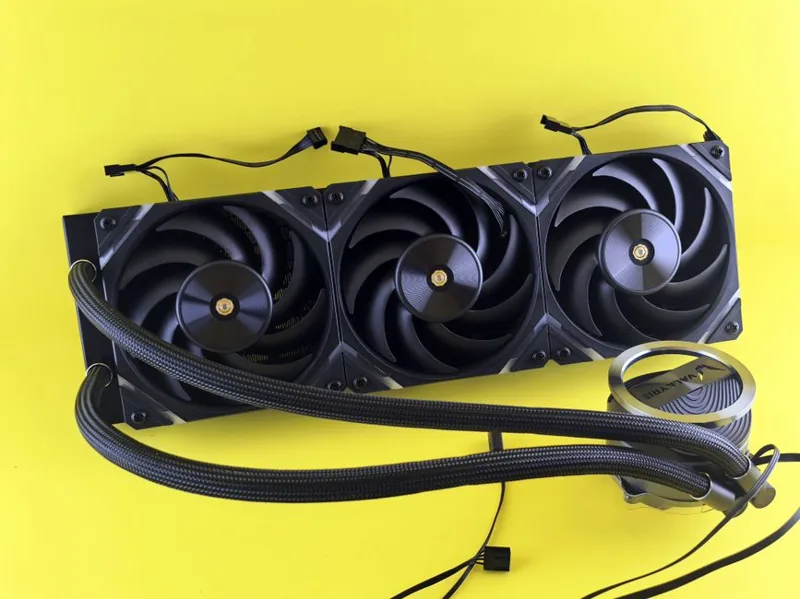
The aio vs air cooler debate is the most common question in PC building, and in 2026 the honest answer is that both are excellent — the right choice depends on your CPU, your case, and your priorities. Air coolers have closed most of the performance gap on efficient modern CPUs, while all-in-one (AIO) liquid coolers still hold the edge for sustained heavy loads and a clean look.
This guide breaks down the real differences in cooling performance, noise, price, reliability, and case compatibility, so you can pick the right one for your specific build. Whichever direction you lean, the specific models in our best cpu cooler 2026 roundup are the ones worth buying, and independent thermal testing from Tom’s Hardware backs up the comparisons below.
AIO vs Air Cooler at a Glance
| Factor | Air Cooler | AIO Liquid Cooler |
|---|---|---|
| Typical price | $25–$150 | $60–$250+ |
| Best thermal ceiling | ~250 W | ~350 W+ |
| Noise at idle | Very quiet | Pump adds faint hum |
| Noise under load | Louder fans | Quieter at same temps |
| Reliability | Effectively unlimited | 5–7 year pump lifespan |
| Failure mode | Fan stops (easy fix) | Pump failure (replacement) |
| Case fit | Needs tall clearance | Needs radiator mount |
| Aesthetics | Chunky tower | Sleek, often RGB/display |
Cooling Performance: When Air Is Enough
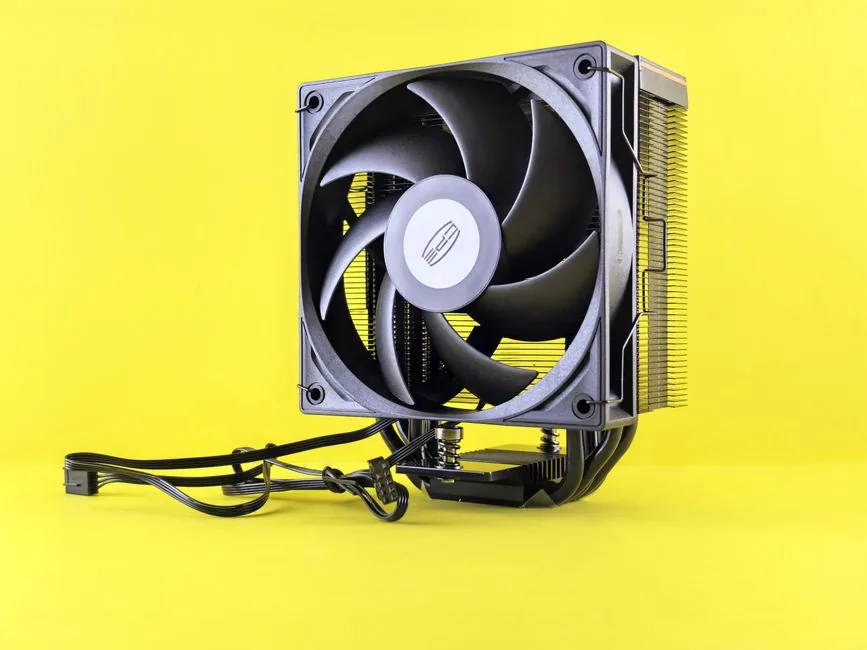
Modern gaming CPUs like the Ryzen 7 9800X3D and Ryzen 5 9600X are efficient enough that a strong dual-tower air cooler keeps them comfortably cool in games. The Thermalright Peerless Assassin 120 SE at $40 matches or beats AIOs costing three times as much in gaming scenarios, because gaming loads rarely saturate a big heatsink.
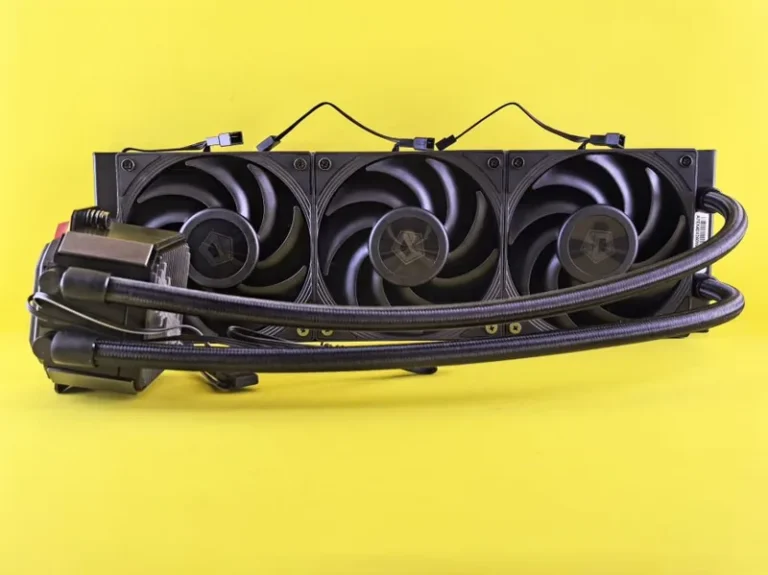
Where AIO liquid cooling pulls ahead is sustained all-core work — video rendering, code compilation, or overclocked Intel Core Ultra 9 chips that can push past 250 W. A 360 mm AIO holds those loads cooler and quieter than even the best air cooler, letting boost clocks run longer. This is the single clearest divider in the aio vs air cooler decision: what you do with the CPU matters more than which CPU it is.
Noise: Two Very Different Profiles
Air coolers are essentially silent at idle but ramp their fans under load, which is audible in a quiet room. AIOs add a faint pump hum at all times but their larger radiator lets fans spin slower under load, so the peak noise is lower. If you game with headphones, the difference barely matters; if you record audio or prize a silent desk, the pump hum is worth testing for yourself.
For a genuinely silent system, a high-end air cooler or a well-tuned AIO with premium fans are both viable — our silent gaming pc build guide covers the trade-offs in depth, including fan-curve tuning that eliminates most noise complaints.
Price: Air Wins on Value, Every Time
The value math heavily favors air. A $40 air cooler handles the vast majority of CPUs, while you need to spend around $100–$120 for an AIO that meaningfully outperforms it. That $60–$80 difference is better spent on a faster GPU or more storage — the components that actually improve your experience. See how much does it cost to build a gaming pc for where cooler money is best allocated across your entire build.
Reliability and Lifespan
This is air’s strongest long-term argument. An air cooler has one moving part — the fan — which is cheap to replace and typically lasts a decade or more. An AIO adds a pump, coolant, and seals, and most are warrantied for five to seven years before the pump can degrade or fluid levels slowly drop. A catastrophic air cooler failure is nearly unheard of; a failed AIO pump, while uncommon, means replacing the whole unit.
Case Compatibility and Aesthetics
- Air coolers need vertical clearance — dual-tower units like the Peerless Assassin stand 155 mm tall, which fits most mid-towers but not many compact or small-form-factor cases.
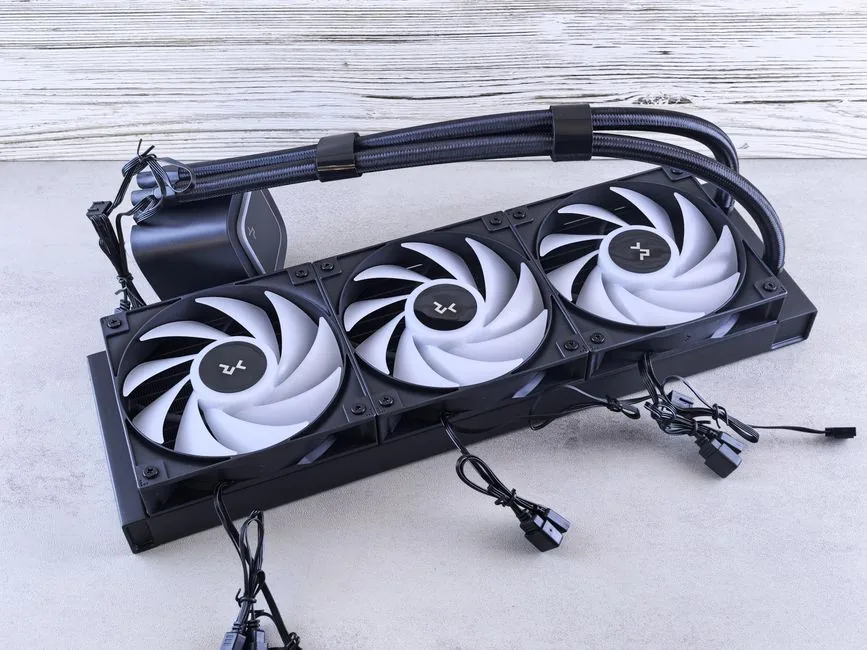
- AIOs need a radiator mount — a 360 mm unit requires a case with a top or front 360 mm slot, and SFF cases usually max out at 240 mm.
- Aesthetics clearly favor AIOs for showcase builds with a window: a sleek radiator with RGB fans or a pump-head display looks far cleaner than a chunky metal tower.
If you are building small, small form factor gaming pc build details which cooler style fits each compact case class. In the tightest ITX enclosures, a 240 mm AIO is often the only way to cool a high-power CPU, which flips the usual recommendation on its head.
Who Should Buy an Air Cooler?
Choose air if you are on a budget, building a compact-but-not-tiny rig, want zero pump-failure risk, or run a gaming-first system with an efficient AMD CPU. The $40–$60 sweet spot covers the overwhelming majority of builders, and the savings fund real performance gains elsewhere in the build. First-time builders should almost always start here — air coolers are harder to install wrong and impossible to leak.
Who Should Buy an AIO?
Choose an AIO if you run a high-power CPU under sustained all-core load, overclock heavily, want the lowest possible temperatures and noise at high wattage, or care about how the inside of your case looks. A 360 mm unit is the default for Intel Core Ultra 9 and Ryzen 9 productivity builds, and it is the pragmatic choice when your workload looks like a render queue rather than a game library.
Installation and Maintenance
Installation difficulty is a real factor in the aio vs air cooler choice, especially for first-time builders. Air coolers are mechanically simple: you screw a backplate through the board, mount the heatsink, and clip on a fan. There is no liquid, no routing, and almost nothing to get wrong — the worst mistake is forgetting to peel the protective film from the base plate.
AIOs add more steps. You mount a radiator, route tubing, connect the pump header, and manage two or three fans, which takes more planning and more patience in tight cases. It is not hard, but there is more that can go wrong, and a misrouted tube that rests against a spinning fan is a problem air cooling simply does not have.
Maintenance favors air too. An air cooler needs nothing beyond an occasional dusting and a fan swap when one wears out. An AIO is sealed and should not be opened, but you should watch for pump degradation or unusual noise as it ages, and eventually the whole unit gets replaced rather than repaired. For builders who want to install once and forget for a decade, air cooling is the lower-friction path.
FAQ
Do I need an AIO for the Ryzen 7 9800X3D?
No. A quality dual-tower air cooler like the Peerless Assassin 120 SE or Noctua NH-D15 G2 keeps the 9800X3D cool in gaming. An AIO only helps if you run sustained all-core workloads.
How long does an AIO last compared to air?
A good AIO lasts five to seven years (warranty-matched), while an air cooler effectively lasts indefinitely with an occasional fan swap. Air wins on longevity.
Is an AIO louder than an air cooler?
At idle, AIOs add a faint pump hum but are otherwise quiet; under heavy load, AIOs are often quieter because their larger radiator needs less fan speed. It depends on the exact models.
Can I fit an air cooler in a small form factor case?
It depends on clearance. Dual-tower air coolers at 155 mm tall fit most mid-towers but not many SFF cases, where a 240 mm AIO is often the better fit.
Conclusion
The aio vs air cooler decision comes down to your workload and your case. For gaming-first builds and budget-conscious builders, a $40–$60 air cooler is the smarter buy and performs essentially identically in games. For sustained heavy loads, overclocking, or a clean showcase build, a 360 mm AIO earns its premium with lower peak temperatures and noise. Match the cooler to your CPU’s power draw, confirm your case clearance, and either choice will serve you well. For specific model recommendations, head to our best cpu cooler 2026 guide, and pair it with the right chip from our best cpu for gaming 2026 roundup.