
White Gaming PC Build with Black GPU: A Complete 2026 Guide
A white gaming pc build with black gpu is one of the cleanest visual tricks in PC building. The contrast looks deliberate and premium, and it usually costs no more than a single-color rig, because the catch is simply which color each part ships in. The good news in 2026 is that white components are everywhere, from cases to coolers to motherboards, so a black graphics card no longer sticks out as a mistake. Instead, it reads as an intentional two-tone accent that draws the eye straight to the most expensive part of the system.
The practical reality is that most high-end GPUs still launch in black first, so a black GPU inside an otherwise white build is not a compromise, it is the standard starting point. This guide walks through a complete parts list with real 2026 pricing, plus the small decisions that make the black card look on purpose rather than out of place.
Why the Black GPU Actually Works
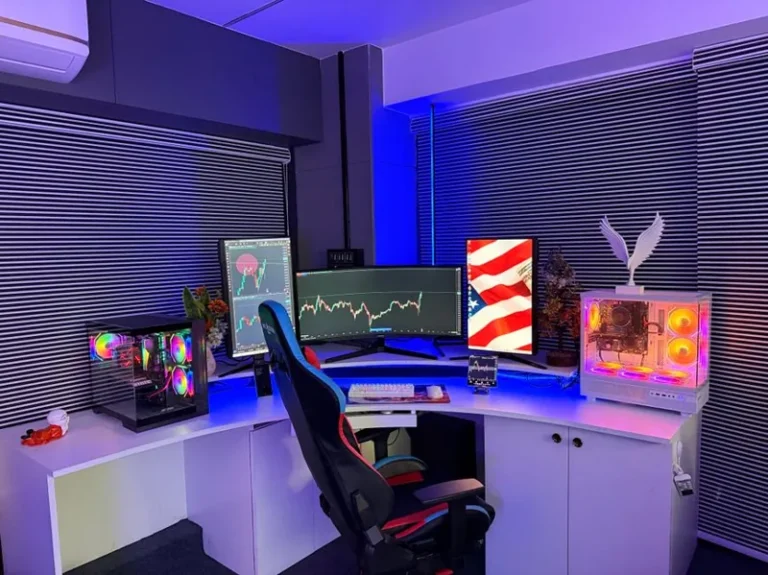
There is a simple reason the two-tone look works so well: contrast. A white case, white motherboard, white cooler, and white cables surround the dark graphics card and pull your attention straight to it. Since the GPU is usually the hero component of a gaming PC, that framing is exactly what you want. It makes the build feel curated rather than haphazard.
It also sidesteps a long-running frustration. Fully white GPUs are rare, often cost an extra premium, and frequently sell out. By embracing the black card, you free yourself from hunting a white model and can buy whichever GPU offers the best performance per dollar. If you want to see the broader field before you commit, my best graphics card for gaming 2026 roundup covers the cards worth building around.
White Gaming PC Build with Black GPU: Complete Parts List and Pricing
Here is a full two-tone build that hits roughly $1,800 to $2,000, with the graphics card deliberately left black as the centerpiece. Prices are typical 2026 street prices and shift over time, so treat them as a starting budget rather than a fixed quote.
| Component | Model (White Variant) | 2026 Price | Notes |
|---|---|---|---|
| CPU | Ryzen 7 9800X3D | $449 | Top gaming chip |
| GPU | RTX 5070 Ti (black) | $799 | The black accent |
| Motherboard | B650E Pro Ice / white | $229 | AM5, white PCB |
| RAM | 32 GB DDR5-6000 CL30 white | $109 | Low-profile heatspreaders |
| SSD | 2 TB NVMe Gen4 | $139 | Gen4 is plenty |
| Cooler | 360 mm AIO white | $149 | Or a white air cooler |
| Case | White mid-tower airflow | $109 | Mesh front preferred |
| PSU | 850 W 80+ Gold with white cables | $129 | Or custom cable kit |
The total lands around $2,100, but the same core build can be trimmed to near $1,700 by stepping the GPU down to a $599 card or the CPU to a Ryzen 5 tier. The point is that the white theme does not add a meaningful premium in 2026, because most of these parts have white versions at roughly the same price as black.
Picking a Case That Shows Off the Contrast
The case is the single most important choice for this build, because it decides how much of the contrast you actually see. A tempered glass side panel is non-negotiable, and a bright or neutral interior makes the black GPU pop. Mesh-front cases with good airflow are ideal, since they keep the powerful GPU cool and let you show off the internals at the same time.
If you want to lean into the look harder, consider a case with a white interior rather than a black interior, so the whole cavity is light behind the dark card. Some builders also add white case fans to keep the airflow uniform. For more case options that suit the theme, see my best PC cases 2026 white list.

Wiring and Cable Management Matter More Here
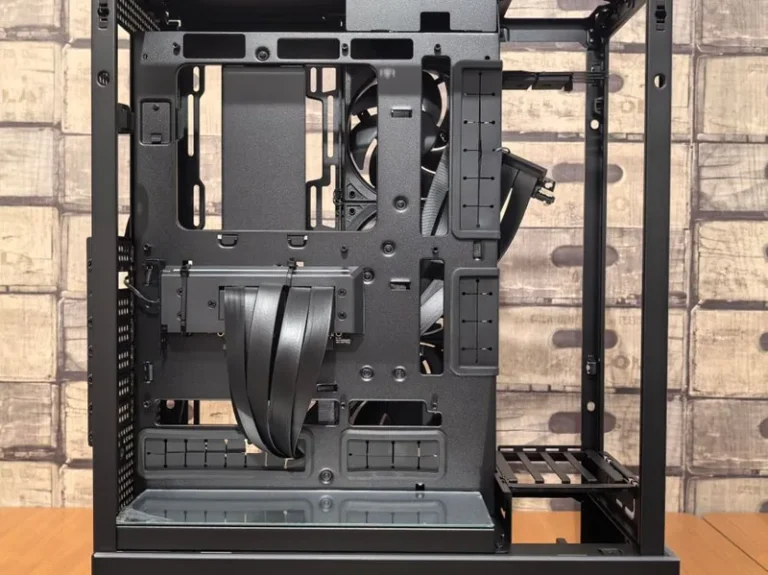
In a two-tone build, the cables are doing quiet work. White braided cable extensions for the motherboard and GPU power connectors tie the theme together, while leaving the card itself black provides the anchor. A single mismatched black cable snaking through an otherwise white interior is the fastest way to make the black GPU look accidental instead of intentional.
Take the extra time to route cables behind the motherboard tray and use the case’s built-in channels. In a contrast build, clean cable management is not vanity, it is what sells the whole two-tone effect. A tidy loom of white cables framing a black card is one of the most photogenic setups you can build.
Cooling and Airflow for a Contrast Build
A 300 W black GPU inside a white case needs real airflow or the premium parts will throttle under load. Plan for at least two intake fans up front and one exhaust at the rear, with a top-mounted AIO radiator if you choose liquid cooling. Positive pressure from slightly more intake than exhaust also reduces dust buildup on the white surfaces, which matters more than you would expect for keeping the build looking clean.
The cooler itself is another chance for contrast play. A white AIO with white fans looks crisp, but some builders flip it and use a white cooler with black fans to echo the GPU. Either direction works, as long as the two-tone idea stays consistent and deliberate across the build.
Getting the Theme Right: Tone and Texture
One subtle mistake is mixing too many shades of white. Different manufacturers have slightly different whites, and a cooler, case, and motherboard from mismatched lines can clash just enough to look off. Where possible, stick to one brand line or check photos of the actual parts together before you buy, because “white” is not a single uniform color.
The black GPU largely avoids this problem, since black is black. That is one more reason the black accent works so well, it lowers the chance of the shade mismatch that plagues all-white builds. If you would rather go fully white instead, my best all white gaming PC build guide covers that alternate route.
Budget Versions of This Build
You do not need $2,000 to pull off the look. A $1,200 two-tone build works just as well visually, with a black RX 9070 XT, a mid-tier white case, and a white air cooler. The contrast has nothing to do with price, so the aesthetic scales all the way down to a budget rig without losing the effect.
The key is keeping the ratio right, mostly white with black in exactly one or two hero spots. As long as the graphics card remains the lone dark element, the build keeps its deliberate look. For a step-by-step assembly walkthrough, my how to build a gaming PC step by step guide covers the full process if this is your first build.

FAQ
Can I put a black GPU in a white PC build?
Absolutely. A black GPU in a white build is a popular two-tone style that uses contrast to frame the graphics card. It usually costs less than hunting down a white GPU, which are rarer and pricier.
Is a white gaming PC build more expensive?
Not meaningfully in 2026. Most white versions of cases, motherboards, and coolers cost about the same as black versions. The premium mainly appears on fully white GPUs, which is why a black GPU actually saves money.
What is a good case for a white build with a black GPU?
Any white mid-tower with a tempered glass side panel and mesh front works well. A white interior makes the black GPU pop more, so prefer cases with a light internal finish where possible.
Do I need white cables for this build?
White braided cable extensions help sell the two-tone look and keep the black GPU reading as intentional. Mismatched black cables in a white interior are the quickest way to make the contrast look accidental.
How much does this build cost?
A complete two-tone build typically runs $1,200 to $2,100 depending on the CPU and GPU you choose. The two-tone theme itself adds little to no cost.
Conclusion
This two-tone build is one of the highest-impact, lowest-cost ways to make your rig stand out. By treating the graphics card as a deliberate dark centerpiece inside a bright chassis, you get a premium, curated look without paying the white-GPU premium or chasing a rare white card that may not exist for your tier.
Pick a glass-side white case for the frame, keep the cabling tidy and white, and let the black GPU do the talking. For part recommendations and independent testing across the rest of the system, check PCPartPicker build guides and RGB and case reviews from Tom’s Hardware. Build it clean, keep the contrast consistent, and you will have a rig that looks as good as it runs.