Gaming PC 240Hz: The Parts That Actually Hit 240 FPS in 2026
A gaming PC 240Hz setup is a different animal from an ordinary gaming PC, because hitting 240 frames per second and holding it requires the CPU, the GPU, and the monitor to all be up to the job. There is no single magic component; a 240 Hz system is a chain, and it stalls at the weakest link. This guide explains exactly what a 240 fps build demands, then gives you a parts list that reliably delivers.
The most important thing to understand up front is that 240 Hz only pays off in the games you actually play at 240 fps. For competitive titles that is easy on a mid-range budget; for cinematic single-player games it is often pointless to chase.
What Gaming PC 240Hz Performance Actually Demands
To keep 240 fps stable, your system has to generate a new frame every four milliseconds. That is a tight budget, and three components carry most of the load.
The CPU Has to Feed the GPU Fast Enough
At very high frame rates the CPU becomes the bottleneck, because it has to prepare 240 frames per second for the GPU to render. A modern CPU with strong single-thread performance and generous cache, like the Ryzen 7 7800X3D or 9800X3D, is what keeps your minimum frame rate high enough that 240 Hz feels consistent.
The GPU Must Deliver at Your Resolution
At 1080p, a mid-range GPU easily clears 240 fps in competitive games. At 1440p, you need a more powerful card to hold the same frame rate, so the resolution you choose changes how much GPU you must buy.
The Monitor Must Actually Be 240 Hz
This sounds obvious, but a 60 Hz or 144 Hz panel will silently cap your experience no matter how fast the PC is. A genuine 240 Hz monitor with low response time is a required part of the build, not an optional extra.
The 240Hz Parts List for 2026
This build is tuned for 1080p 240 fps in competitive titles and 1440p 240 fps in lighter games, with real components and street prices.
| Component | Recommended Part | Estimated Price (USD) |
|---|---|---|
| CPU | AMD Ryzen 7 9800X3D | $449 |
| GPU | NVIDIA RTX 5070 12 GB | $549 |
| Motherboard | B650E ATX (AM5) | $189 |
| RAM | 32 GB (2×16) DDR5-6000 CL30 | $109 |
| Storage | 1 TB PCIe 4.0 NVMe SSD | $79 |
| Power Supply | 750 W 80+ Gold | $99 |
| Case | Mesh mid-tower ATX | $89 |
| CPU Cooler | 240 mm AIO liquid cooler | $99 |
| Monitor | 240 Hz 1080p fast IPS | $199 |
| Total | $1,861 |
The monitor is included because it is part of the point. If you already own a 240 Hz panel, the PC alone lands around $1,660, and you can trim further with a Ryzen 5 7600 or an RTX 5060 Ti while still holding 240 fps in most esports titles.

CPU and Memory: The Hidden Drivers of High Frame Rates
Most people focus on the graphics card, but at 240 fps the CPU and memory are doing the hard work of keeping frame times low and consistent.
Cache Makes a Big Difference at High FPS
The reason AMD’s X3D chips dominate the 240 Hz conversation is cache. Games like Valorant, Counter-Strike 2, and Fortnite see large gains in both average and minimum frame rates when extra L3 cache is present, and those minimums are what keep 240 Hz feeling smooth.
Memory Speed and Latency Matter
A 32 GB DDR5-6000 kit with low latency helps the CPU feed the GPU without stalling. This is one of the cheapest ways to raise your 1% lows, and low 1% lows are exactly what cause visible hitches on a high-refresh display.
Monitor First: Why 240Hz Is the Point
If your current PC can already hit 240 fps in your main game, your money is better spent on the monitor than on new internals. Moving from 144 Hz to 240 Hz is a genuinely noticeable jump in how fluid the image feels, and competitive players report it making tracking fast targets easier.
Look for a fast IPS or OLED panel with a true 240 Hz refresh rate and a 1 ms or lower response time, and confirm it supports adaptive sync. RTINGS publishes detailed motion and response-time measurements that make it easy to compare models before you commit.
Settings for Hitting 240 FPS
You rarely need maximum visual settings to enjoy 240 fps, and a few adjustments unlock major gains for free.
Lower the Settings That Hurt Clarity Least
Shadows, volumetric fog, and post-processing eat frames without adding much to how a fast competitive game reads on screen. Dropping these while keeping textures high is the classic 240 Hz approach.
Cap Just Under Your Refresh Rate
Capping the frame rate slightly below 240 reduces the input-latency spikes that come from an uncapped engine. Use the in-game limiter whenever possible, as it adds less overhead than external tools.
Keep the System Lean
Close overlays and background downloads, and keep GPU drivers current. At 240 fps, even a small background CPU hit can show up as a stutter, and stutter is the one thing that ruins a high-refresh setup. Tom’s Hardware has a full build guide if you are assembling from scratch.

Esports Versus AAA at 240Hz
A 240 Hz display is a competitive-shooter tool first and a cinematic luxury second. Esports titles are engineered to run fast, so a modest build holds 240 fps easily and the extra smoothness directly helps your aim.
Heavy single-player games are a different story. Hitting a stable 240 fps in a ray-traced open-world game requires a flagship GPU and usually is not worth the cost, since those games gain little from the extra frames. For mixed use, a gaming PC 240Hz build is the ideal middle ground: fast enough for esports, and still a strong performer at 1440p in cinematic titles at more modest frame rates.
Cooling: Keeping High Frame Rates Consistent
A 240 fps build only stays a 240 fps build if thermals are under control, because a hot CPU or GPU will downclock and cost you exactly the frames you paid for.
A Solid Air Cooler Is Usually Enough
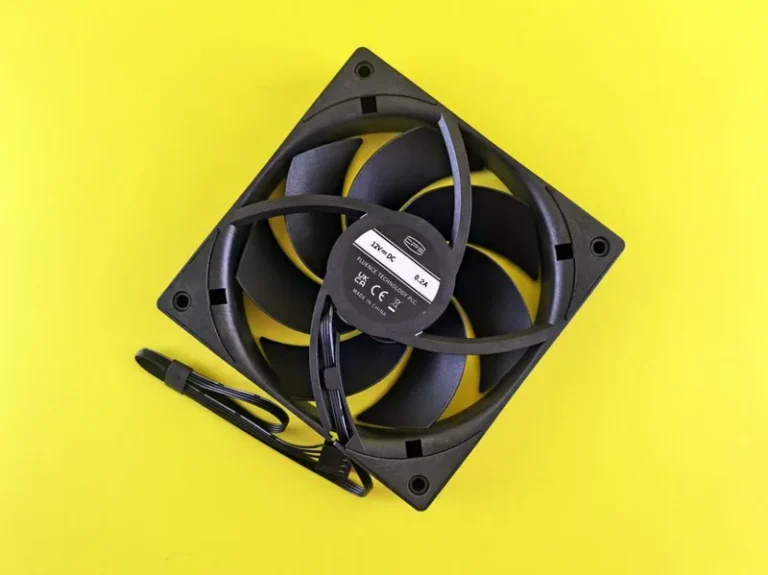
Modern CPUs can be tamed by a capable tower air cooler, and a cheap 240 mm AIO adds little for the money. Spending on airflow rather than on a fancy cooler keeps boost clocks stable during long sessions.
Cases and Fan Layout Matter
A case with a mesh front panel and a sensible intake-to-exhaust fan layout keeps the GPU from recirculating warm air. Good airflow is cheap insurance against the mid-session frame drops that make 240 Hz feel inconsistent.
Keep Frame Times Steady With a Clean Build
Dust, blocked vents, and poor cable routing all raise temperatures over time. A quick clean and tidy cables are free ways to keep the CPU and GPU holding their boost clocks, which is what keeps a gaming pc 240hz setup feeling smooth month after month.
FAQ
What CPU do I need for a 240Hz gaming PC?
A Ryzen 7 7800X3D or 9800X3D is ideal, because their large cache keeps minimum frame rates high enough for 240 Hz to feel smooth. A Ryzen 5 7600 works well in lighter titles on a budget.
Is a 240Hz monitor worth it for gaming?
Yes, especially for competitive shooters. The jump from 144 Hz to 240 Hz is clearly noticeable in fast motion, and it is one of the best quality-of-life upgrades a competitive player can make.
What GPU do I need for 240 fps at 1440p?
An RTX 5070 or RX 9070 XT will hold 240 fps in esports titles at 1440p and perform well in AAA games at reduced settings. For ray-traced AAA at 1440p 240 fps, you would need an RTX 5080 or better.
Can a budget PC hit 240 fps?
In esports titles, yes. A $1,000 build around a Ryzen 5 7600 and an RTX 5060 will clear 240 fps in Valorant, CS2, and Fortnite at 1080p without much effort.
Does 240Hz increase input lag?
No, it reduces perceived latency, because each frame reaches your screen sooner. A lower response time and fewer frames in the pipeline mean your inputs feel more immediate.
Conclusion
A gaming PC 240Hz build is a system where the CPU, GPU, and monitor all pull in the same direction, and the parts list above nails that balance at around $1,860 including the display. If you want to explore the surrounding components, see our best gaming PC build of 2026, our pick for the best GPU for gaming at price-to-performance, and our guide to the best gaming monitor of 2026.